I recently sourced a Lenovo P3 Ultra SFF to retire one of my cluster nodes - a Dell PowerEdge T140 with 128G RAM - I found the two PCIe slots appealing (one is X16 @ 4.0, the other is X8/X4 @ 4.0).
Short List of Tips and Caveats
- Do not go for the highest TDP CPU possible (i9-14900K) - its larger heatsink will occupy the space needed for the PCIe X16 slot.
- The machine does not have PCIe bifurcation. So for multi-NVMe, you have to get a PCIe card with a PCIe multiplexer (PLX PEX8747 or PLX PEX8732). Note that the above cards run super hot (the PLX chip) and are definitely a poor choice with something as small as the P3 Ultra. I found a storage solution that doesn't need a PLX, more on this below.
- Do not order the 170W or 230W Power Brick - go for the highest possible (300W max) if you'd like to make use of the two PCIe slots. Even with a simple i9-14900T and a single PCIe X722-DA4 the machine struggled somewhat. With the 300W adapter, I no longer had issues.
- The P3 Ultra Gen2 SFF only has 2 CSODIMM slots (for a max of 128G), whereas the Gen1 has 4 SODIMM slots for a supported total memory of 192GB ECC. Some users have had success with Crucial memory and 224G RAM.
- The PCIe riser for the X16 PCIe slot is just SUPER sensitive to shorts. Yes, electrical shorts. I did not pay enough attention but I had a few occasions of the machine wake up electrically while I was attempting to remove the riser + PCIe card assembly - perhaps this is how the previous risers died.
- The PCIe support of the X8/X4 PCIe slot could have used better engineering. The metal chassis was too wide by a few millimeters, which blocked access for a NIC card with SFP+ cages protruding by a few mms. To fit the X722-DA4 card, I had to remove some of the metal support with a tool. Additionally, one SFP+ port was partially obstructed by the chassis, so only three of the ports were available.
- The on-board Ethernet interfaces (igb and igc) do NOT work with Jumbo frames. They accept it (RHEL 9.6), but hang the TCP connection when it's over 1500.
- Cooling is a challenge
The P3 Ultra has Lenovo 'ICE' technology (Lenovo's intelligent cooling).
There are only 3 settings for ICE: Optimized, Performance and Full-speed.
Unfortunately, there isn't a middle ground between 'Performance' and 'Full-speed'.
On 'Performance' some components can easily overheat unless you leave the chassis open and exposed. The Multi M.2 PCIe cards fall into this category
On 'Full-speed' the PCIe cards are well cooled and you can close the chassis but unfortunately, this made the machine very noisy
(it was actually noisier than my T640s).
It took a while to find the perfect working solution (3-4 months) but I eventually reached a point where I'm 100% happy with the machine. Details follow.
I've also used XXV710-DA2 NICs in the X8 slot and for these you do NOT need to mod the chassis.
General Chassis pictures
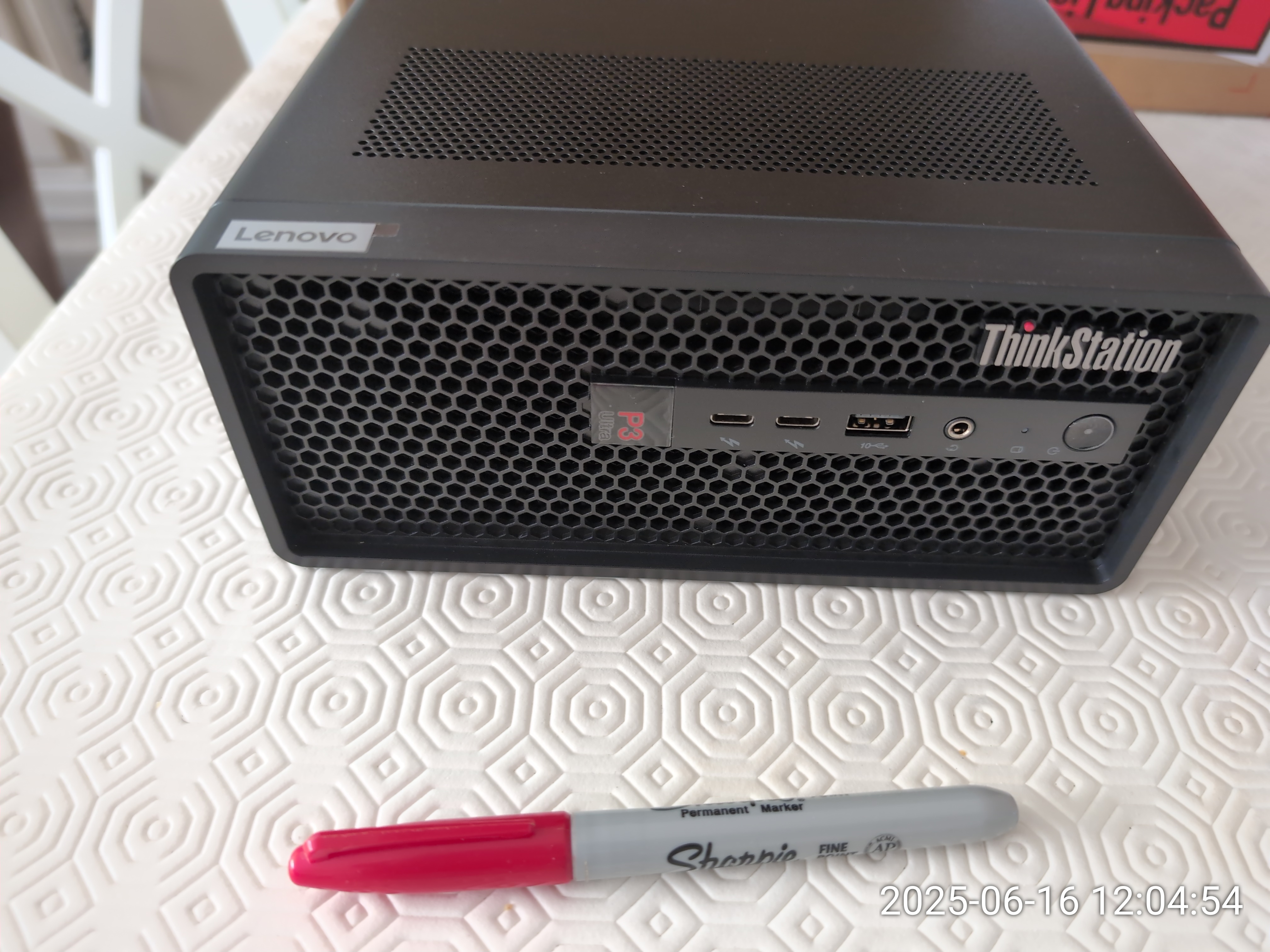


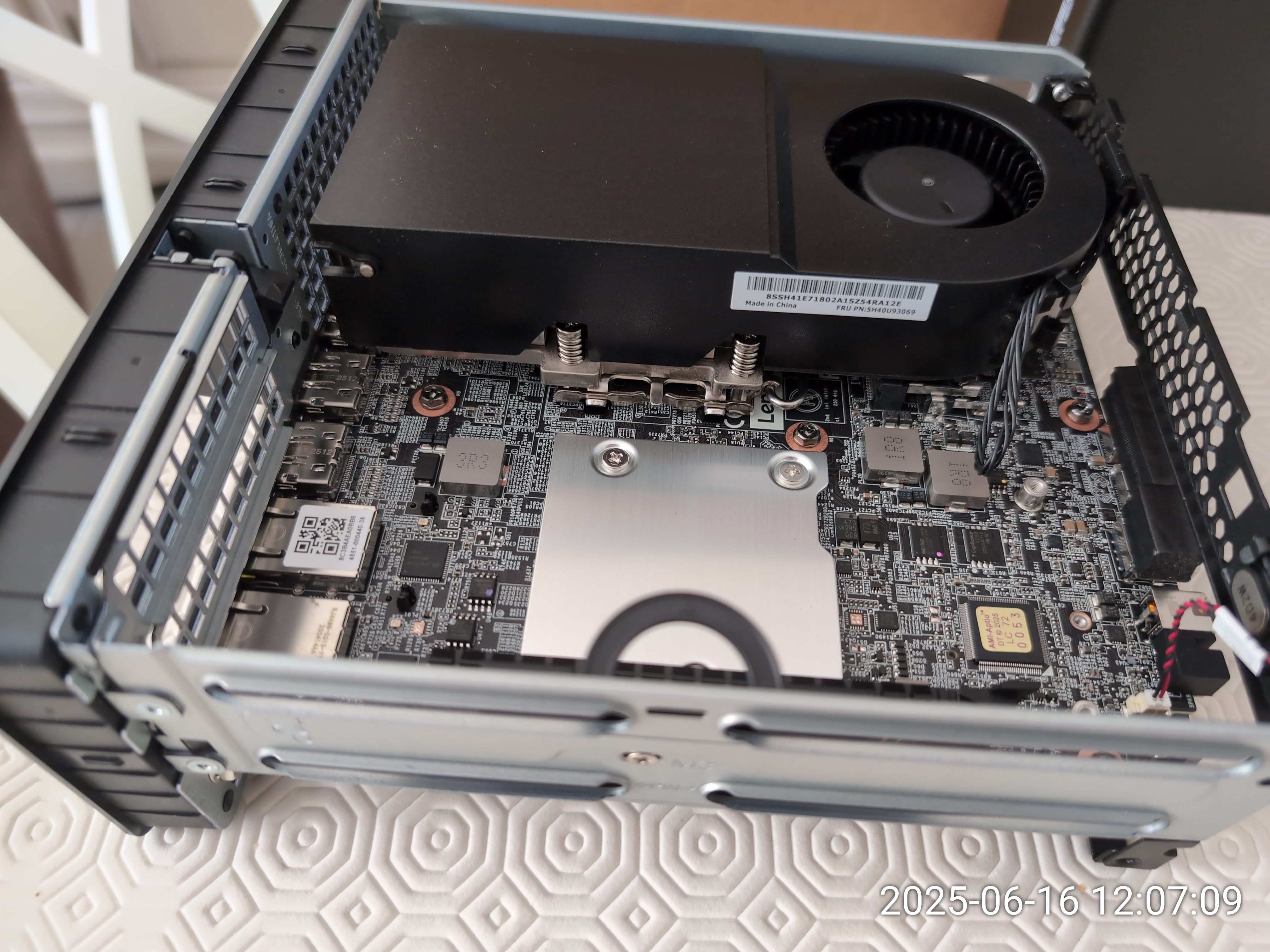


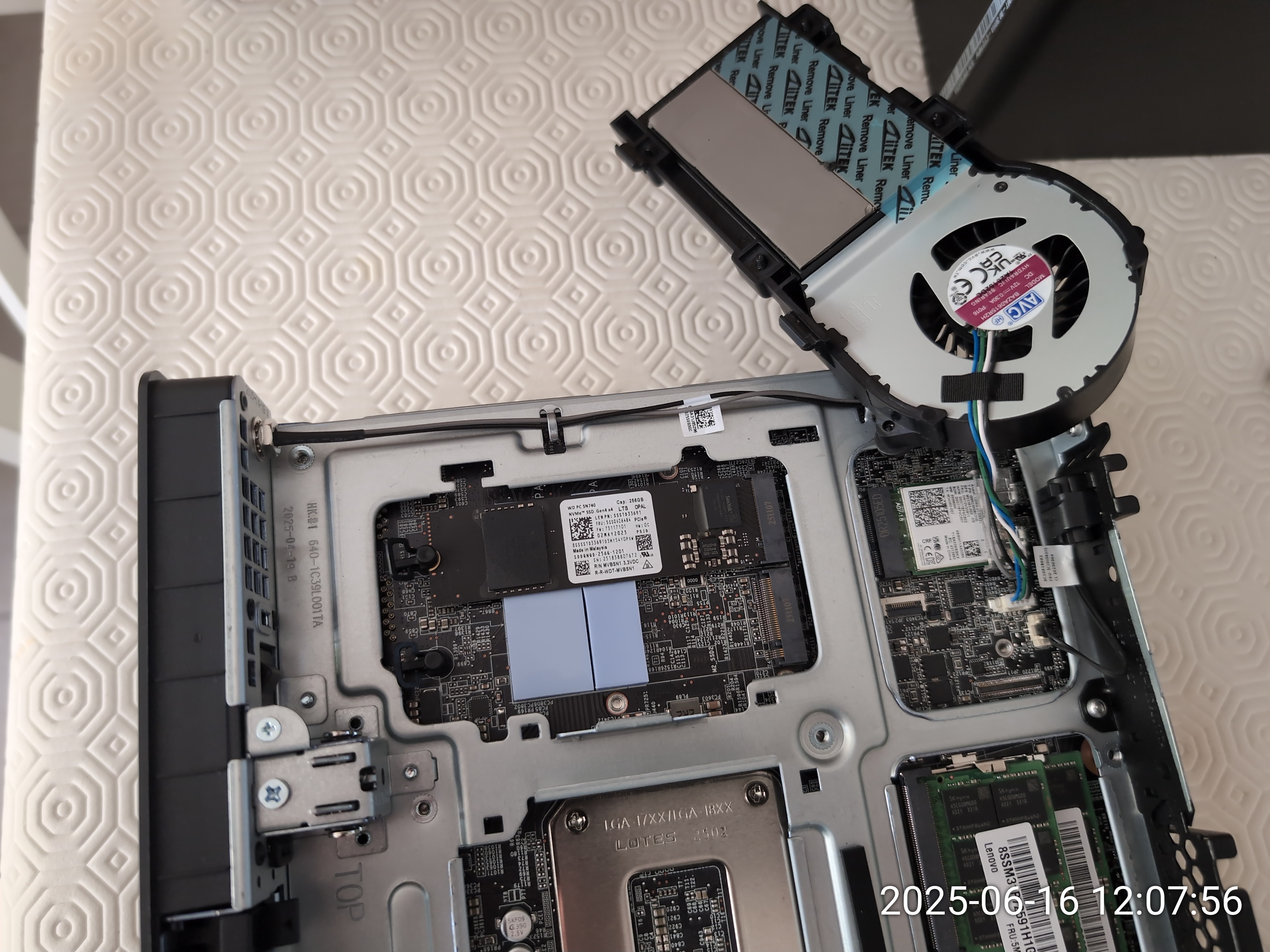
First challenge: an X722-DA4 with SFP+ cages
I needed a minimum of 2 x 10G networking to use this box as an hypervisor, so I bought a nice X722-DA4 LP card.

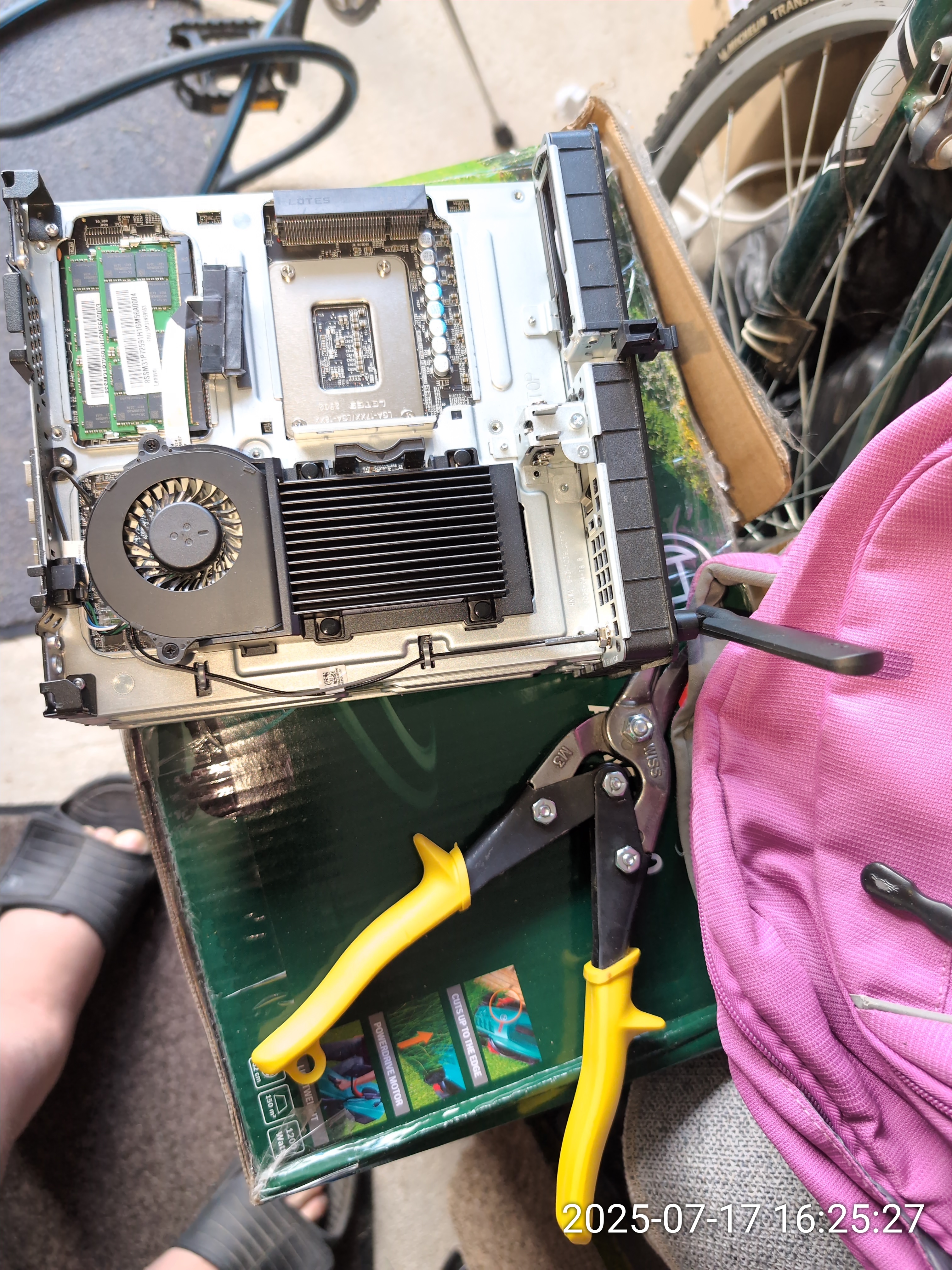
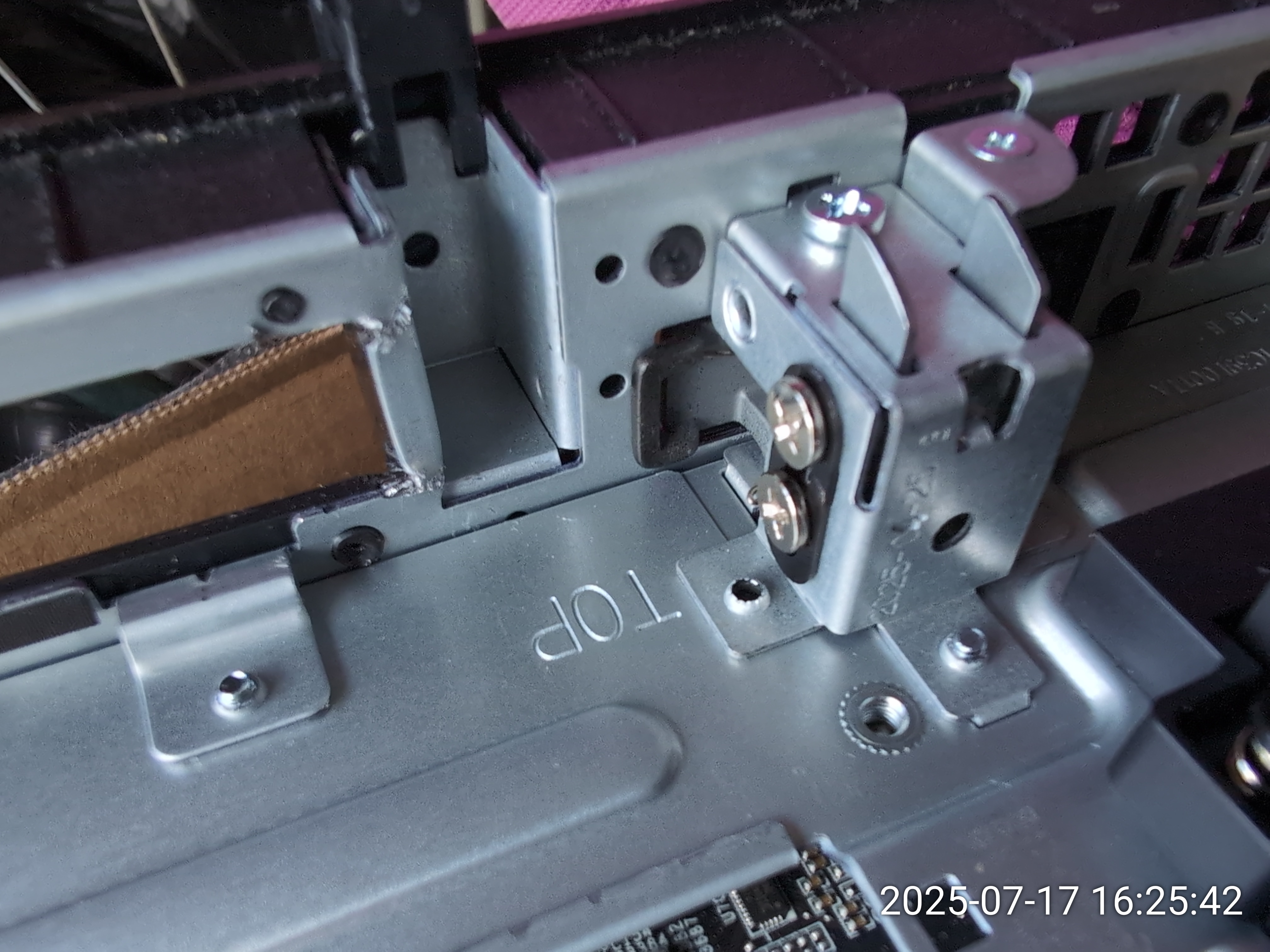

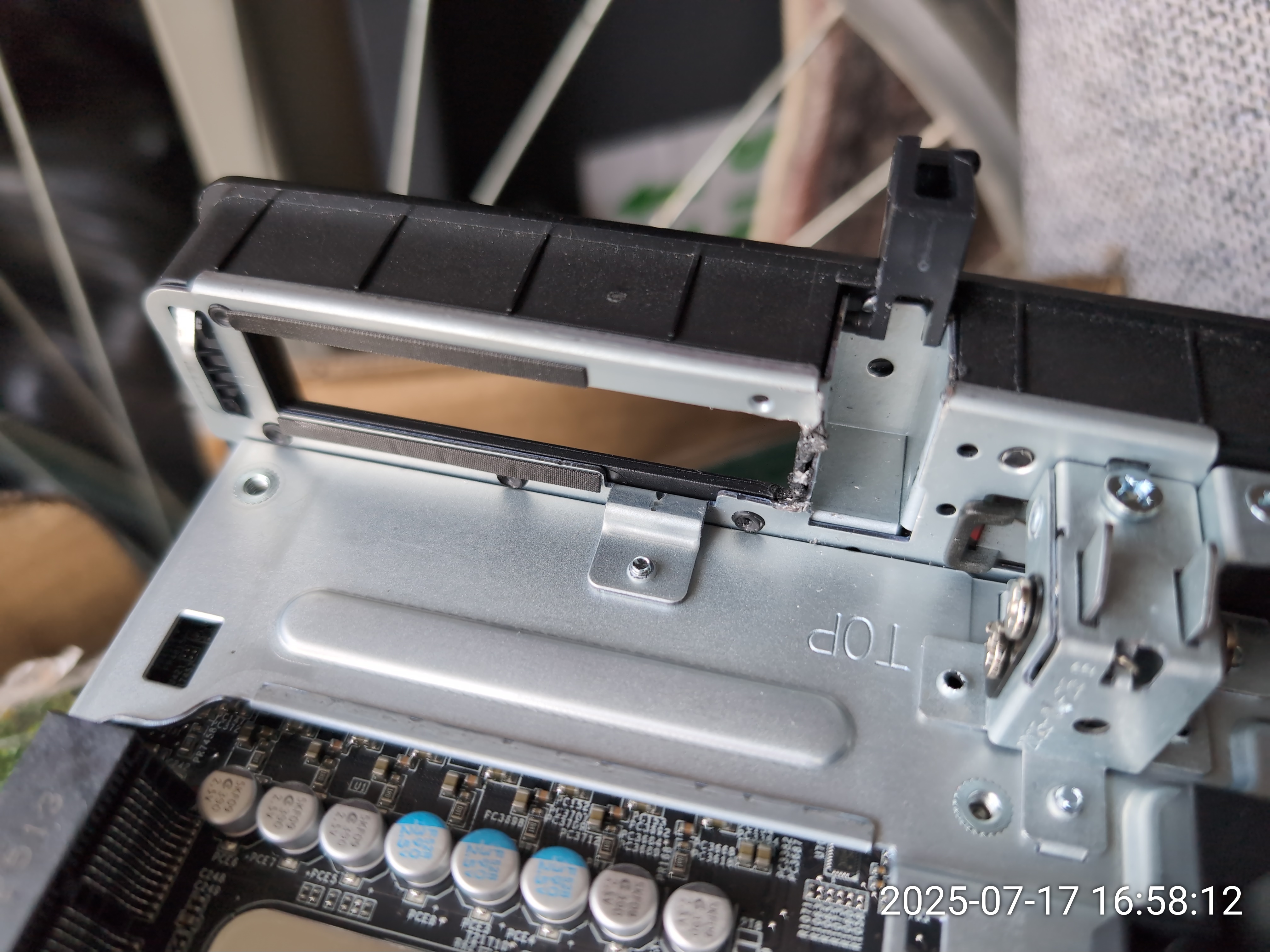


Since I no longer wanted to keep modding the metal chassis, I set out for another solution and used an XXV710-DA2 instead.
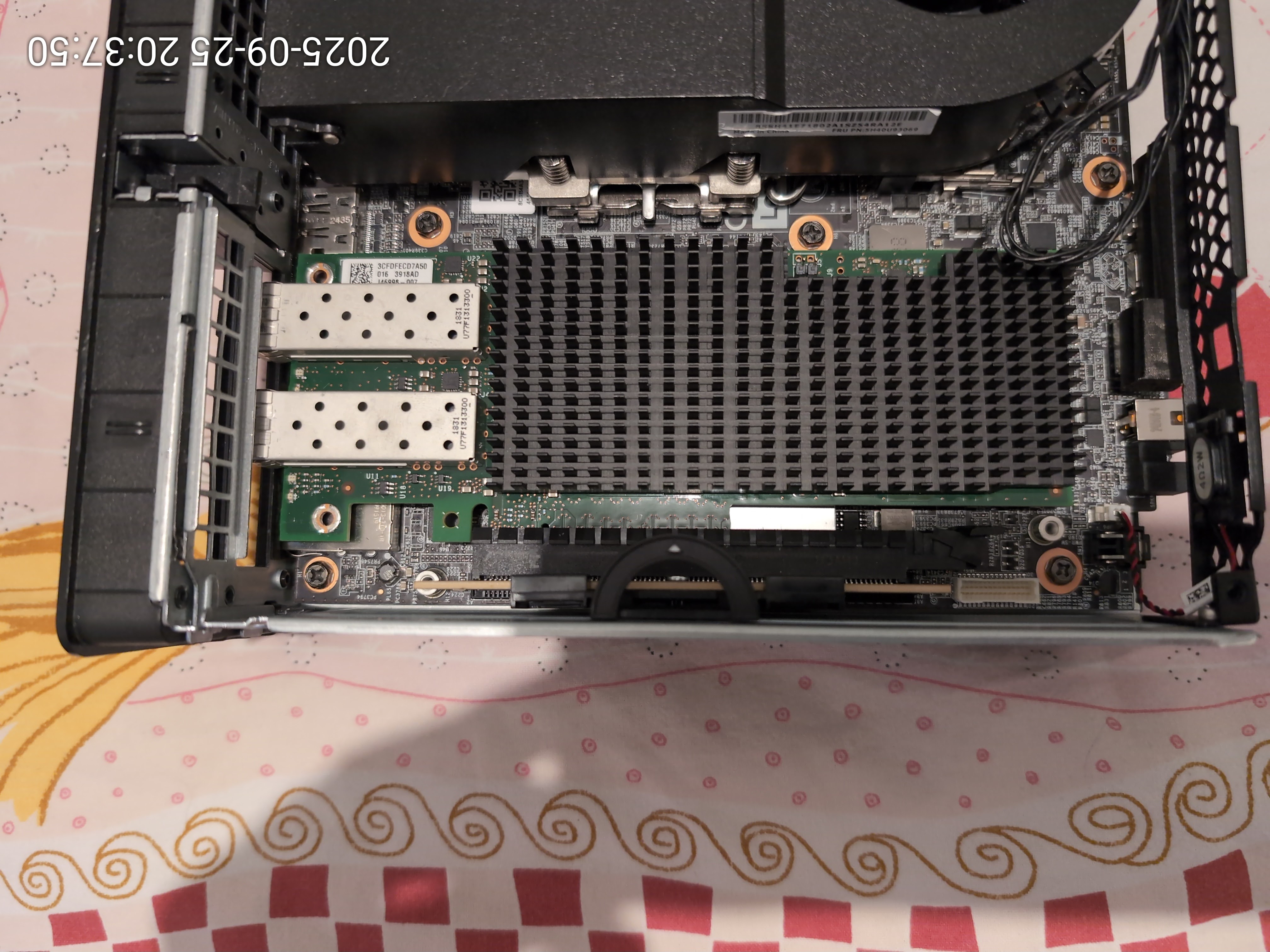
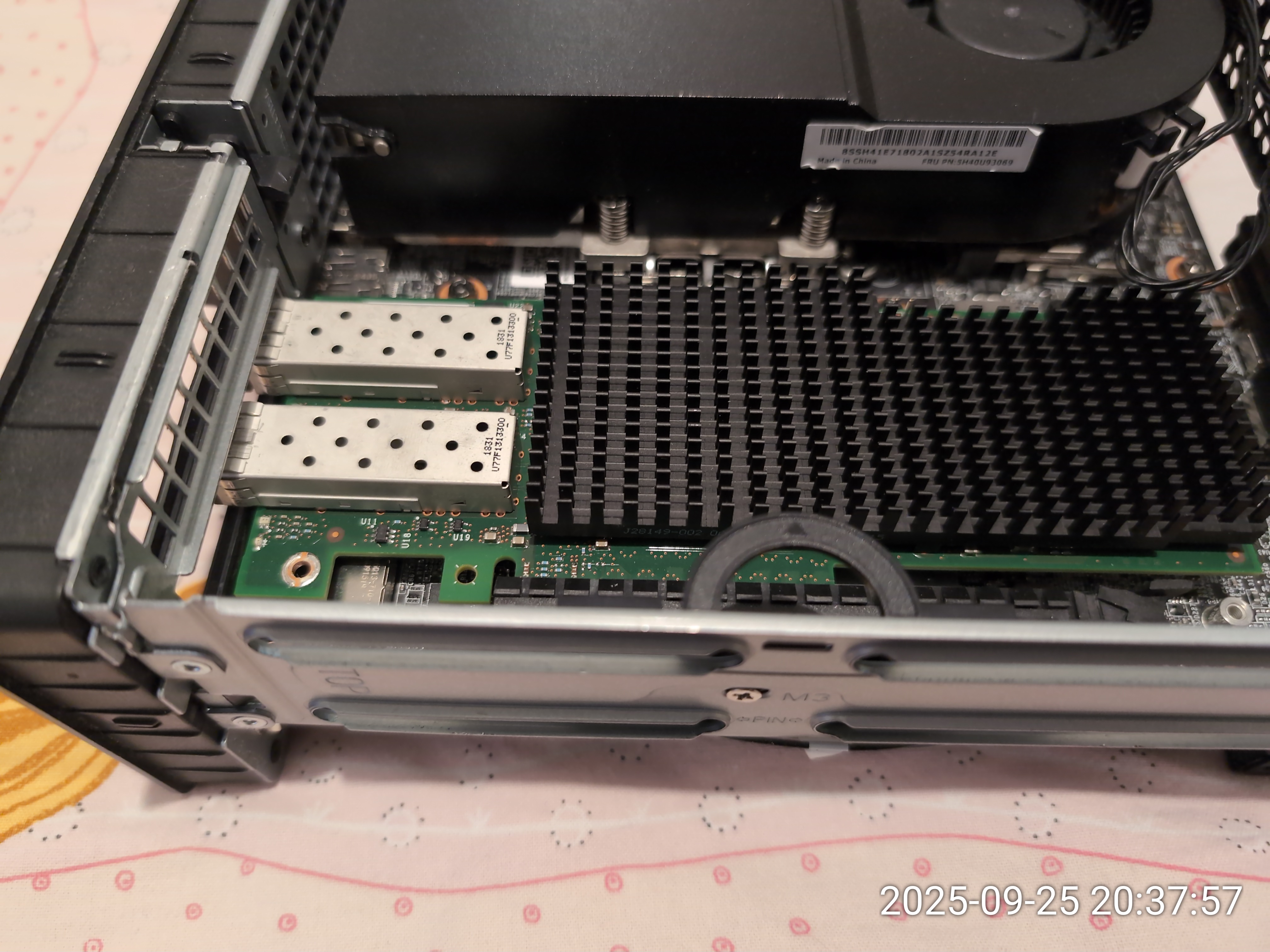
Next challenge: adding more storage!
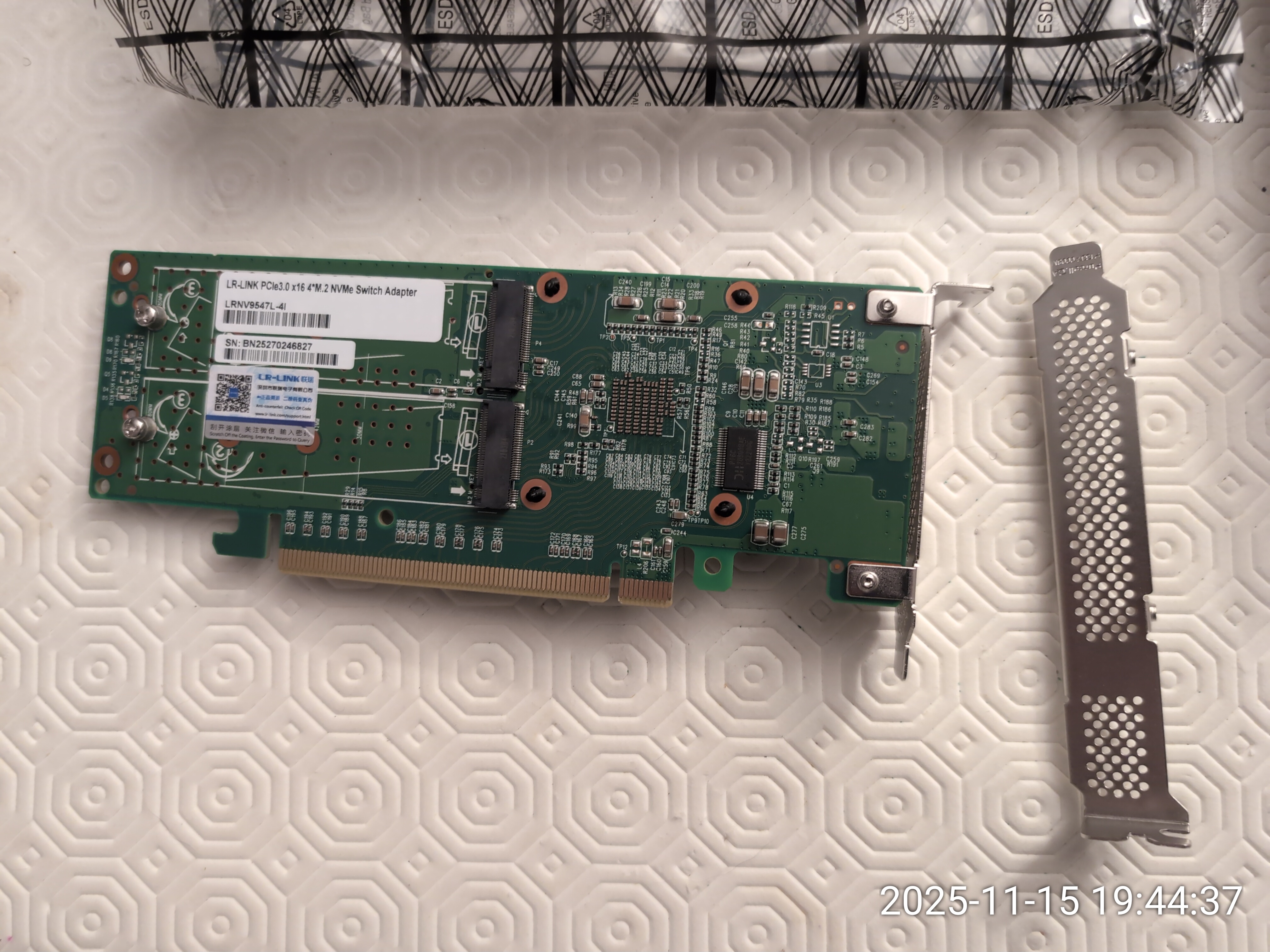
Since the P3 Ultra SFF Gen1 does not have PCIe bifurcation, any multi-NVMe solution had to include a PCIe bridge such as the PLX PEX8747.I first tried a massive 4 x M.2 PCIe 3.0 card from eBay with a heavy metal heatsink. It worked when cold but was quickly followed by machine hangs.
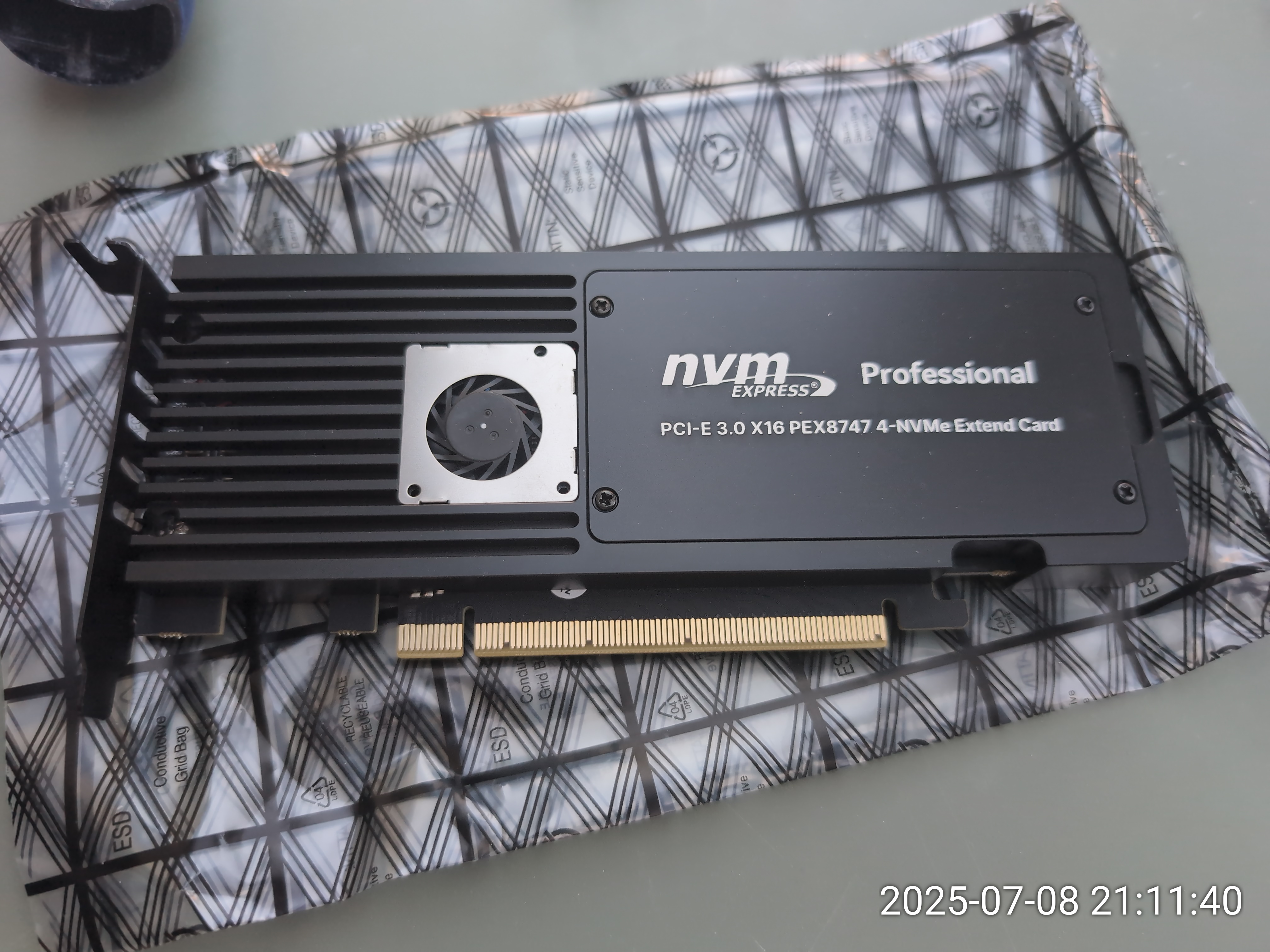

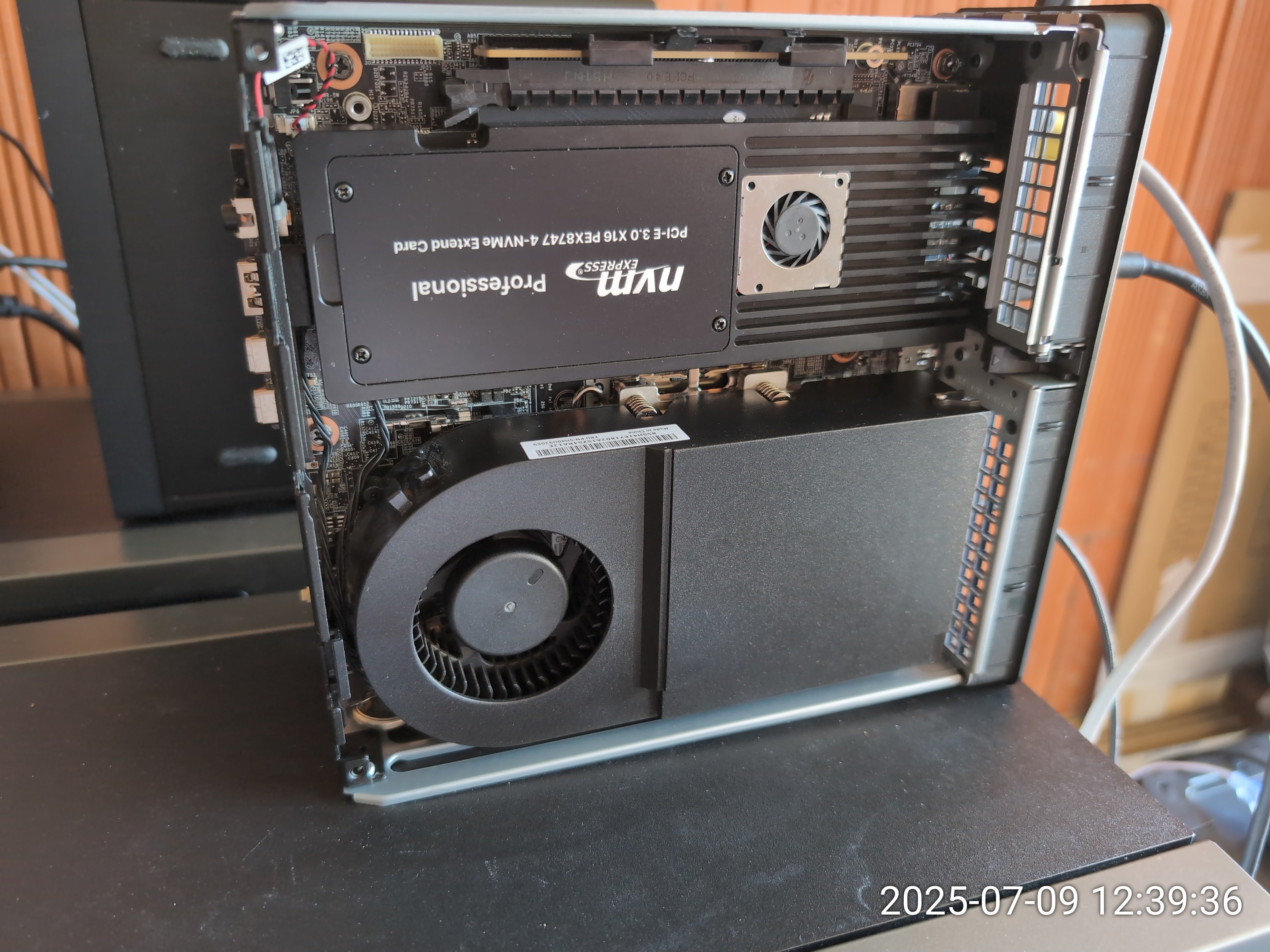
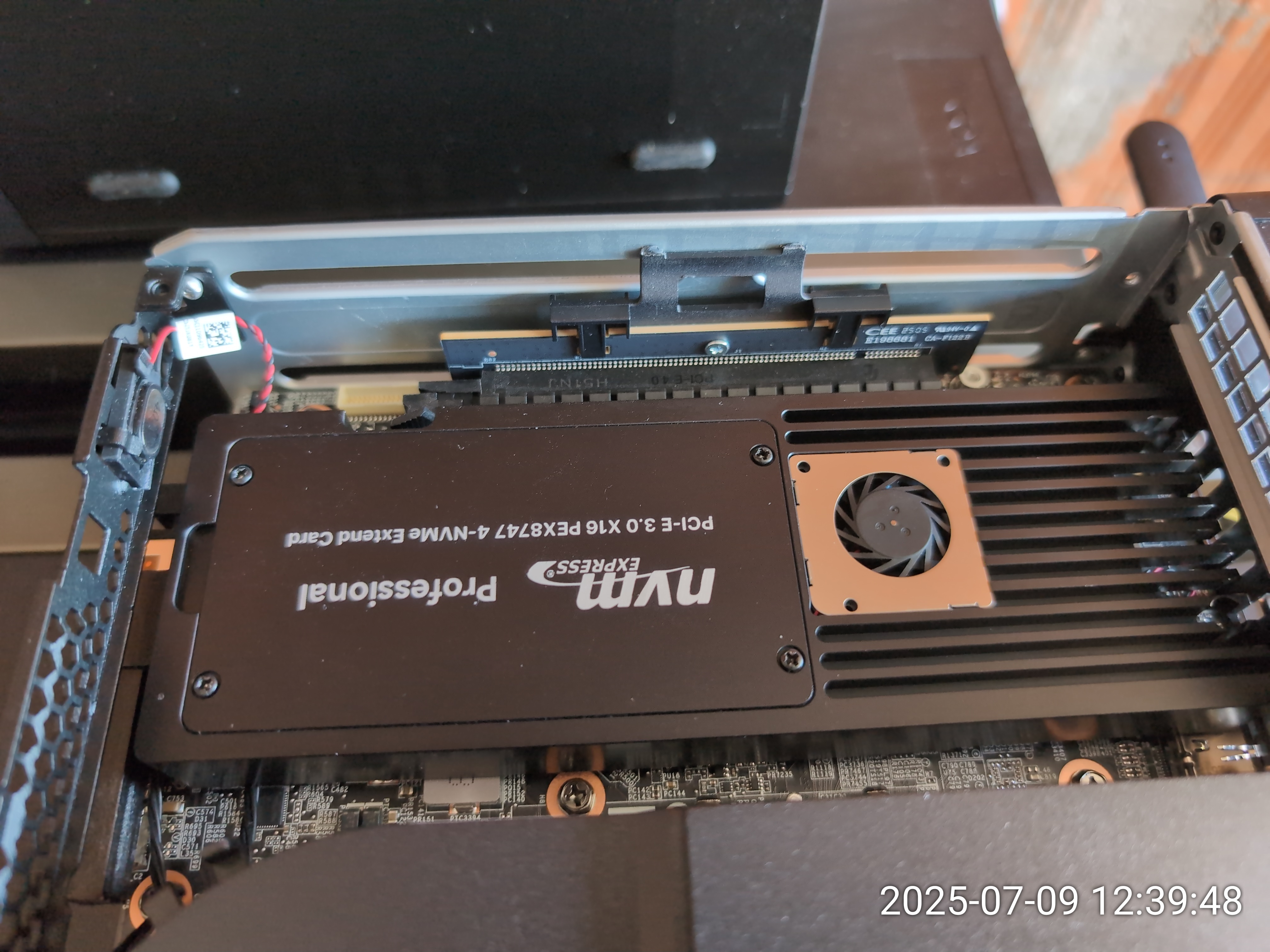
I was able to find one such card used on ebay and modded it to use passive cooling with a large heatsink from aliexpress.
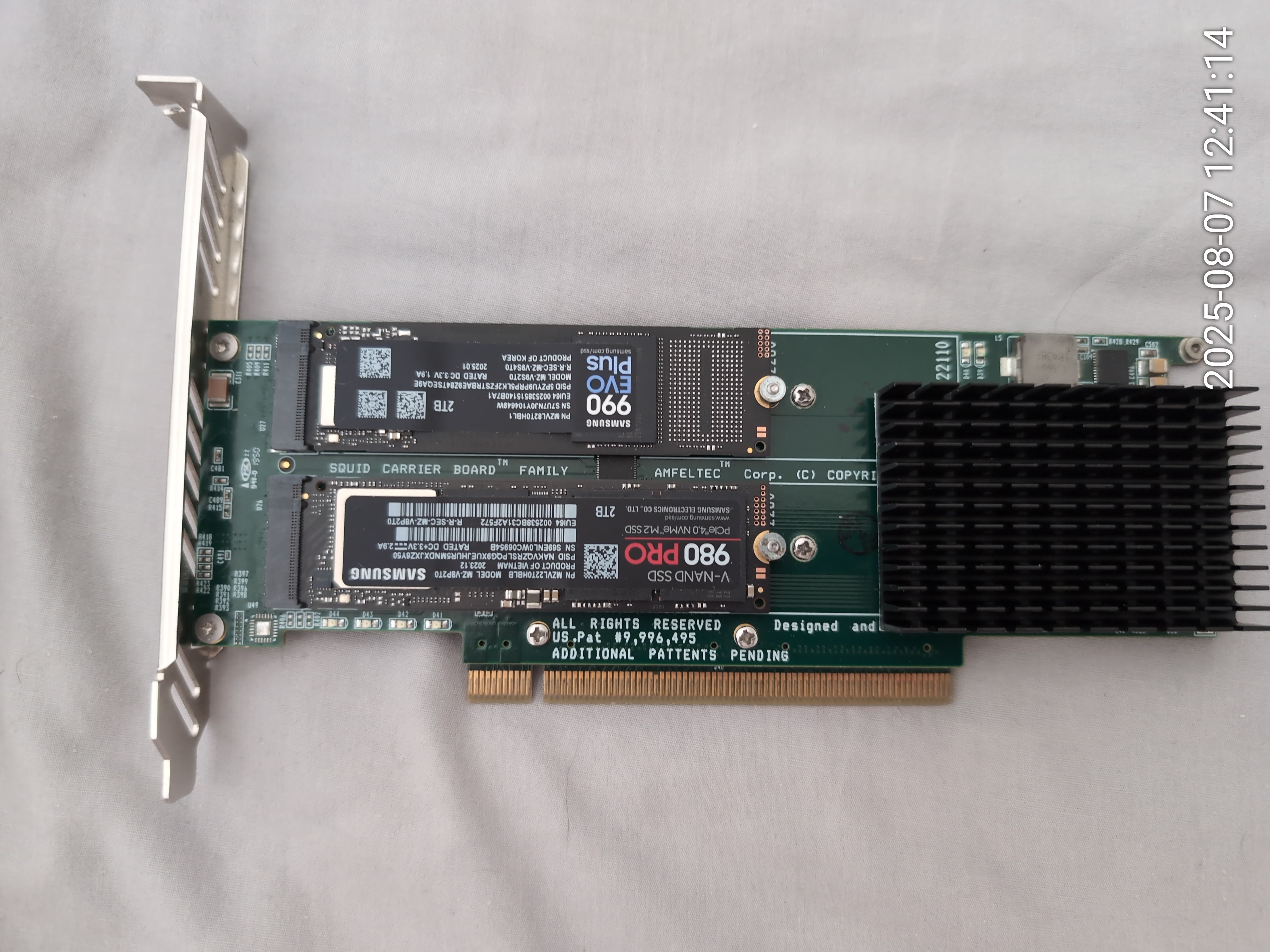
With the ICE setting to 'Full speed', things were only slightly better but the machine was too noisy for my taste.
I was beaten but not yet defeated.
A first ebay miracle.
In september of 2025, I was able to buy two 'almost new' Micron 9400 32Tb drives.Both drives were less than 50% of the new price but they were almost like new.
One drive had seen less than 1% of usage and the other had just a few hundred GBs of writes.
To put this into perspective, those massive 32T drives have a minimum endurance of 56Pbs (yes, Petabytes)
This solved a few issues right away: with a single drive, there was no longer a need to have PCIe bifurcation or a PLX PCIe bridge chip.
All I needed was to figure out how to use the PCIe X16 slot for the U.2 drive.
Simple, right? Well, that turned out to be a challenge in itself too...
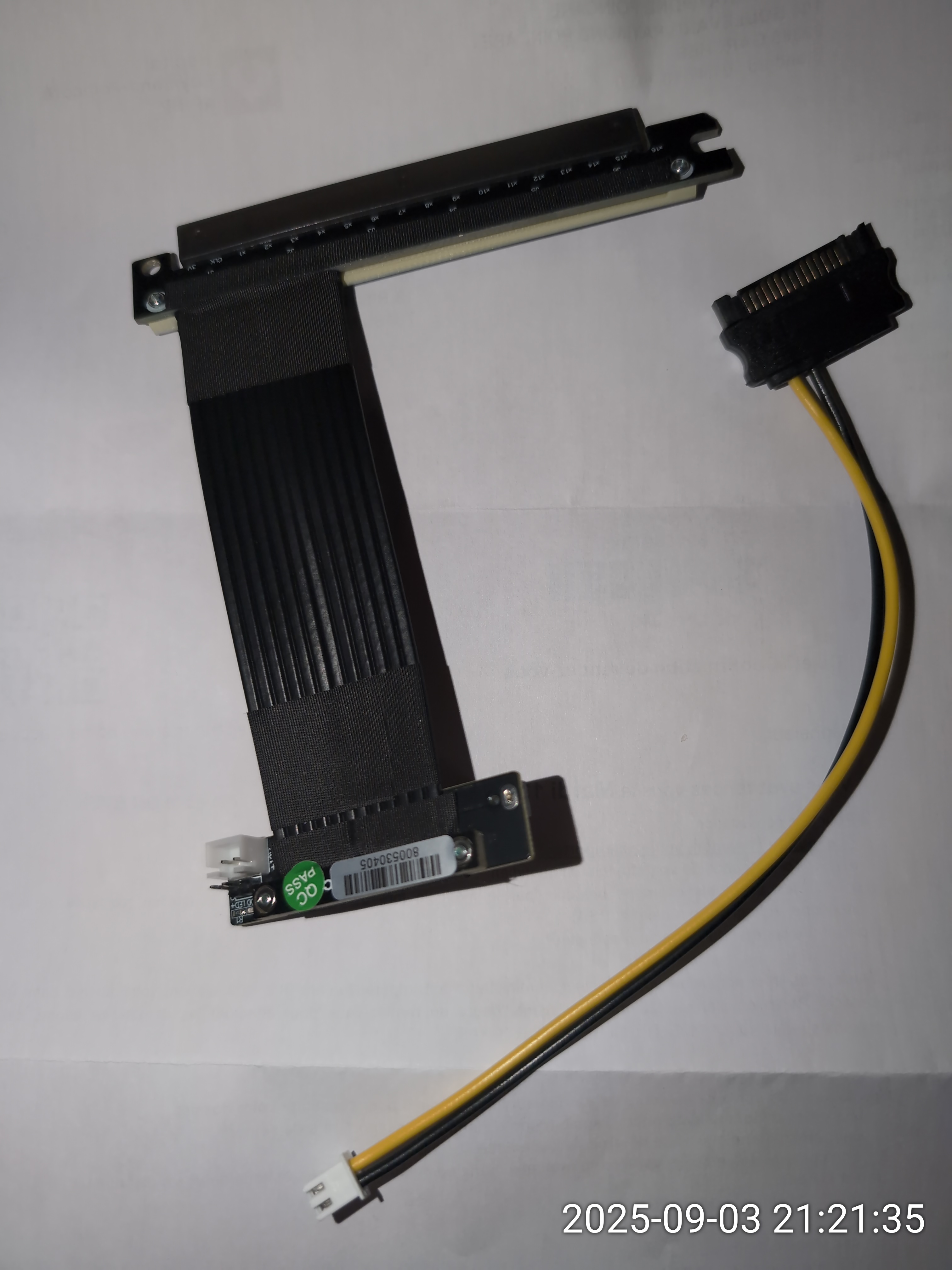
Initially, I thought of using some ADT-Link PCIe x16 to U.2 adapters (R37UL 4.0 or R37UF 4.0).
Over the next few weeks, I would end up ordering and attempting to use various versions of these adapters, often with slightly different cable lengths. Here's a picture of one such adapter:
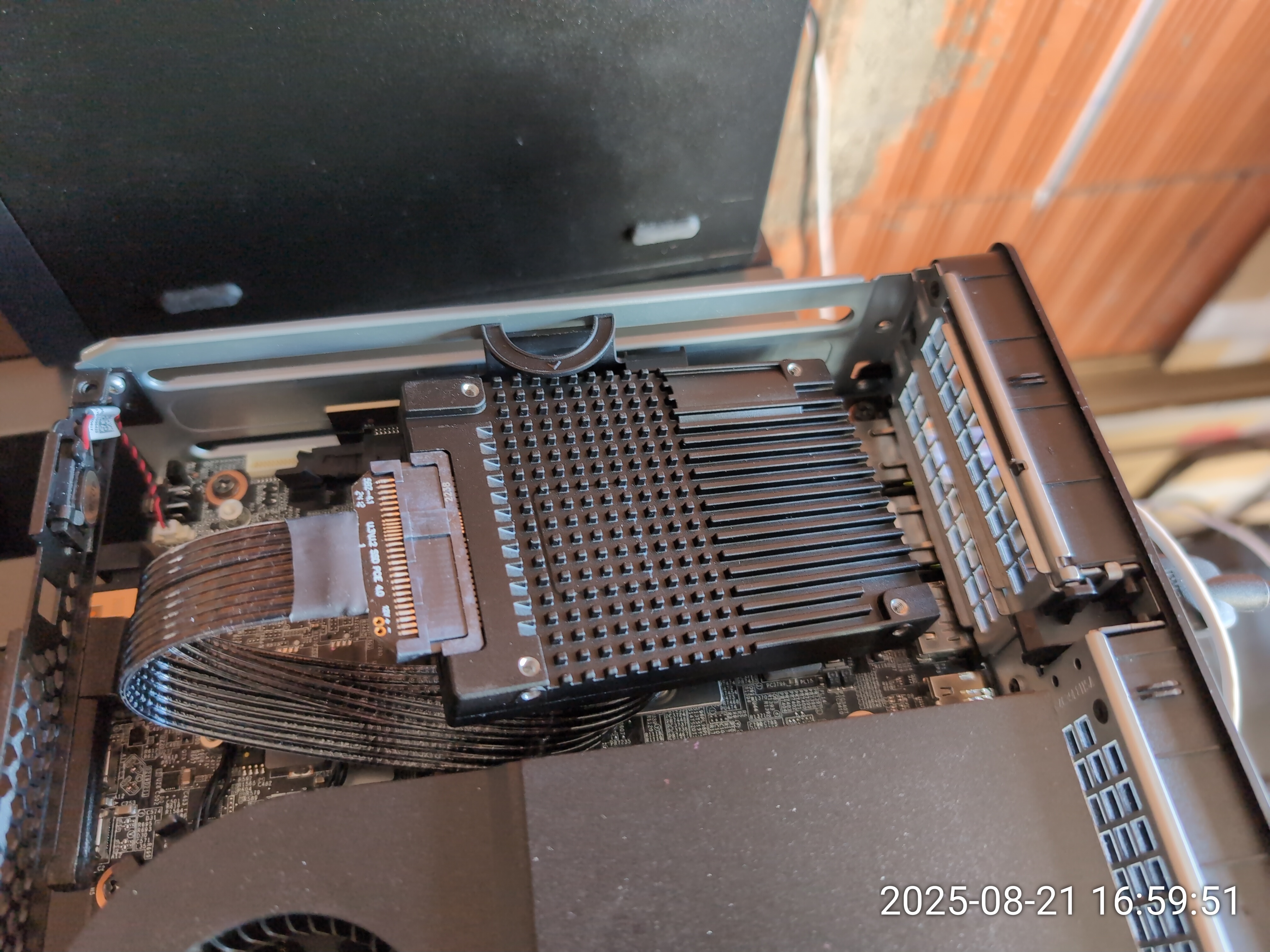

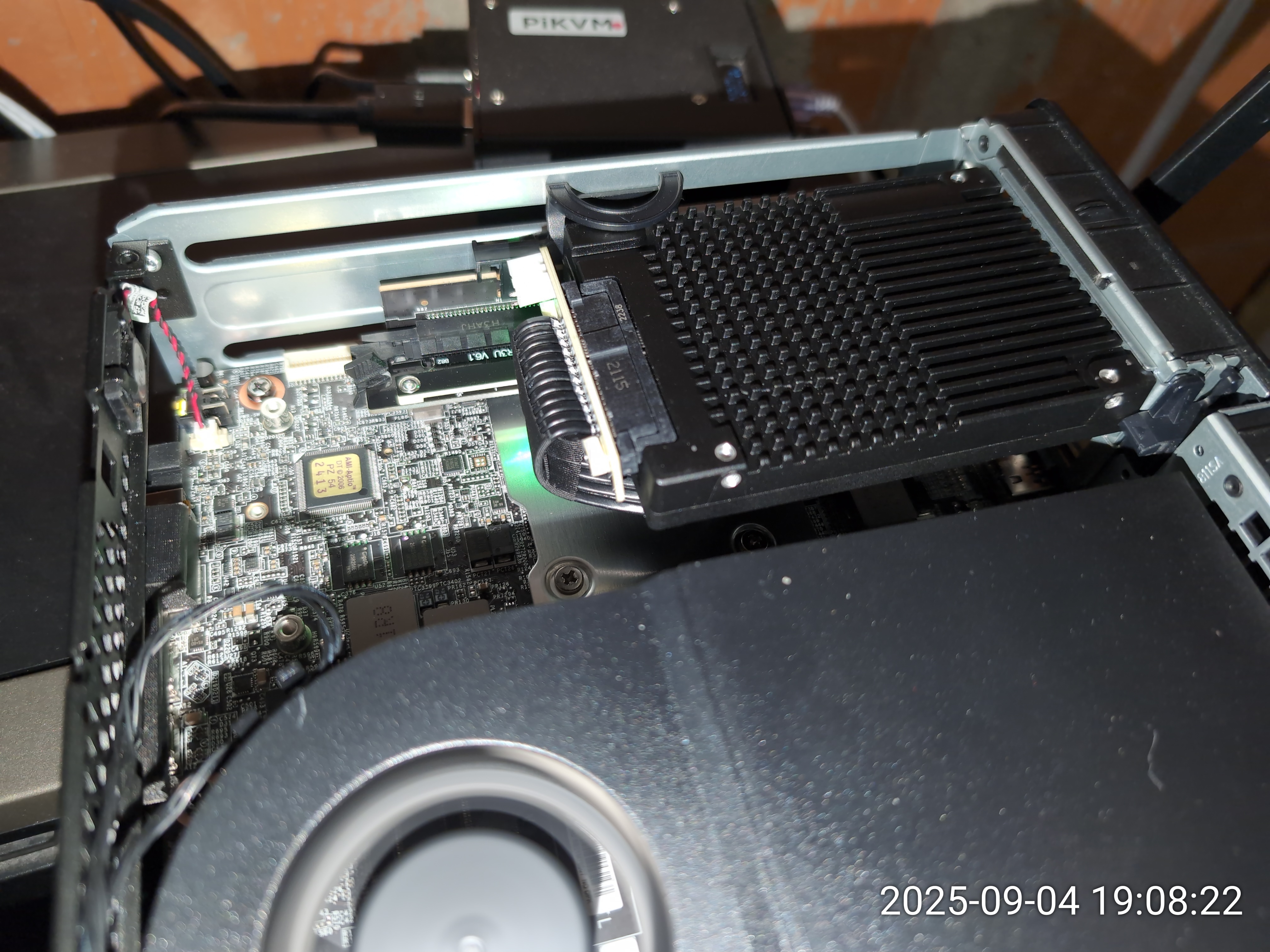
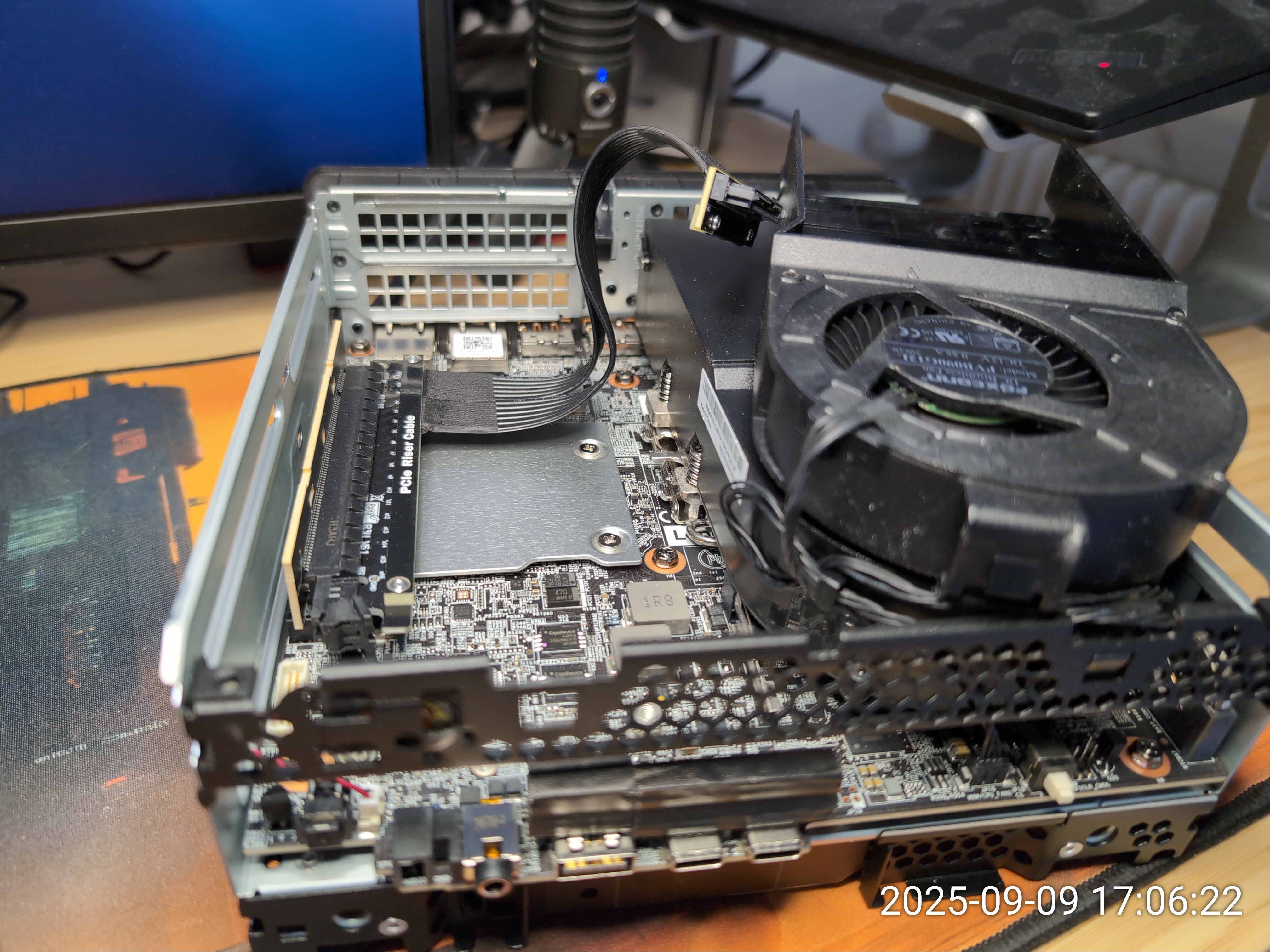
- In the space between the chassis and motherboard, the heavy U.2 drive would move around slightly and could prevent me from opening the chassis again if it became stuck.
- The U.2 end of the ADT-Link cables didn't firmly stay wedged onto the Micron 9400 U.2 connector, causing PCIe errors and system instability.
- The PCIe cables from ADT-Link were sometimes experiencing PCIe errors if bent too far.
- even though the cables were supposed to be PCIe 4.0, the ADT-Link cables never went above PCIe 3.0 speeds.
Trying to make things more stable.
Most of my attempts at affixing the drive to the chassis proved to be unsuccessful.I tried modding the SATA caddy, placing the drive into it in an inverted position in the dual-slot PCIe X16 chamber.
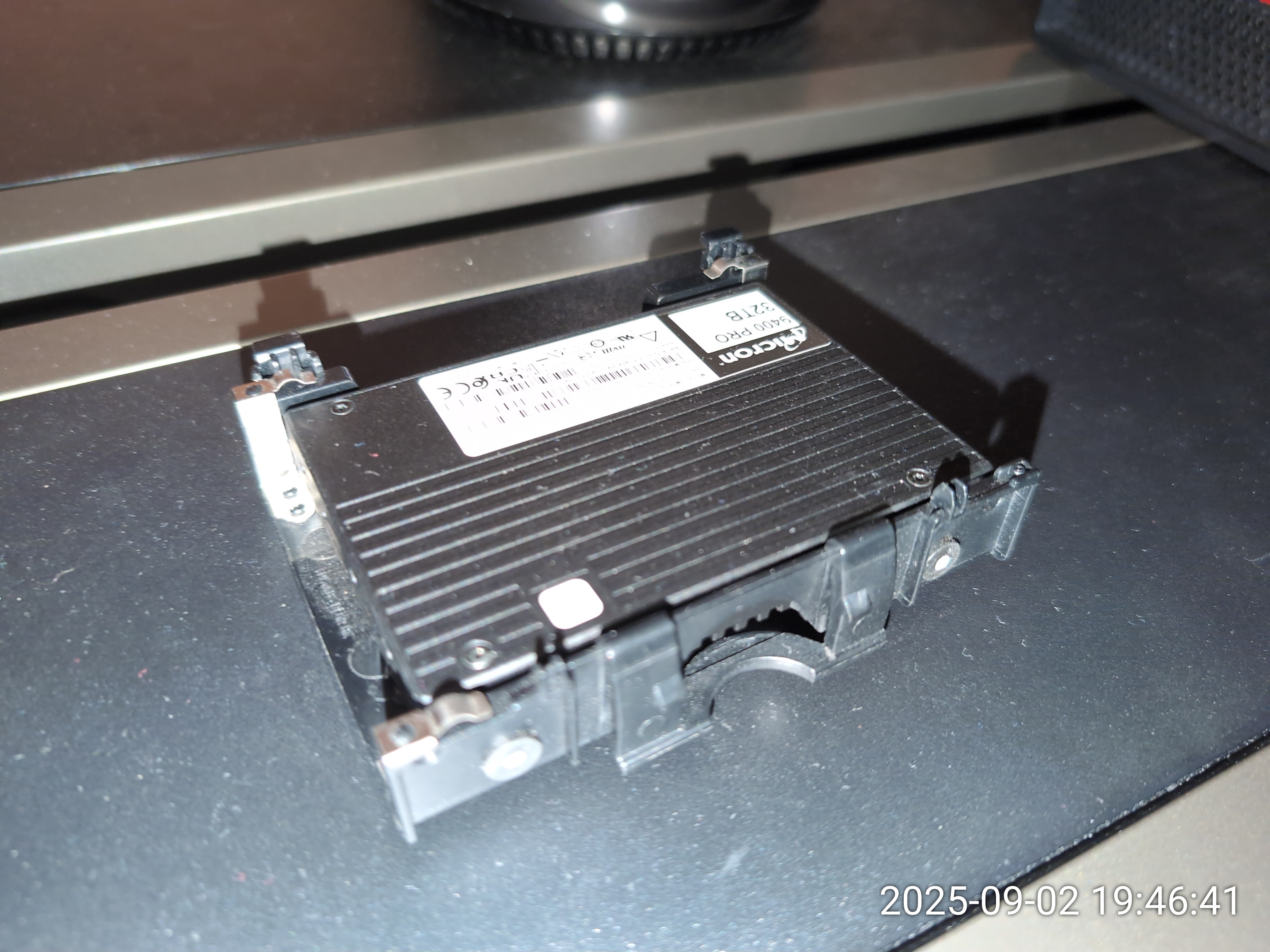
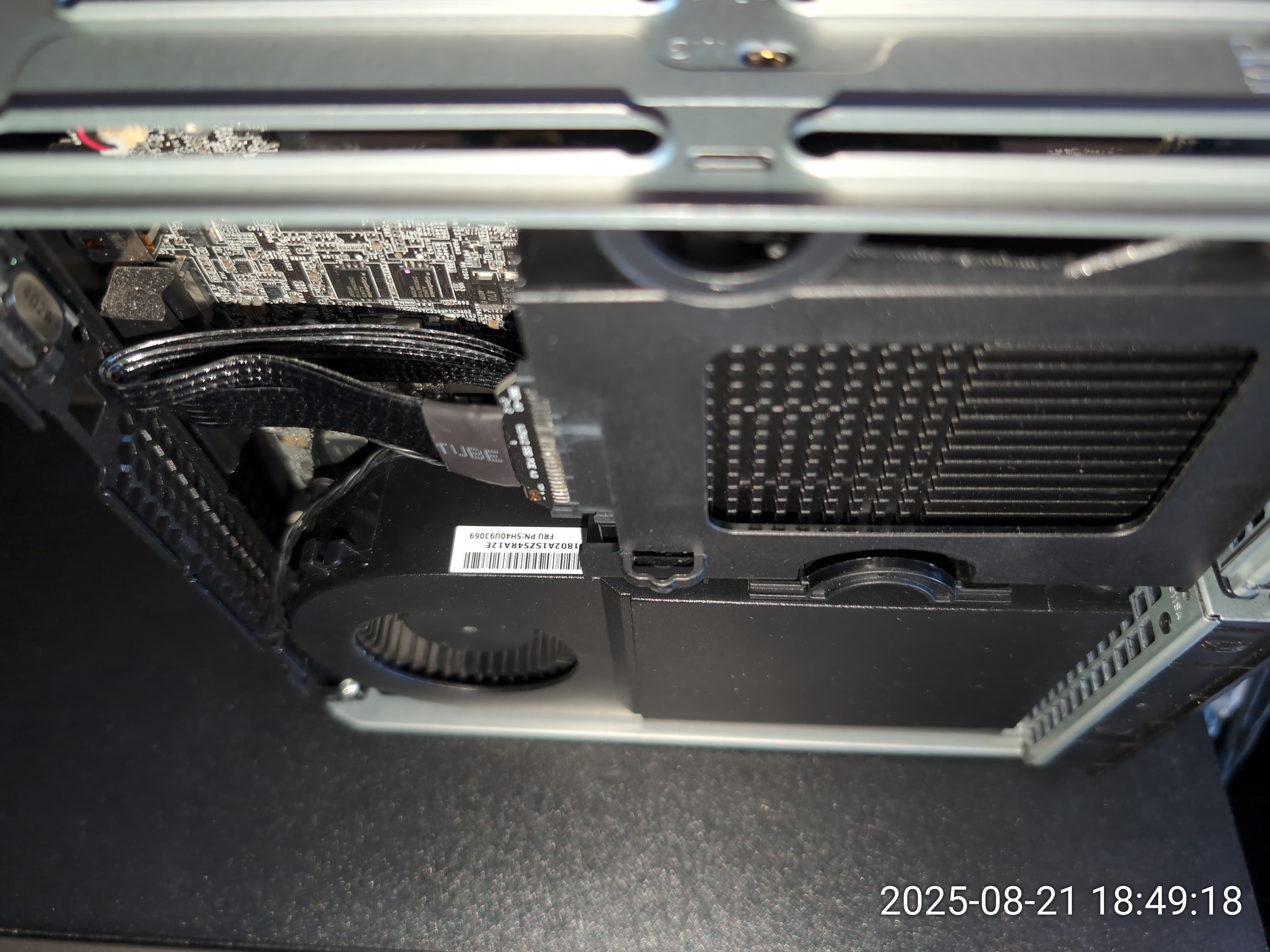
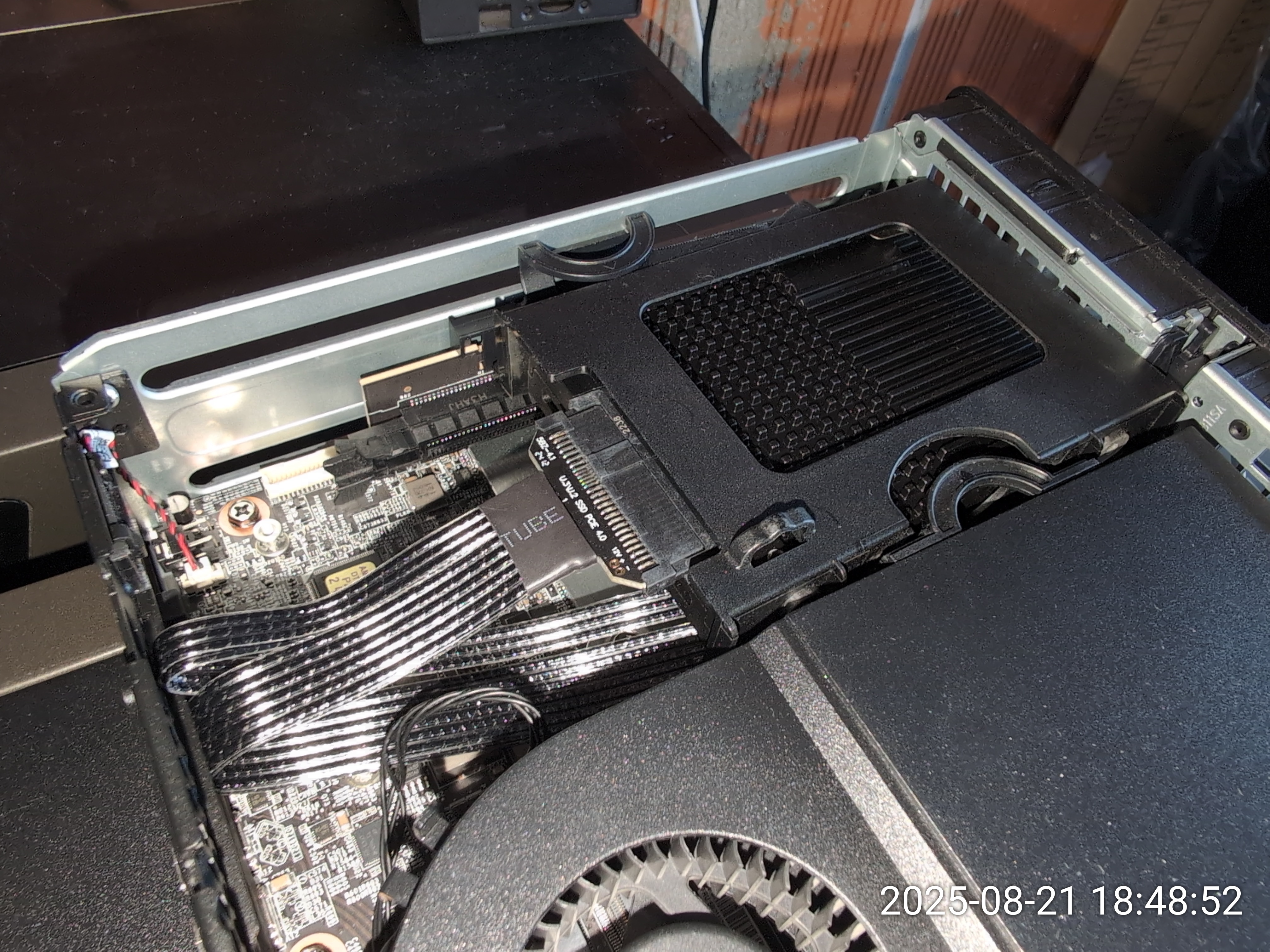
Next, I bought a Lenovo GPU heatsink for the machine and attempted to mod it in hope that it could hold the U.2 drive and allow enough airflow around it.
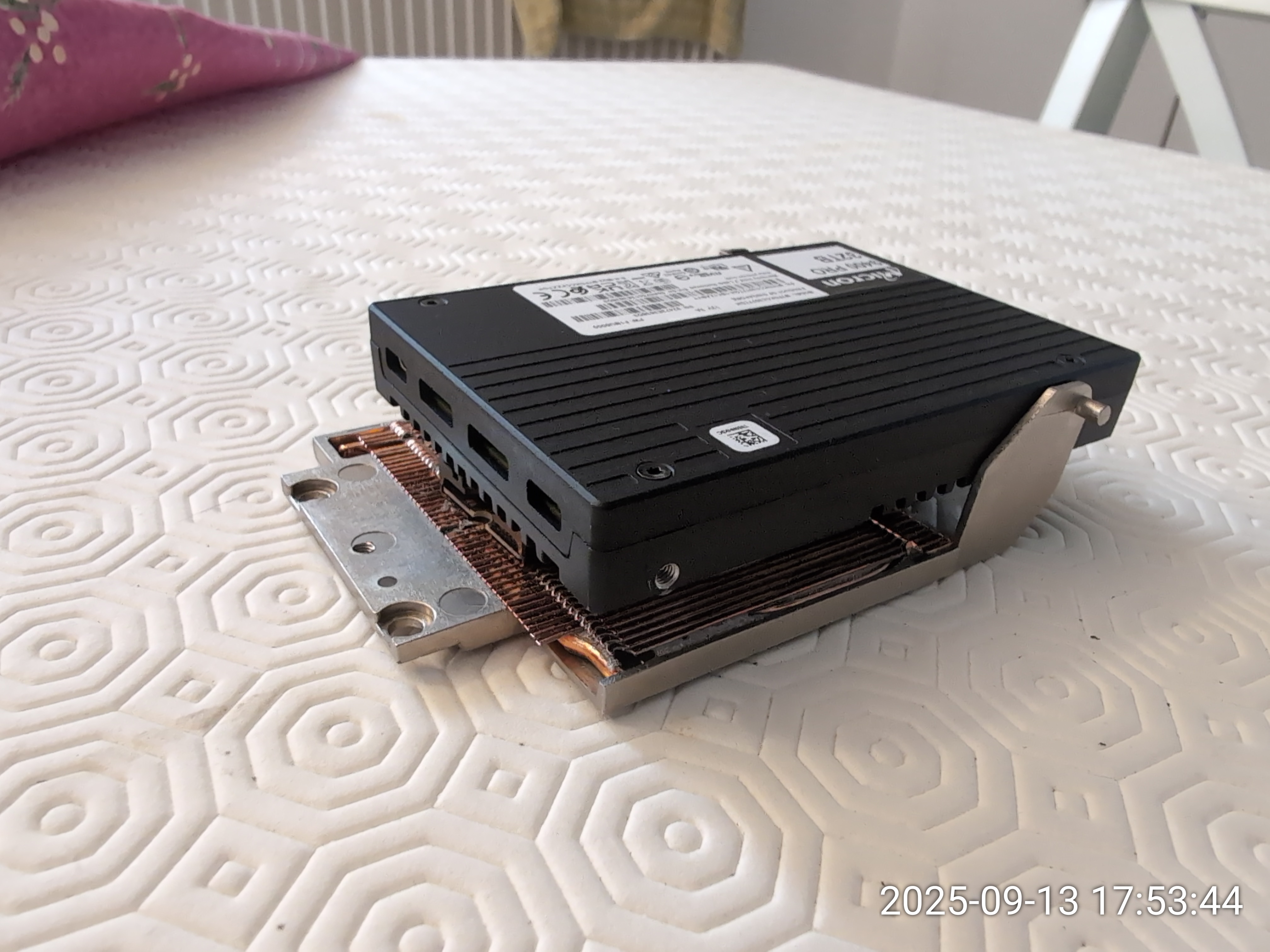
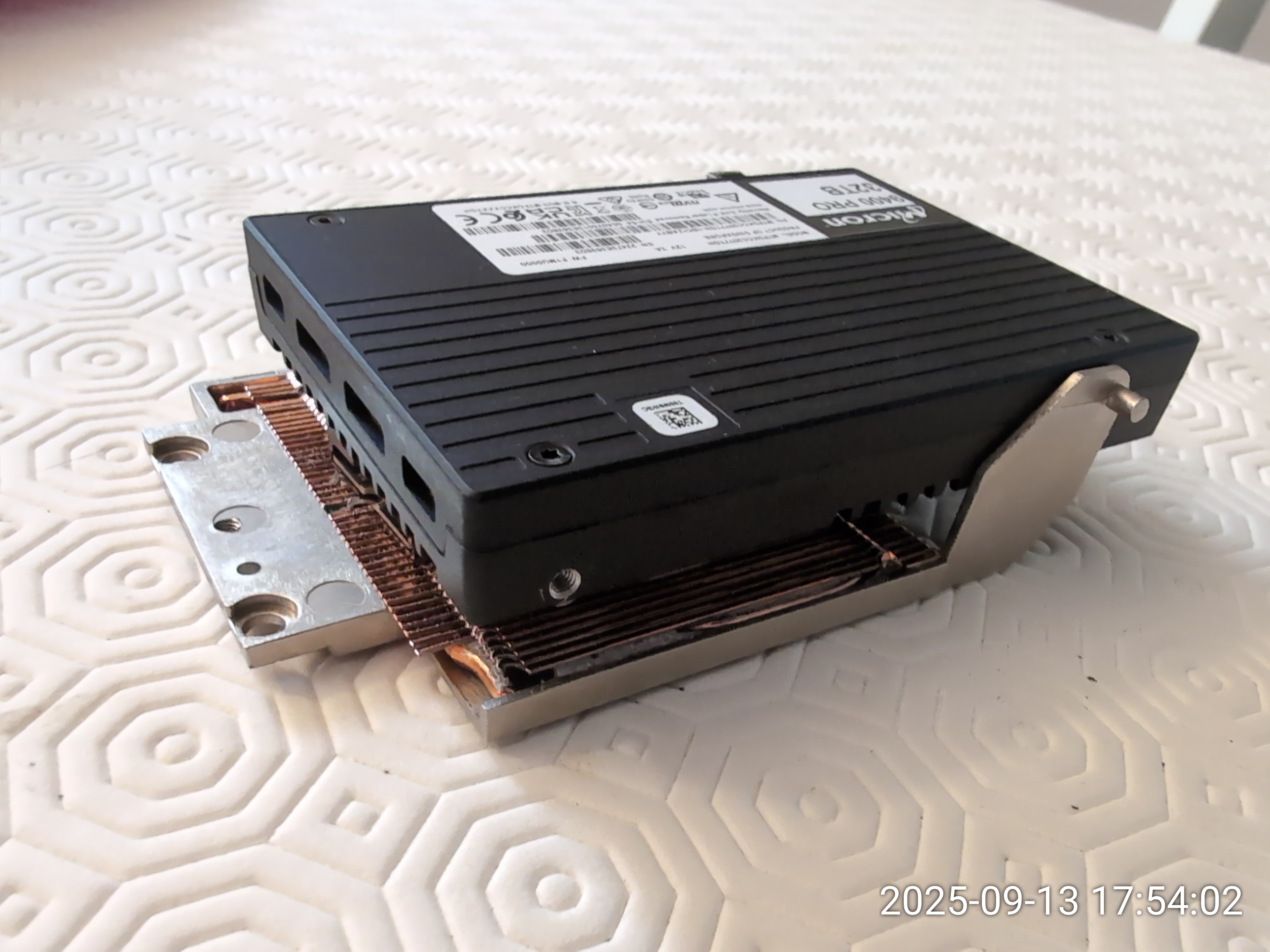
A second ebay miracle.
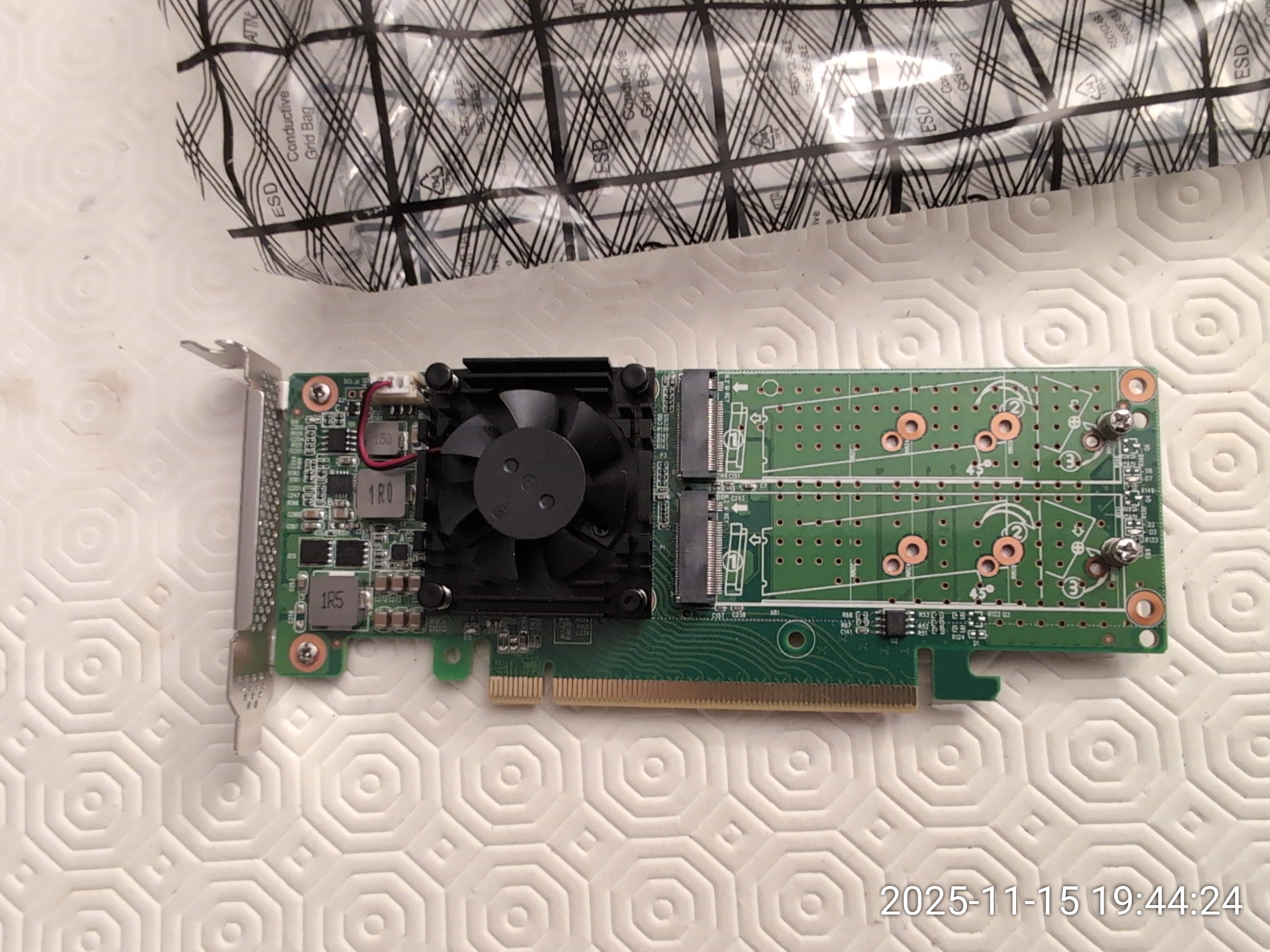
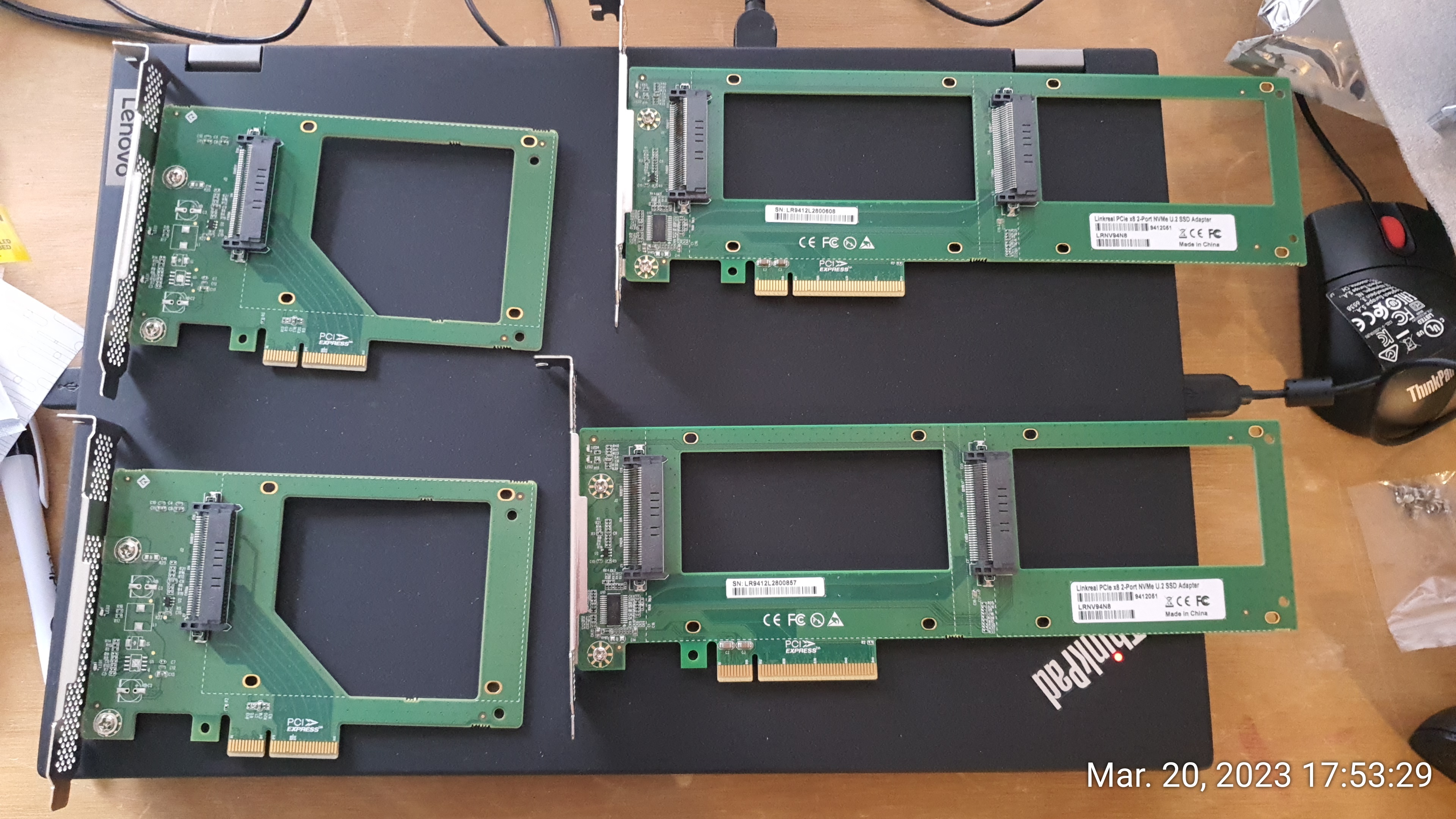
I have had several U.2 drives over the past few years. I have always had zero issues to report with the PCIe to U.2 carriers in my T640 machines.Unfortunately, all of the PCIe to U.2 carriers I had seen over the years were full-height cards and could not be used in low-profile machines.
Here is a picture of the LinkReal cards I use in my machines.
Then, at the end of October 2025, I found this RTEX41P36B-2U PCIe card on ebay:
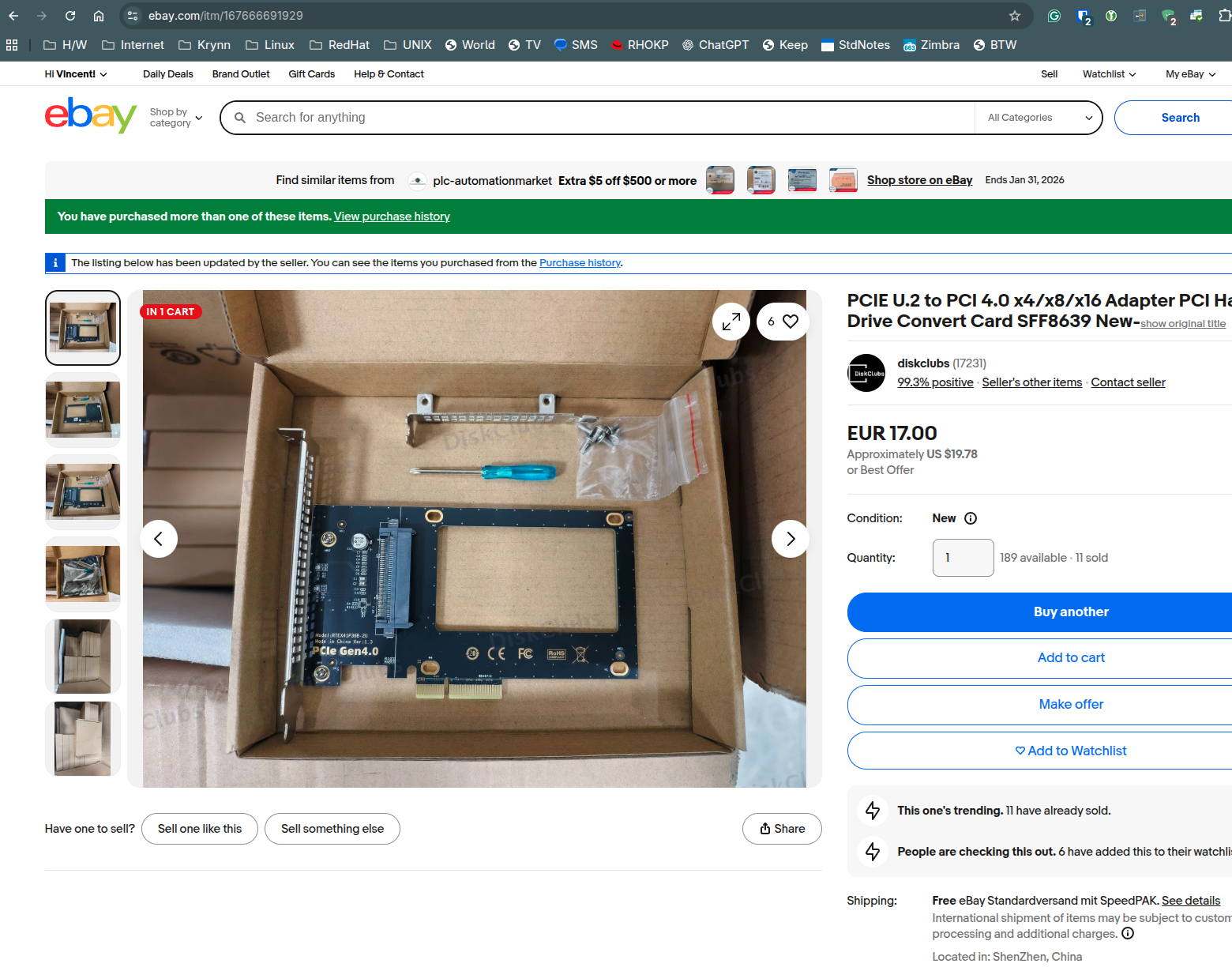
I immediately ordered a few units and when received, it did fit in the Lenovo P3 X16 slot! The extra spacing was less than 2 millimeters.
Also, the U.2 PCIe connection was stable and at PCIe 4.0 speeds!

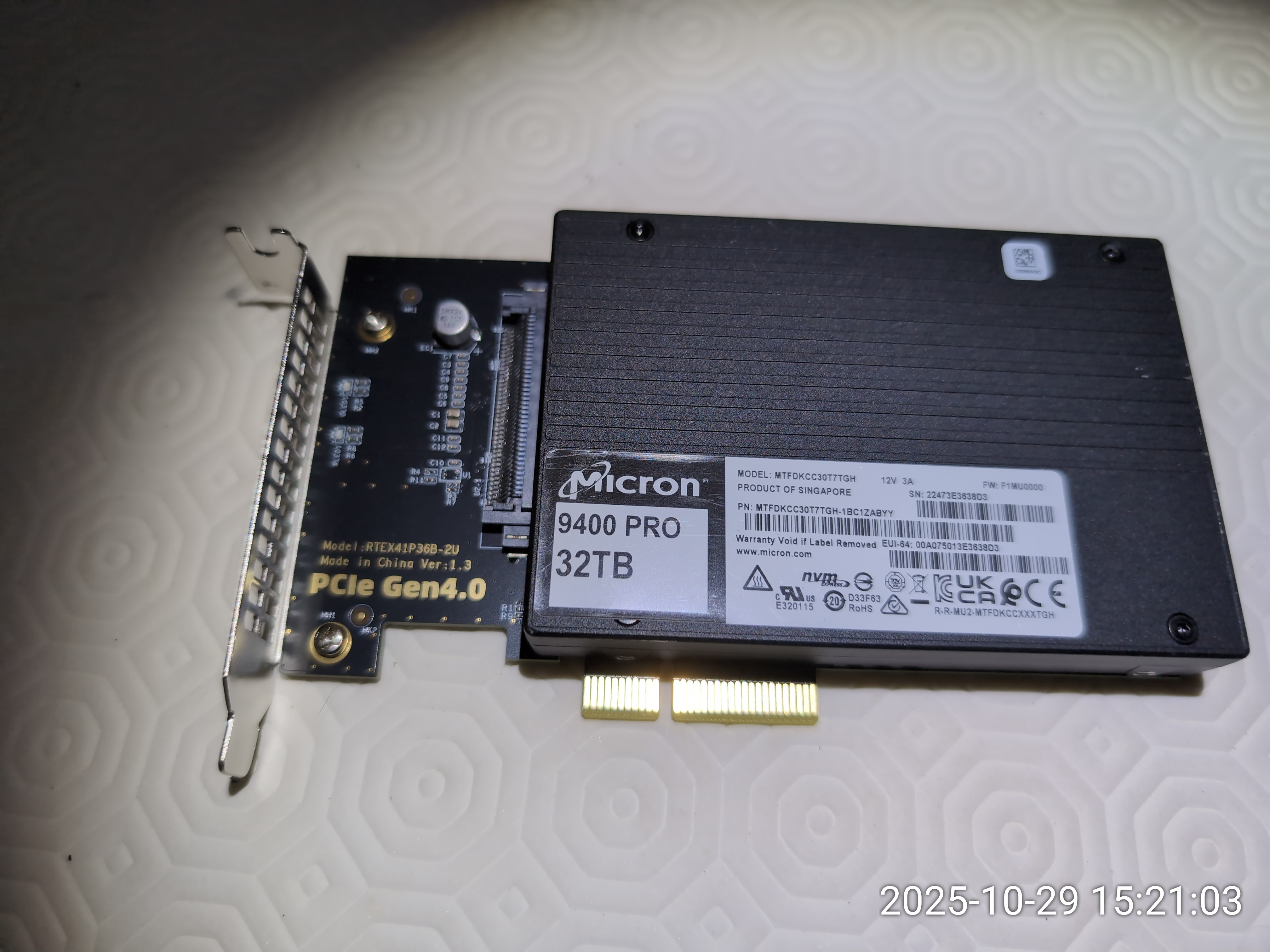
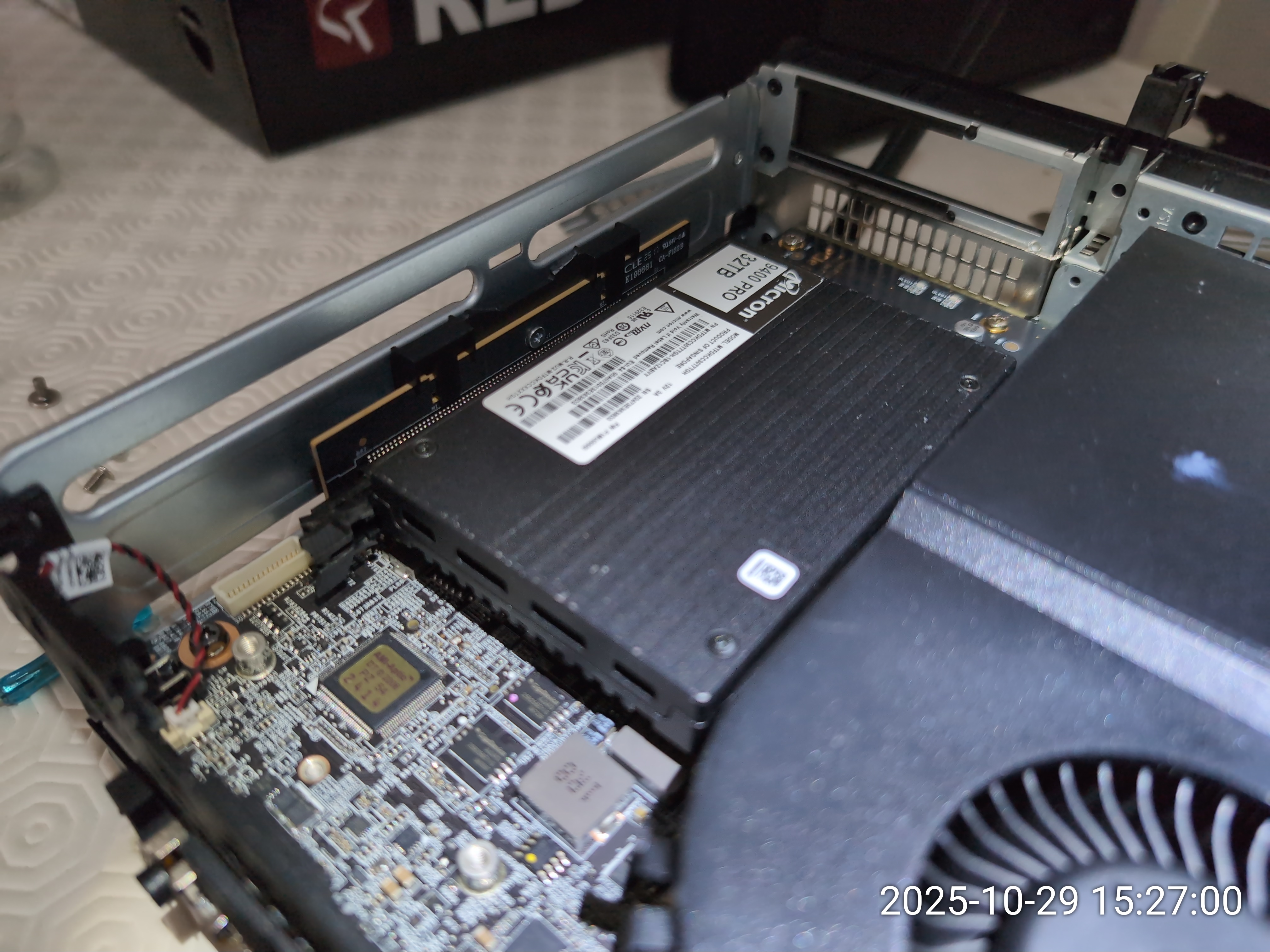
The final challenge
Everything was now stable and speedy. I could boot and reboot the system in a stable way.Thanks to the Micron 9400 drive and its PCIe 4.0 speed, the little P3 was now able to run VMs stably.
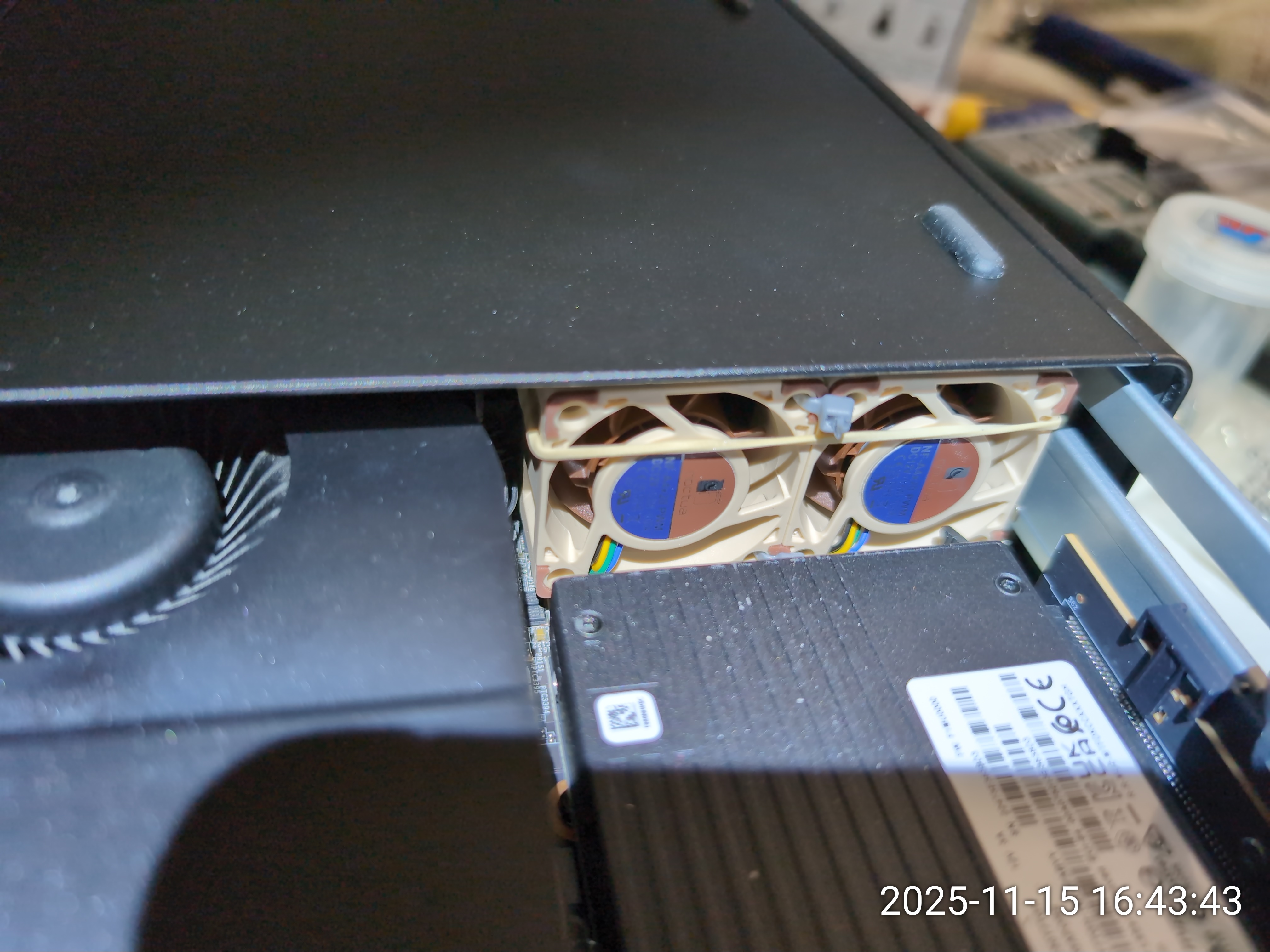
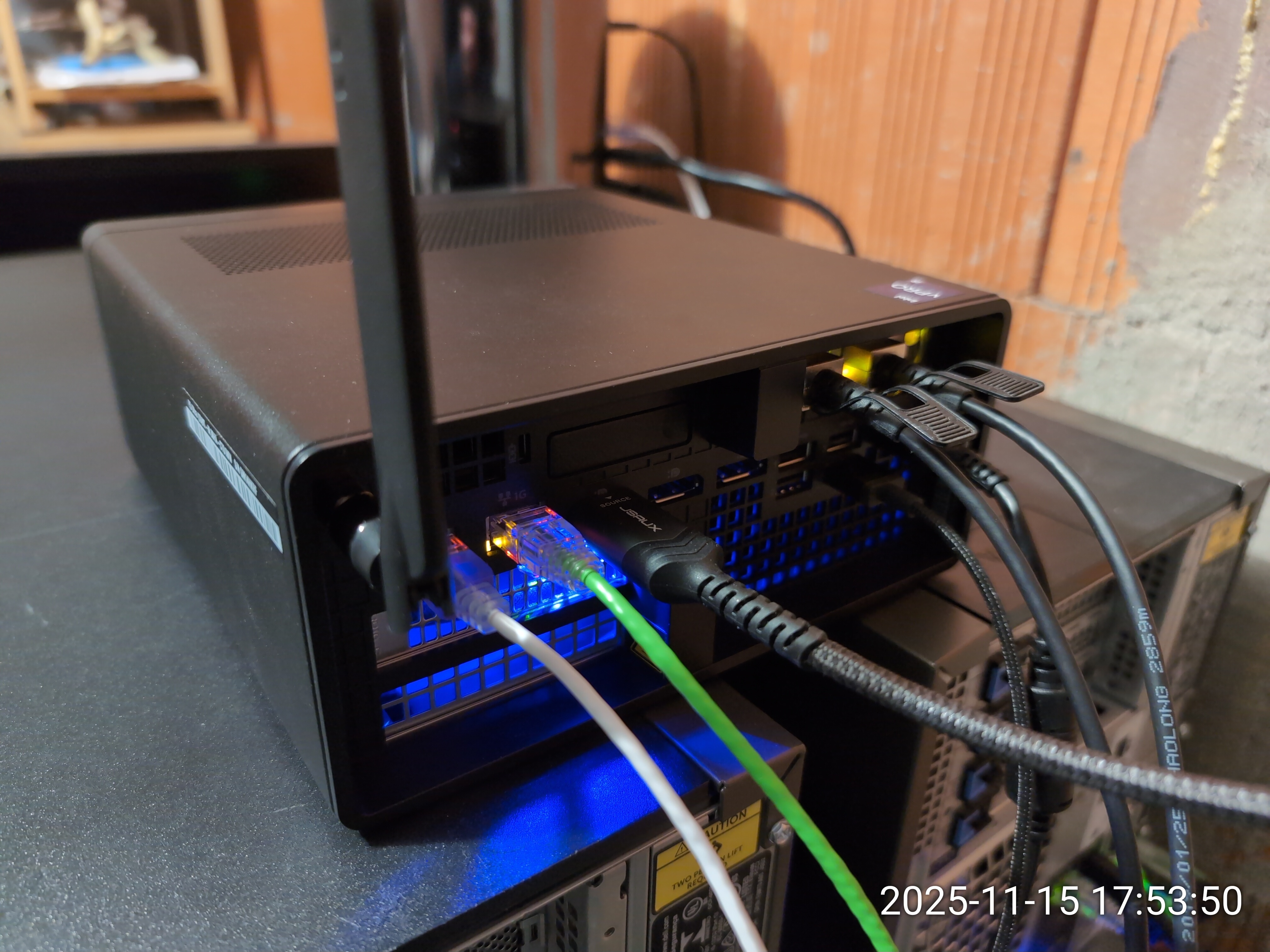
..but cooling remained a challenge and I had to operate the machine with the cover off to keep things stable.
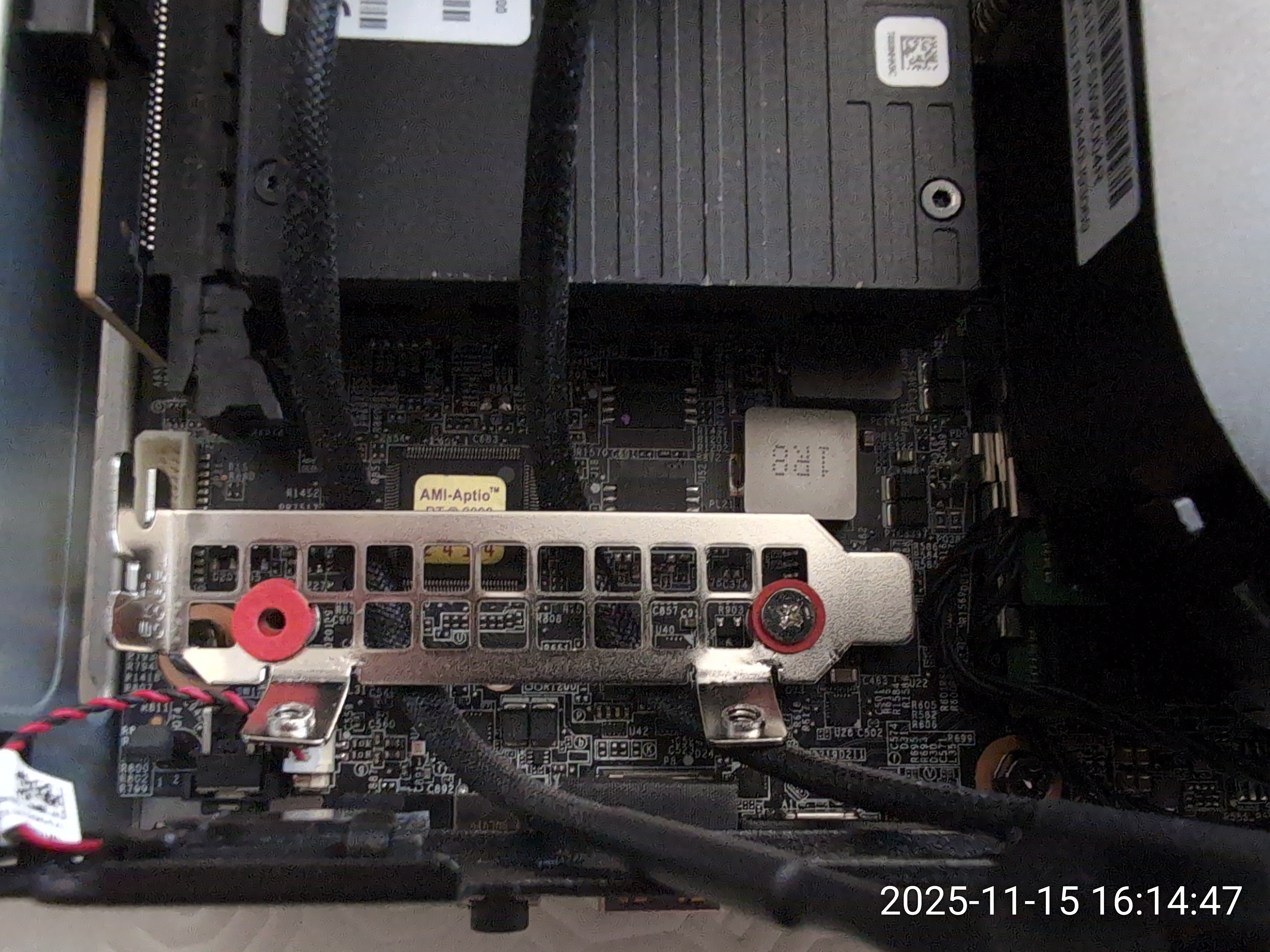
Then I had an idea: Why not use the other CPU fan header to add extra cooling?
The X16 side of the P3 Ultra has two CPU fan connectors. Only one is used for the CPU heatsink when you have a less-than-65W CPU in the machine.
This CPU fan header is called the 'System fan connector / Connector No 4' in the Hardware Maintenance Manual (Page 50).
The other connector - called 'Auxiliary Fan Connetor 1 / Connector No 7' is left unused with the 65W CPU.
The PWM 4-pin wiring is identical to the other CPU connector and also to the M.2 fan assembly on the other side (Connector 16 on Page 50). I'll spare you the details of my experiments to determine what was the mobo PWM connector.
It appears to be a JST SH with a 1.25mm pitch.
MODDIY.com had the perfect adapter for my project and I bought a few units:
https://www.moddiy.com/products/6466/4-Pin-PicoBlade-1.25mm-to-Dual-4-Pin-Standard-PC-PWM-Fan-Adapter-Cable.html
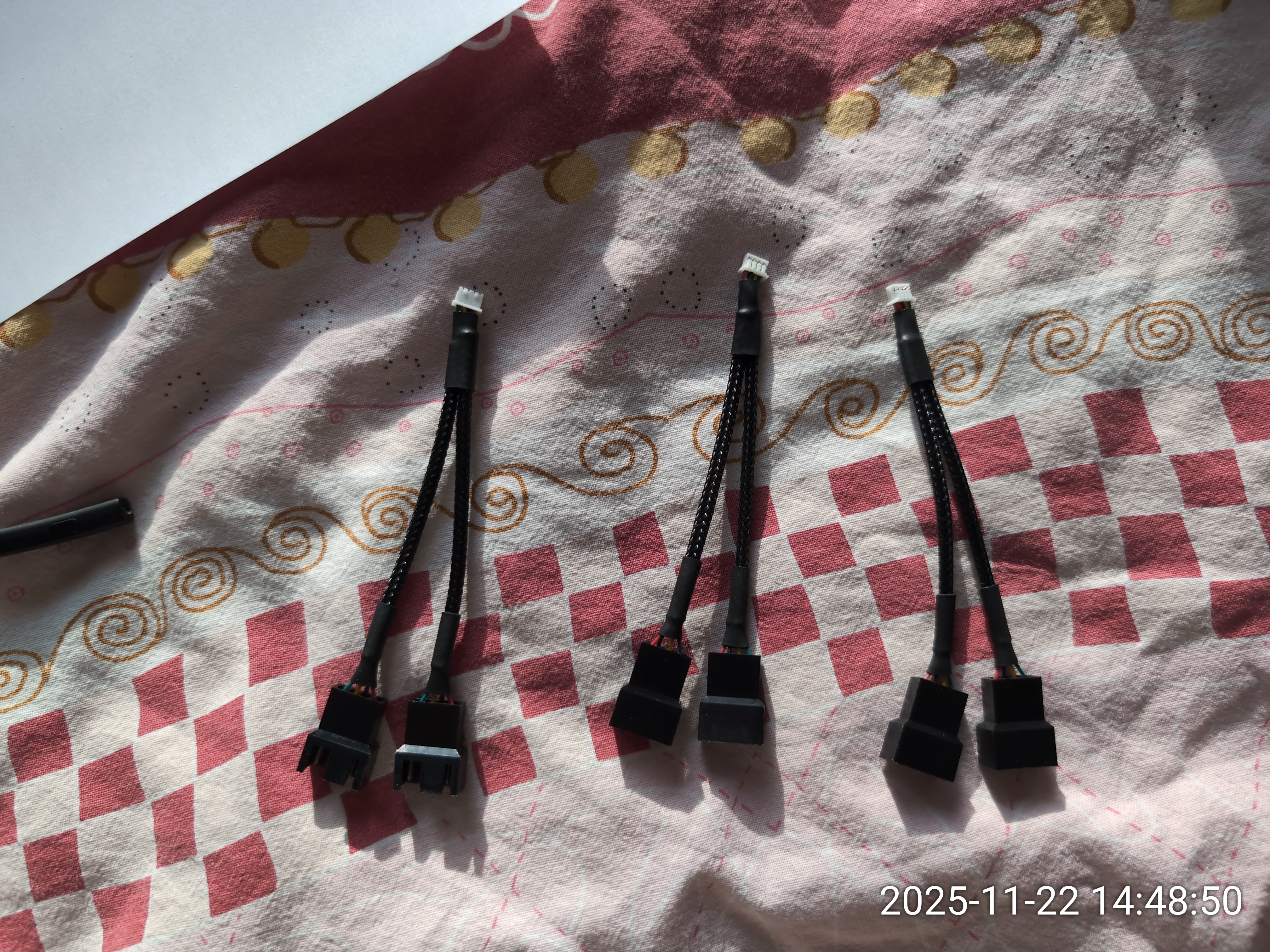

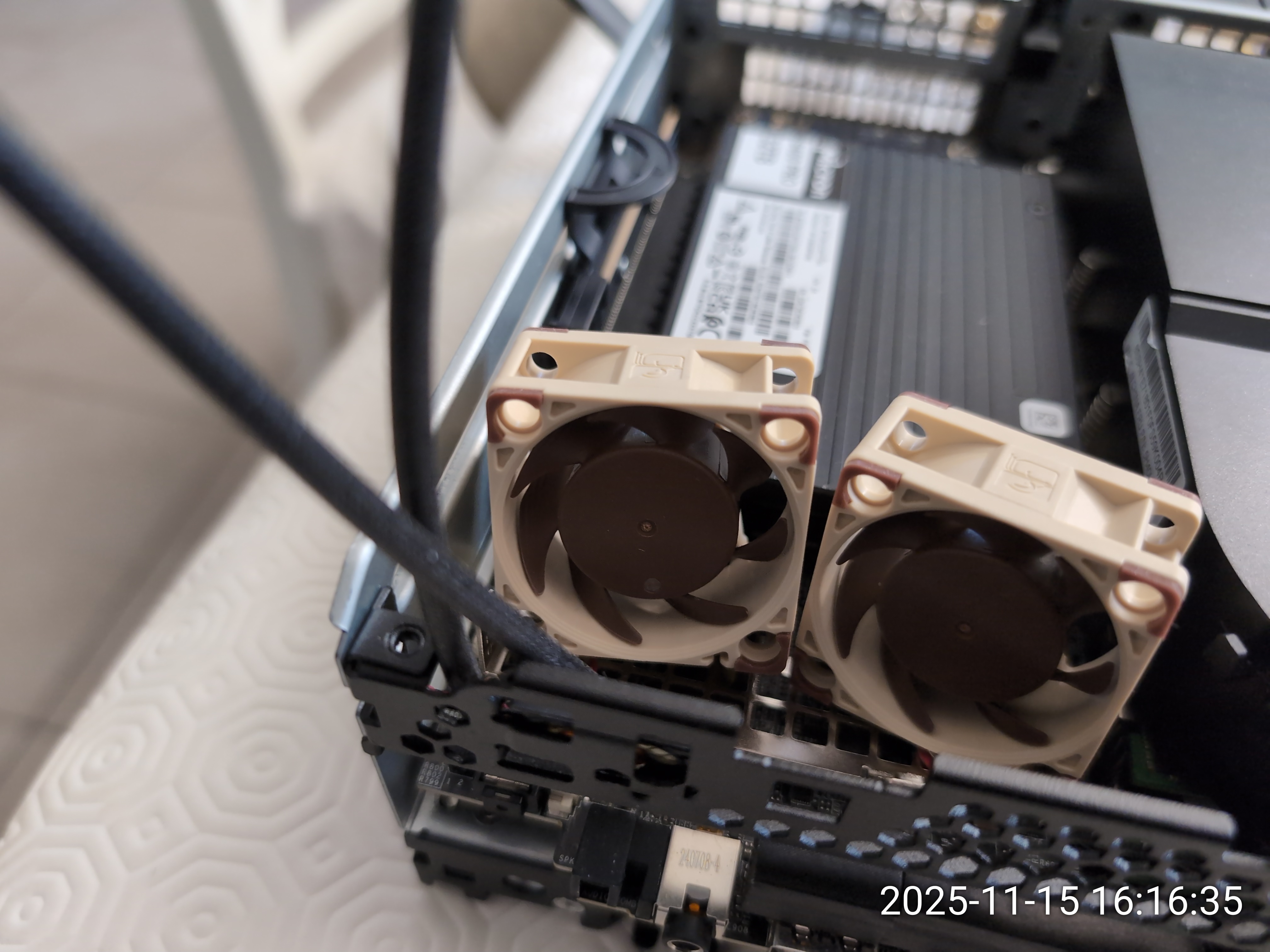
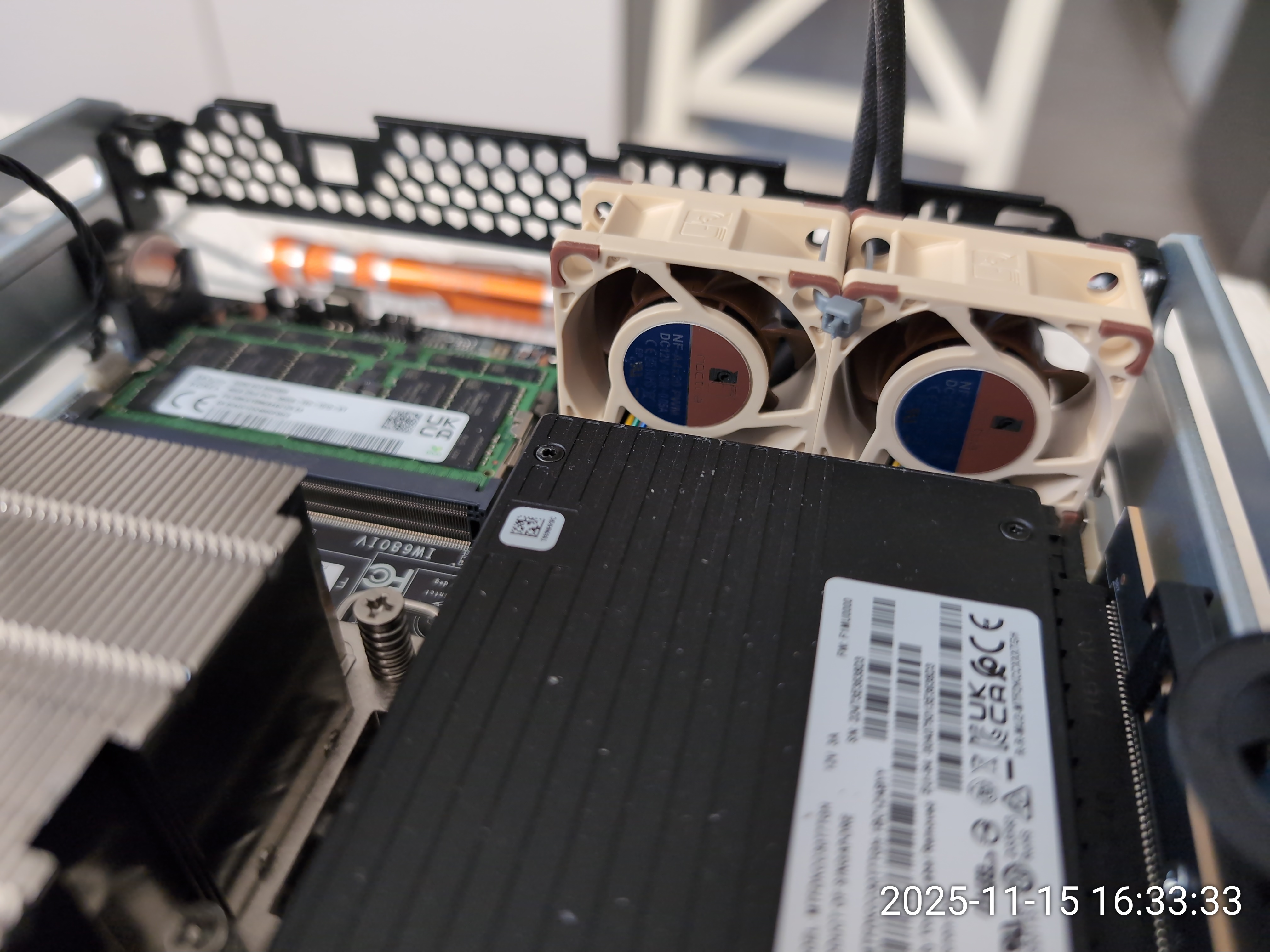
Again, I spare you the details of my experiments but the solution was to use the MXM standoffs on the motherboard to stabilize a pair of NF-A4x20 PWM Noctuas on top of a low-profile bracket repuposed as a carrier.

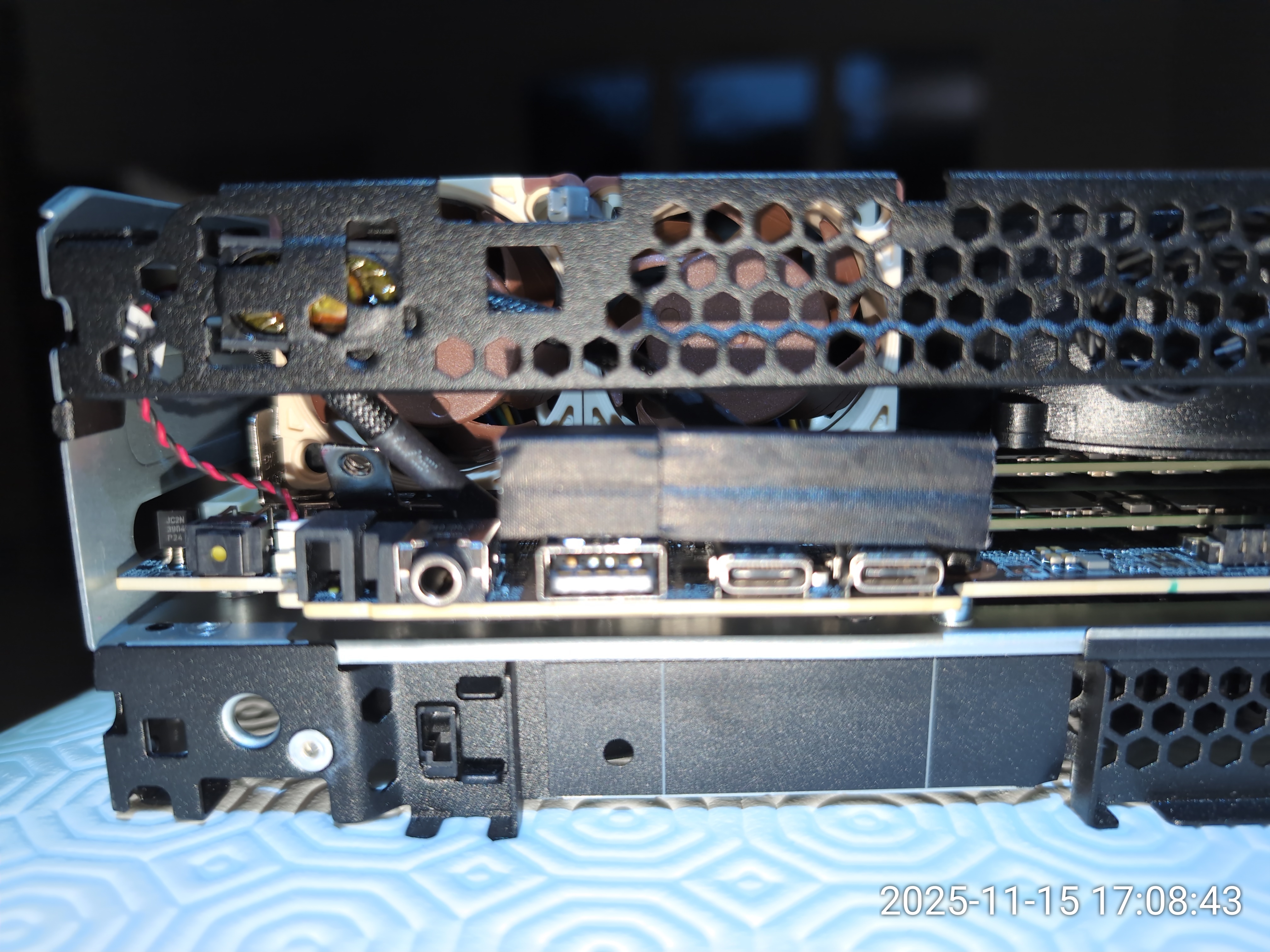
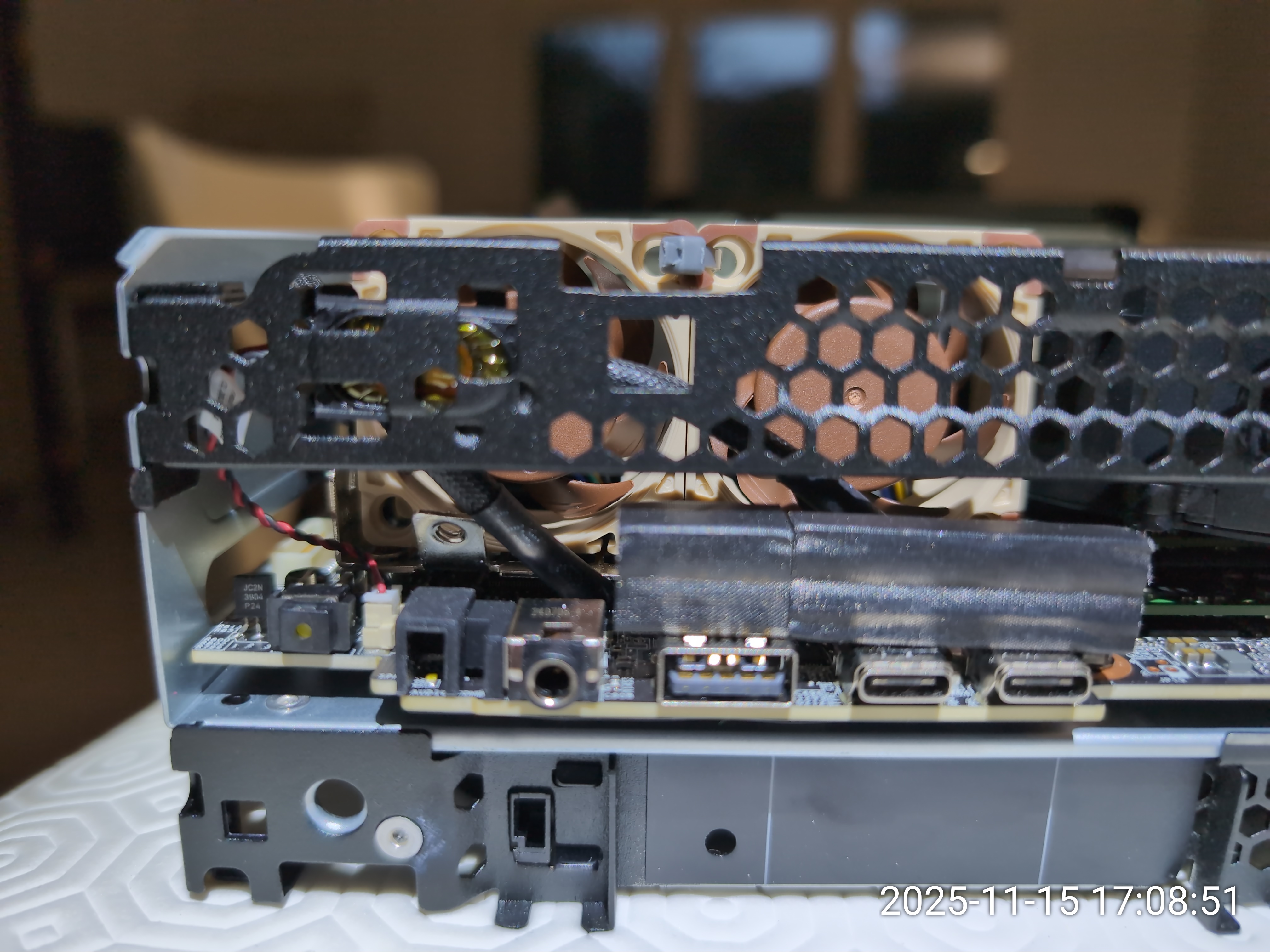

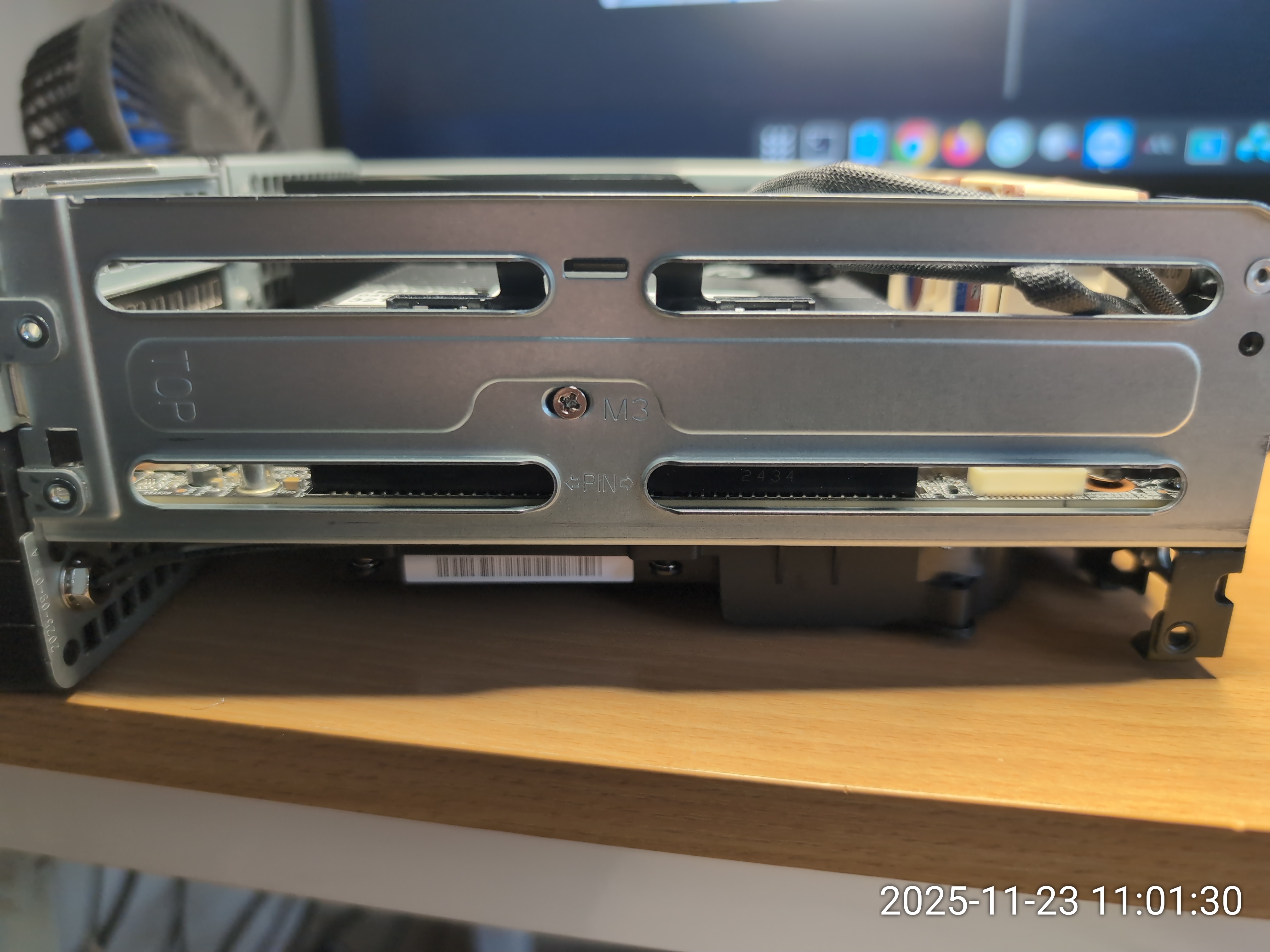
Liftoff
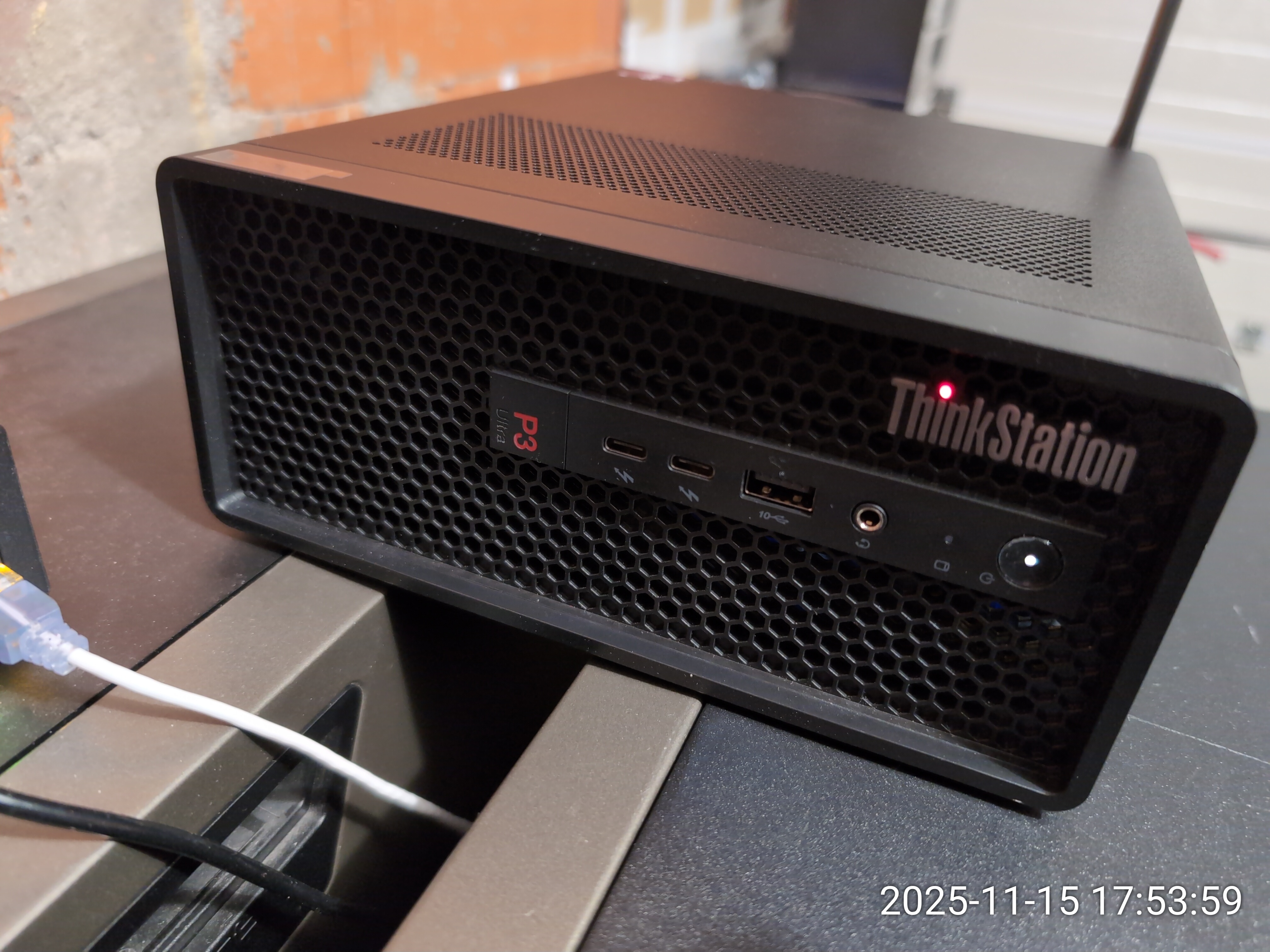
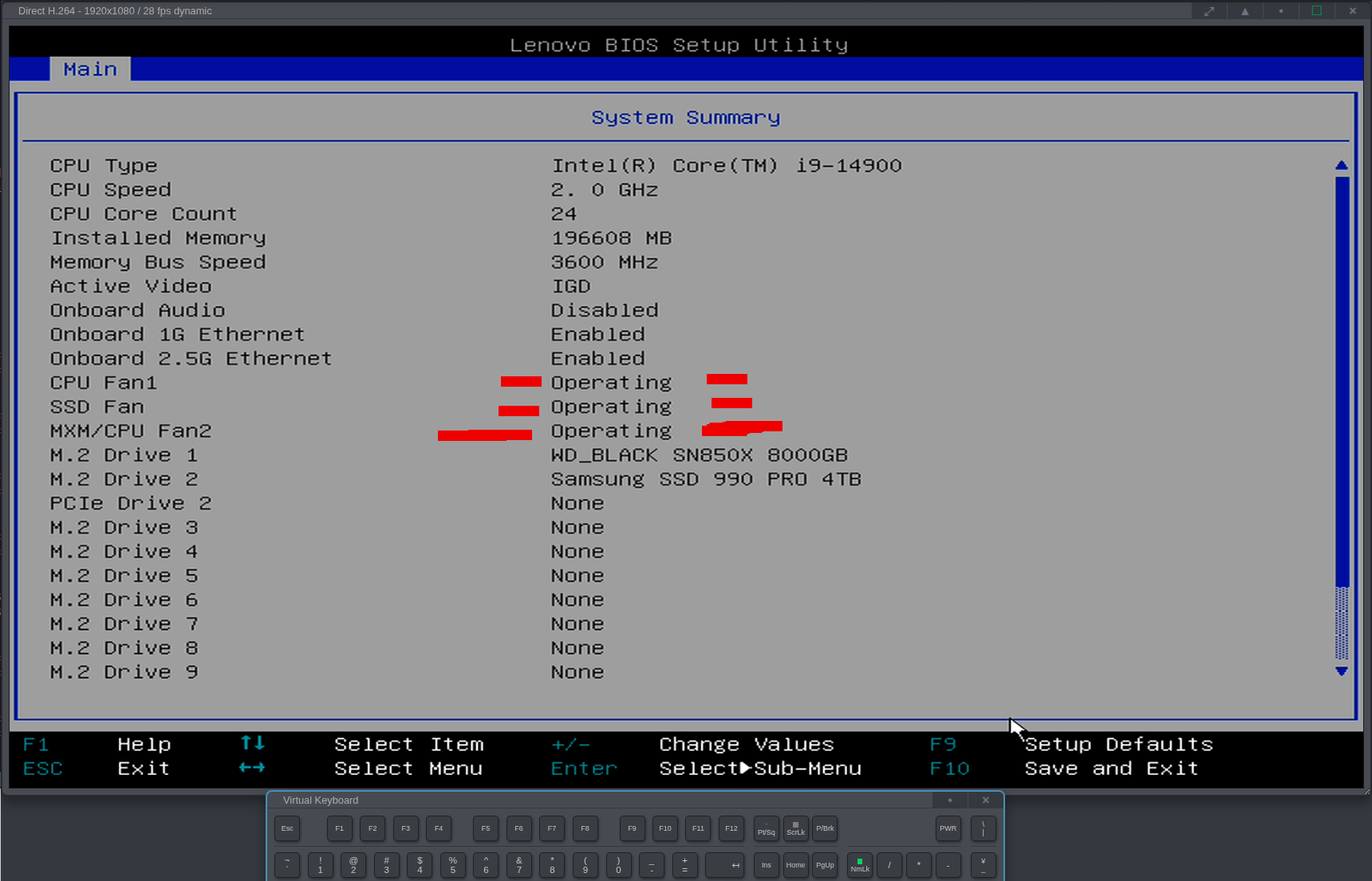
# lsNVMe.py --noserials

Device        Temp  Current  4K?  Health  Wear  PowerHrs  Errors  Model                       Firmware
------------------------------------------------------------------------------------------------------
/dev/nvme0n1  42°C  4K       Yes  PASSED  1%    17718     0       Micron_9400_MTFDKCC30T7TGH  F1MU0100
/dev/nvme1n1  35°C  4K       Yes  PASSED  0%    803       0       WD_BLACK SN850X 8000GB      638211WD
/dev/nvme2n1  36°C  512B     No   PASSED  1%    2630      0       Samsung SSD 990 PRO 4TB     8B2QJXD7
One last tip is to cut the 4th wire (PWM) going to the Noctuas. There are two reasons for this:
- The Noctuas are very silent and can run at full speed without noticeable noise. Running without the 4th wire means they will run at 100% (and still be silent).
- If you leave the 4th wire (PWM) connected for the Noctuas, the system will run fine with ICE Cooling at 'Full speed' but with 'Performance' the low limit of the Noctuas will be too low and the P3 will complain that the MXM/Fan2 is not operating normally. Running the Noctuas at 100% resolves that issue.
![[Contents]](iconsd/cntsicon.gif)
![[Map]](iconsd/mapicon.gif)
![[Index]](iconsd/indxicon.gif)
![[Comment]](iconsd/cmnticon.gif)
![[Search]](iconsd/srchicon.gif)
![[Home]](iconsd/homeicon.gif)
![[Up]](iconsd/upicon.gif)
![[Previous]](iconsd/previcox.gif)
![[Next]](iconsd/nexticox.gif)