Back in February 2024, I documented how I installed an Nvidia RTX A4000 in my Dell PowerEdge T640 without the noisy GPU kit. The trick was simple: use the dual SATA power connectors on the back of the 16x2.5" SFF SAS/SATA backplane to feed a StarTech dual-SATA to 6-pin PCIe adapter. It worked beautifully for the A4000's 140W TDP.
Two years later, the rise of local LLMs made me want more VRAM. The RTX A4000's 16GB was getting tight for quantized 30B+ parameter models. When Lenovo ran a -20% promotion on the Nvidia RTX PRO 4000 Blackwell (24GB GDDR7, 145W TDP, single-slot), I jumped on it.
The challenge: 12VHPWR (CEM5) on a server with no GPU power
The RTX PRO 4000 Blackwell is still a single-slot card with a 145W TDP, which is great for a server like the T640. However, unlike the A4000 that used a standard 6-pin PCIe power connector, the Blackwell card uses the newer 16-pin 12VHPWR (CEM5) connector. There is no direct dual-SATA to 16-pin adapter on the market.
The solution is a two-adapter chain:
- StarTech dual-SATA to 8-pin (6+2) PCIe adapter (the same one from my A4000 setup but the 8-pin version)
- Lenovo/Nvidia 8-pin to 16-pin CEM5 adapter (included with the RTX PRO 4000 Blackwell)
The T640's SFF backplane cables
My T640 has a 16x2.5" SFF SAS/SATA backplane in its lower bay. The back of this backplane has power cables with SATA connectors that are normally unused. The T640 actually ships with two different cable variants depending on the configuration. Here they are side by side:
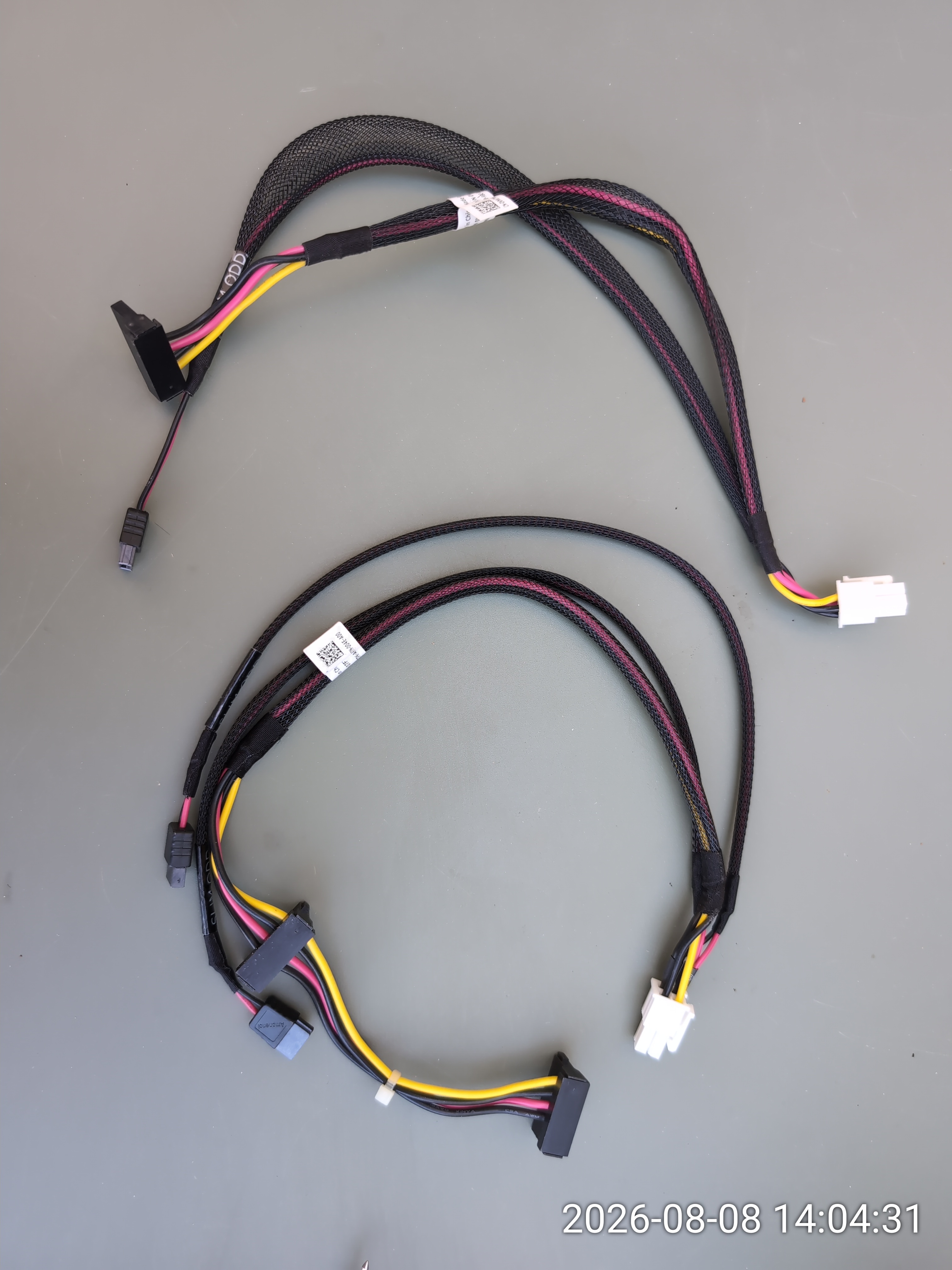
The cable we need is Dell DP/N 07FTPK (CN-07FTPK-AP200-97N-004E-A00). It has three connectors: a white BP (backplane) plug that connects to the back of the SFF bay, and two SATA power connectors marked TBU. Each SATA connector can carry up to 54W, for a total of 108W from the pair:
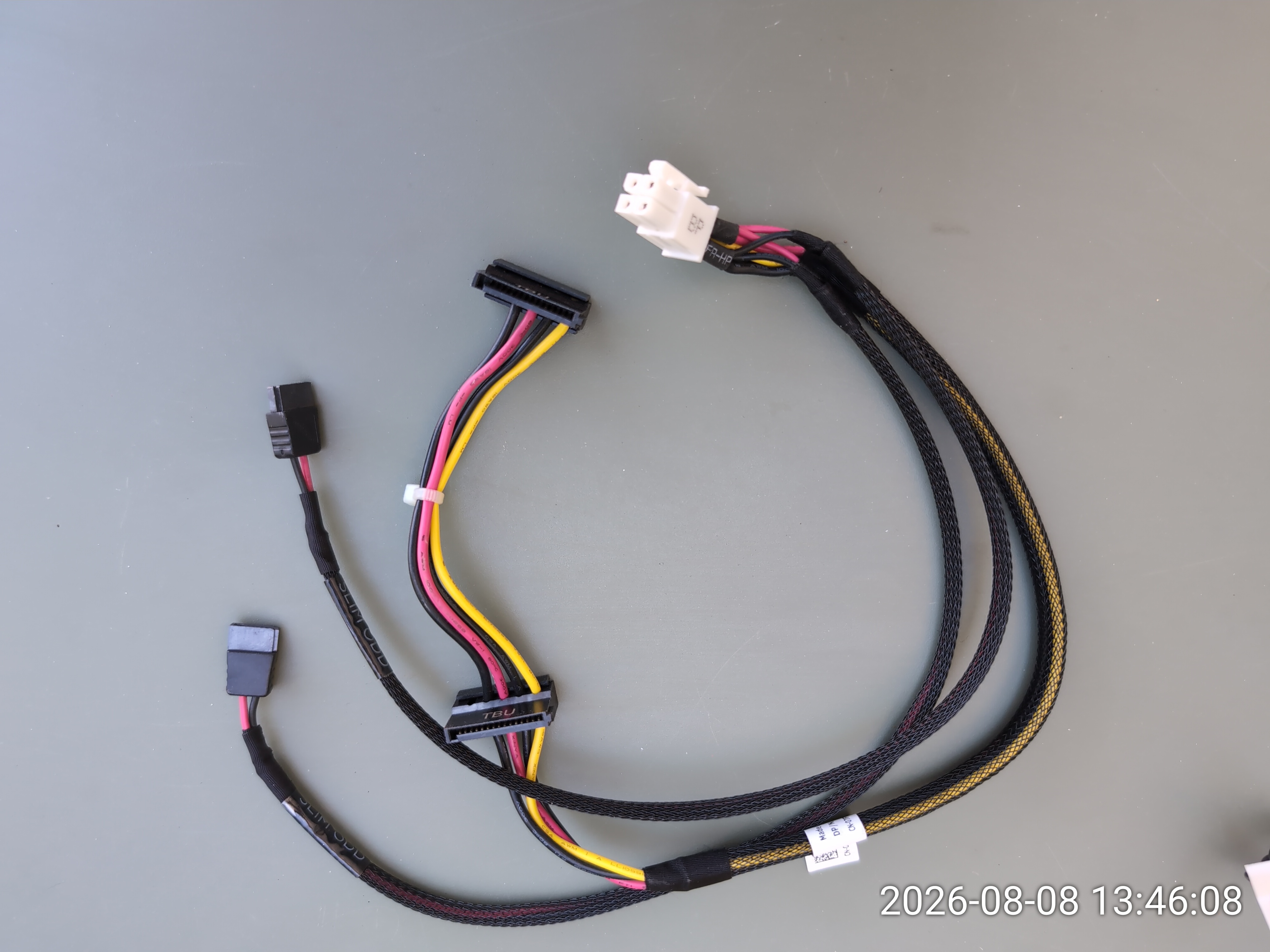
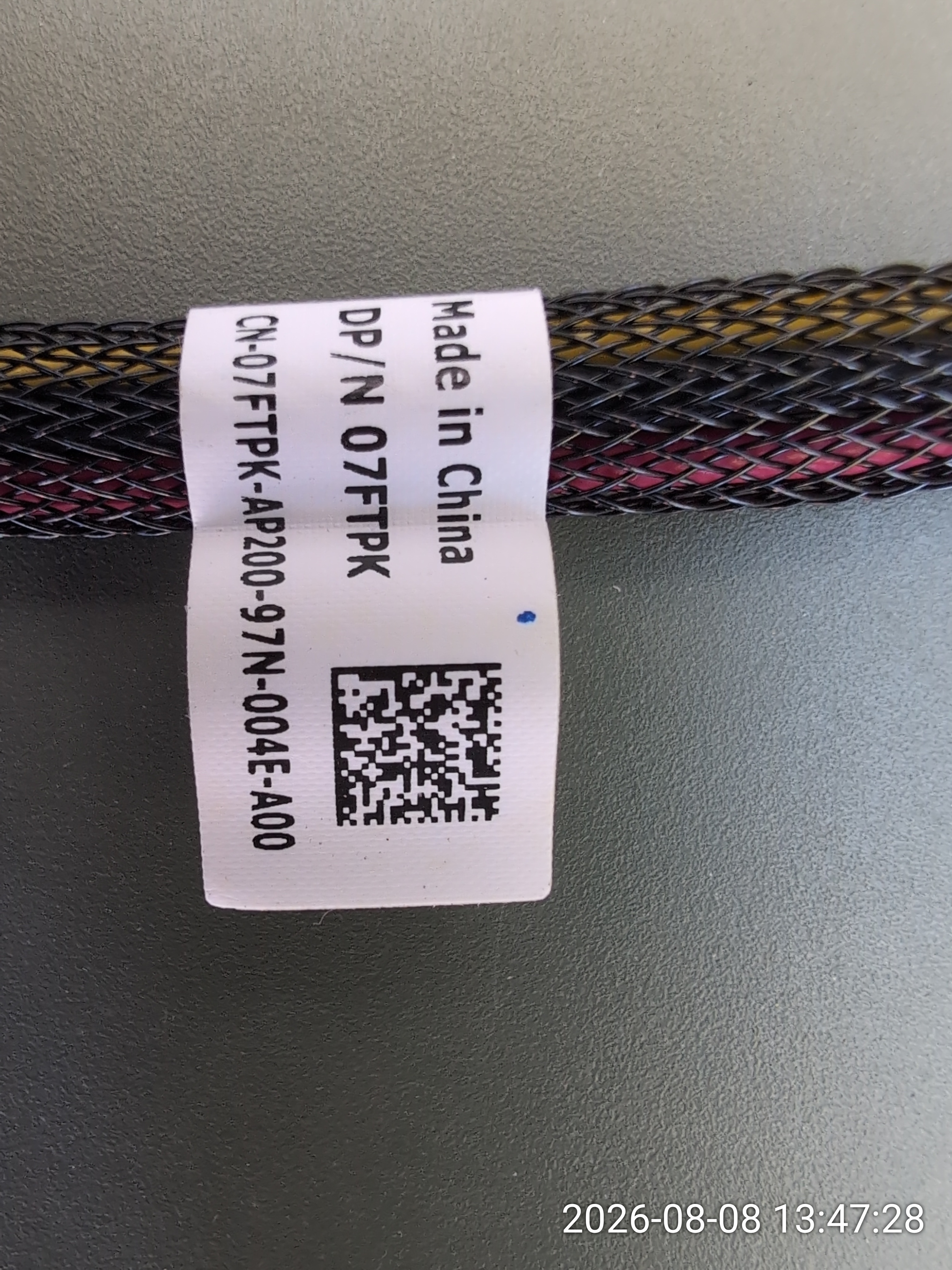
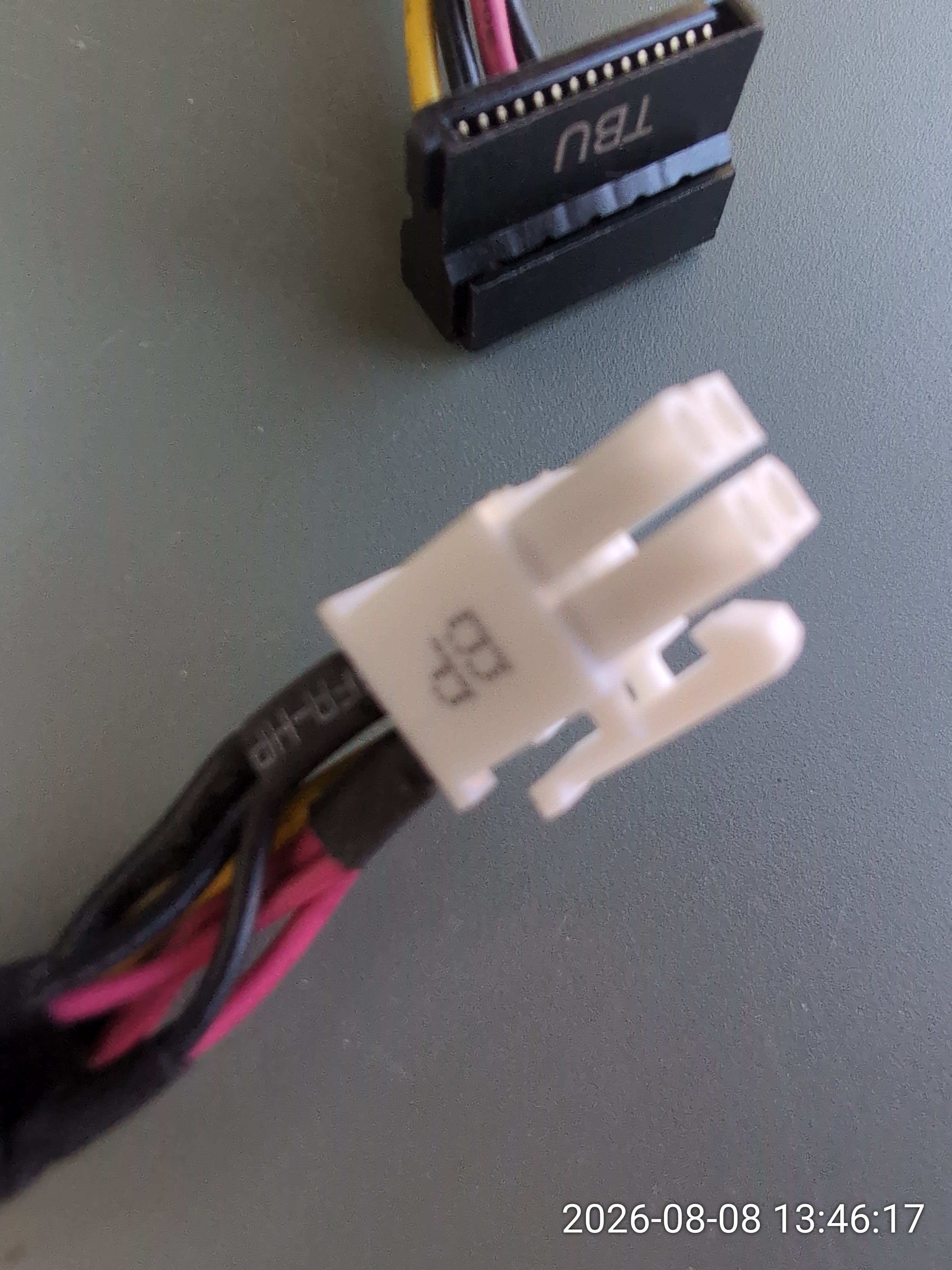
Here is a close-up of the connector ends. The white plug marked BP goes into the backplane. The SATA power connector marked TBU is what we feed into the StarTech adapter. If you are sourcing this cable on eBay or from Dell parts, look for 07FTPK and verify it has two SATA connectors:
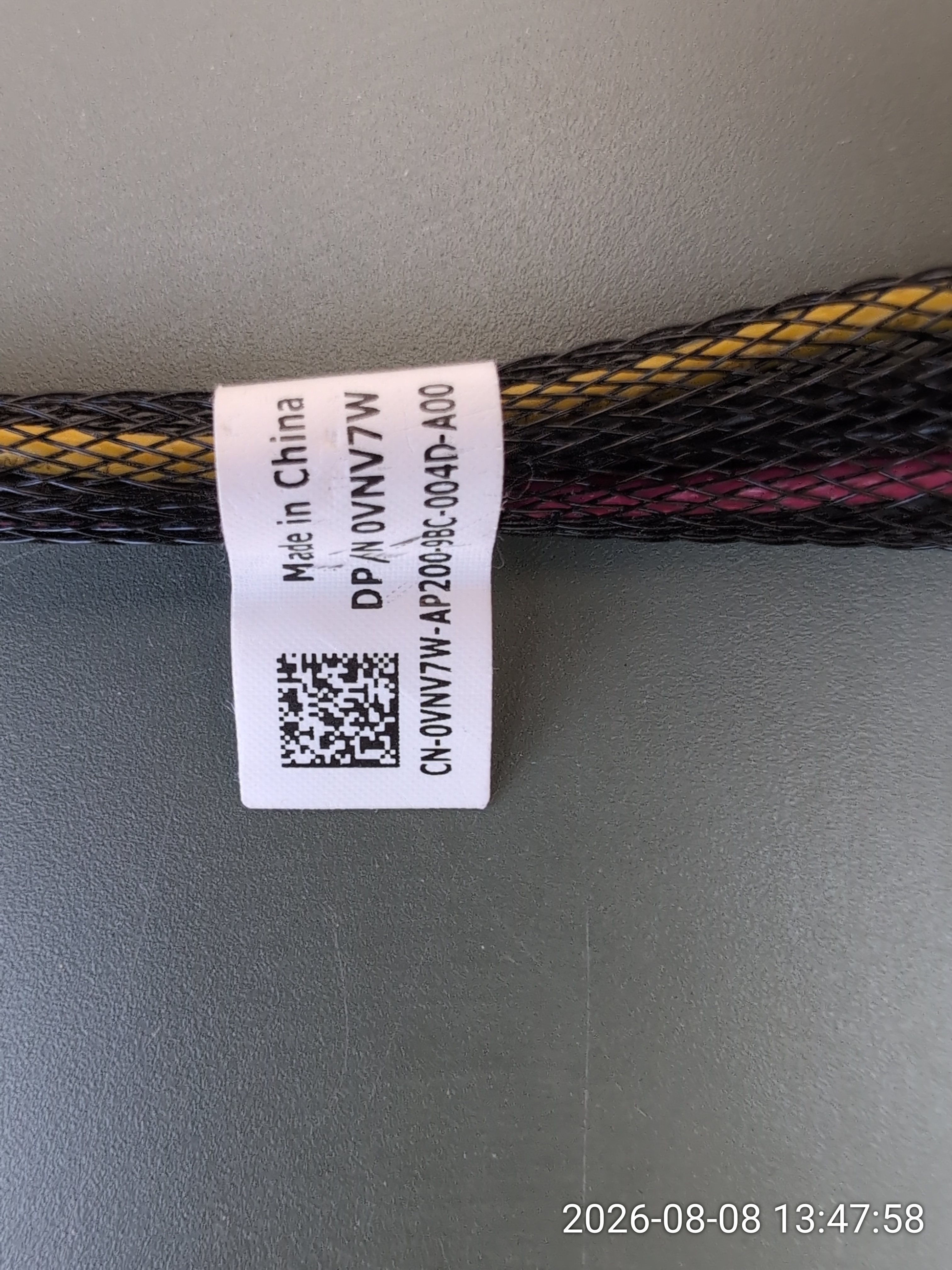
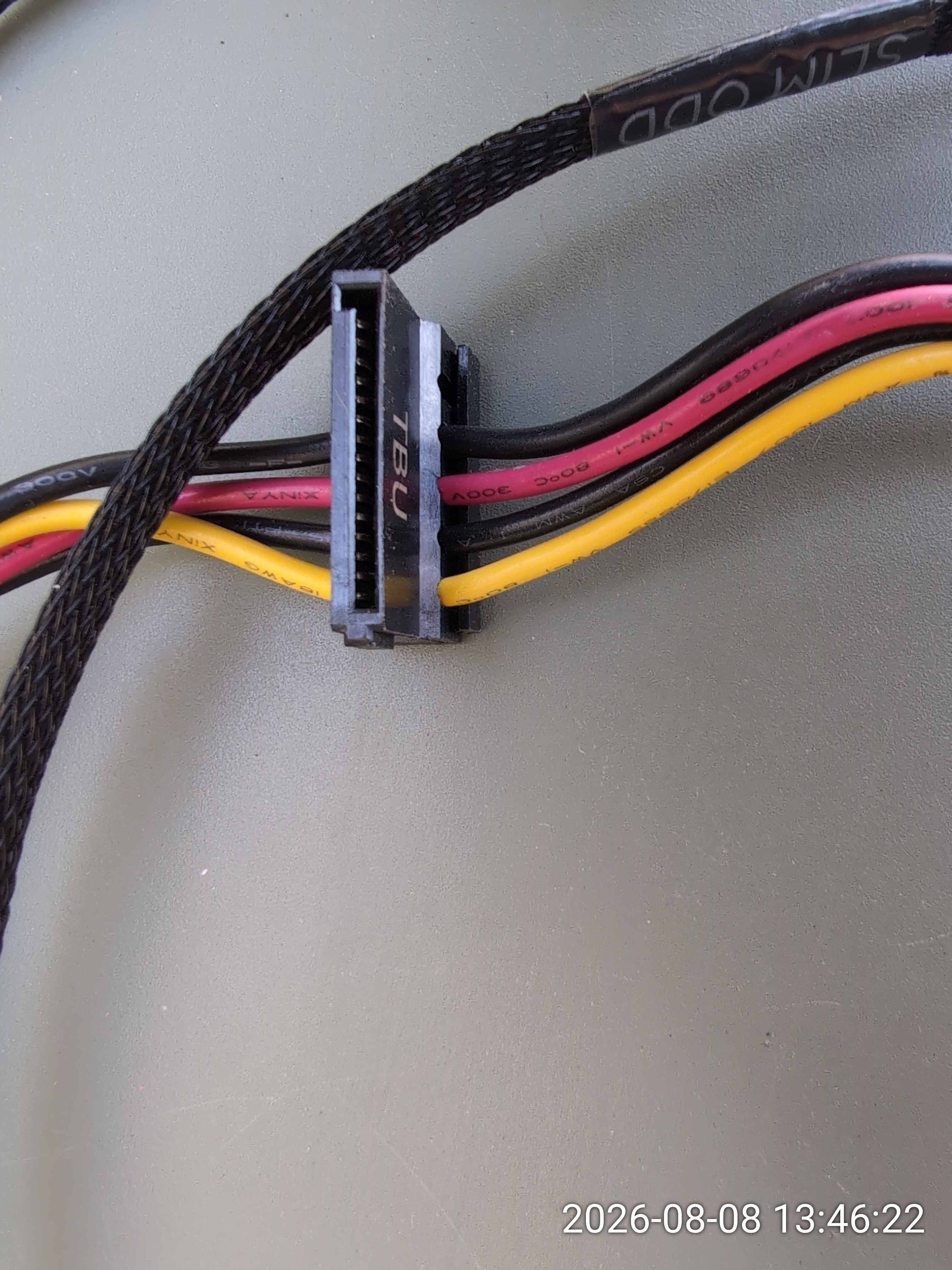
The other cable is Dell DP/N 0VNV7W, a slimmer variant with a braided sleeve marked SLIM ODD and only one SATA connector. This one does not provide enough power for our purpose — do not confuse it with the 07FTPK:
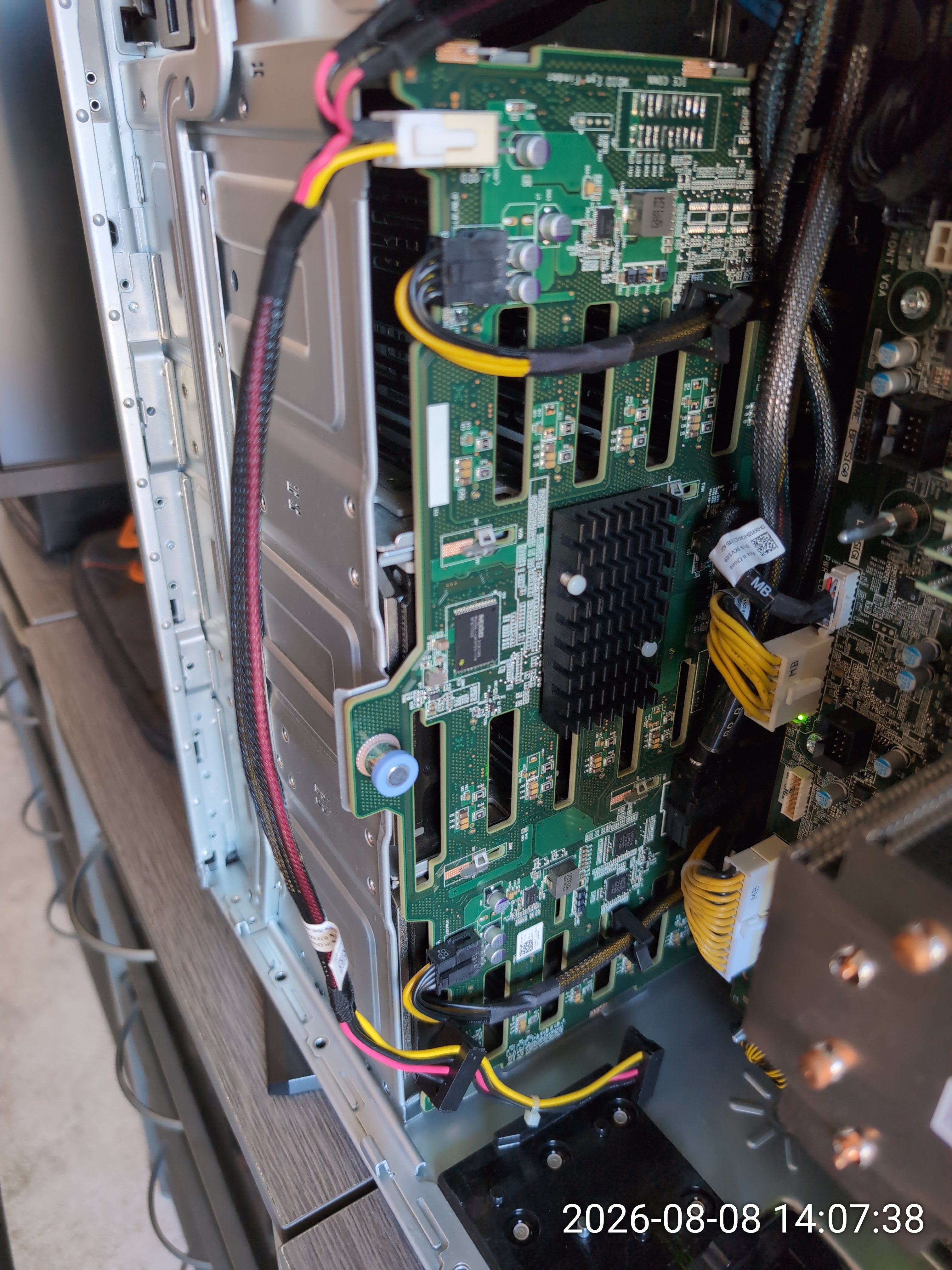
Here is what the backplane area looks like inside a T640. This photo is actually from my other T640, the one with the 18-bay backplane, where I relocated the A4000 — the same dual-SATA hack works there too:
The adapter chain
The first piece is the StarTech.com dual-SATA to 8-pin (6+2) PCIe adapter (SATPCIEXADAP on Amazon.ca). This is the same adapter I used for the A4000. It takes the two SATA connectors and outputs a standard 8-pin (6+2) PCIe power plug.
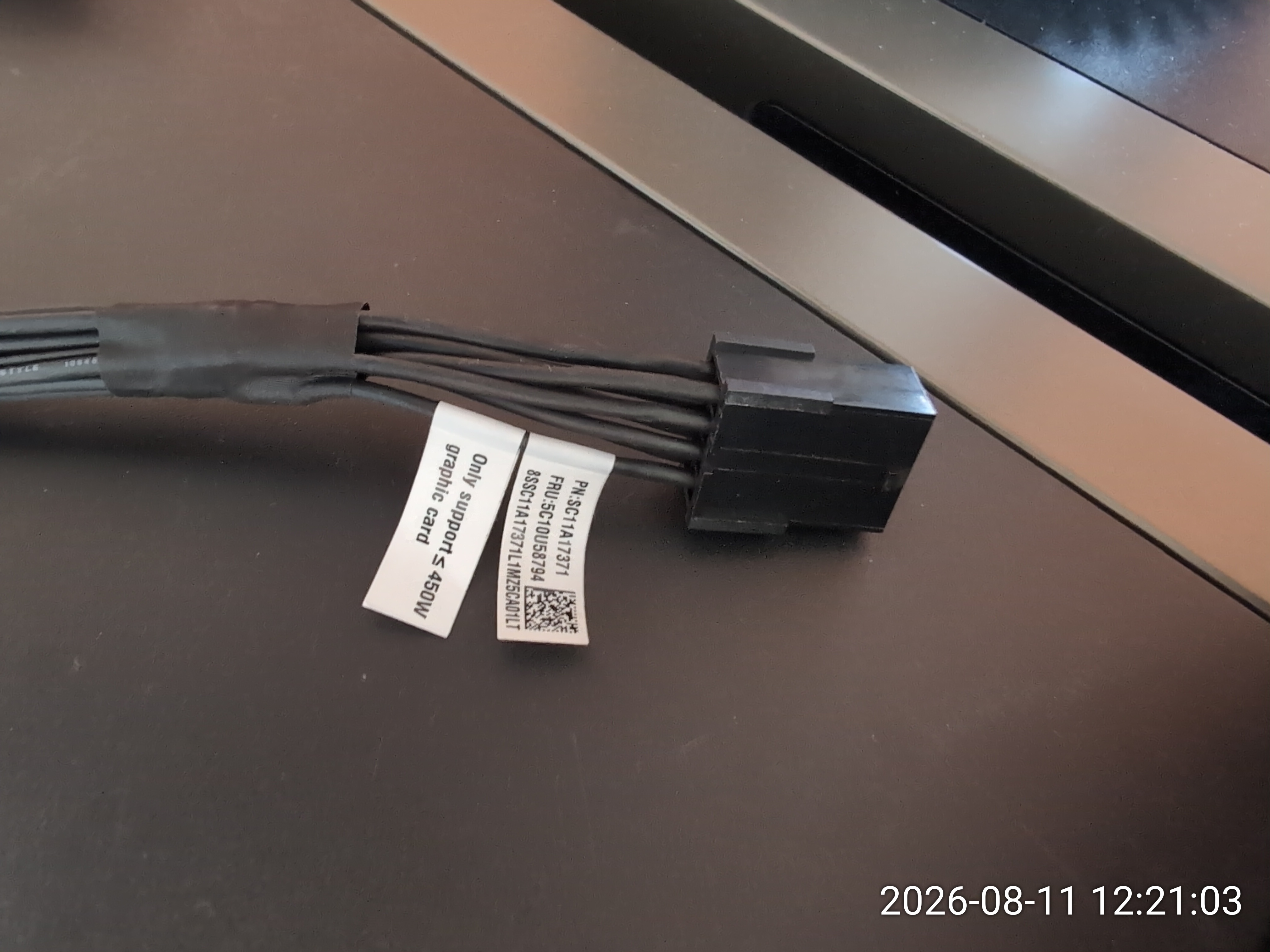
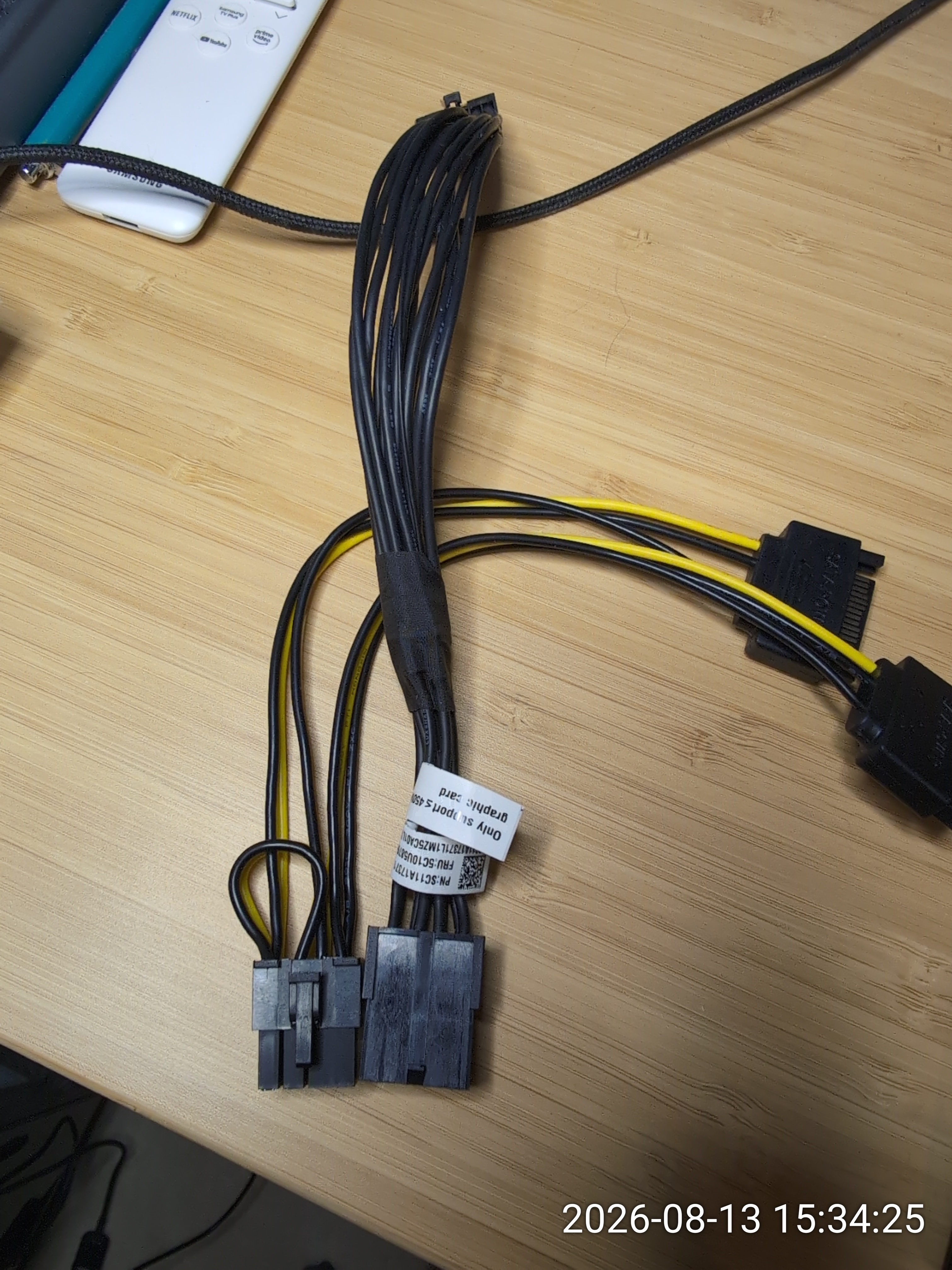
The second piece is the Lenovo/Nvidia 8-pin to 16-pin CEM5 adapter (FRU 5C10U58794, PN SC11A17371). This adapter came included with the RTX PRO 4000 Blackwell. It takes an 8-pin PCIe input and outputs the 16-pin 12VHPWR connector that the card needs. The label reads "Only support ≤ 450W graphic card", which is more than enough for our 145W card:
Here is the full adapter chain laid out: dual-SATA → StarTech 8-pin → Lenovo 16-pin CEM5. The StarTech adapter plugs into the Lenovo adapter's 8-pin input, and the 16-pin end goes into the GPU:
Power budget math
The RTX PRO 4000 Blackwell has a 145W TDP. The PCIe x16 slot provides up to 75W, leaving 70W for the auxiliary connector. Two SATA connectors provide up to 108W combined, which gives us comfortable headroom. Even under sustained GPU load, the power draw through the adapter chain stays well within the SATA connectors' rating.
Installation
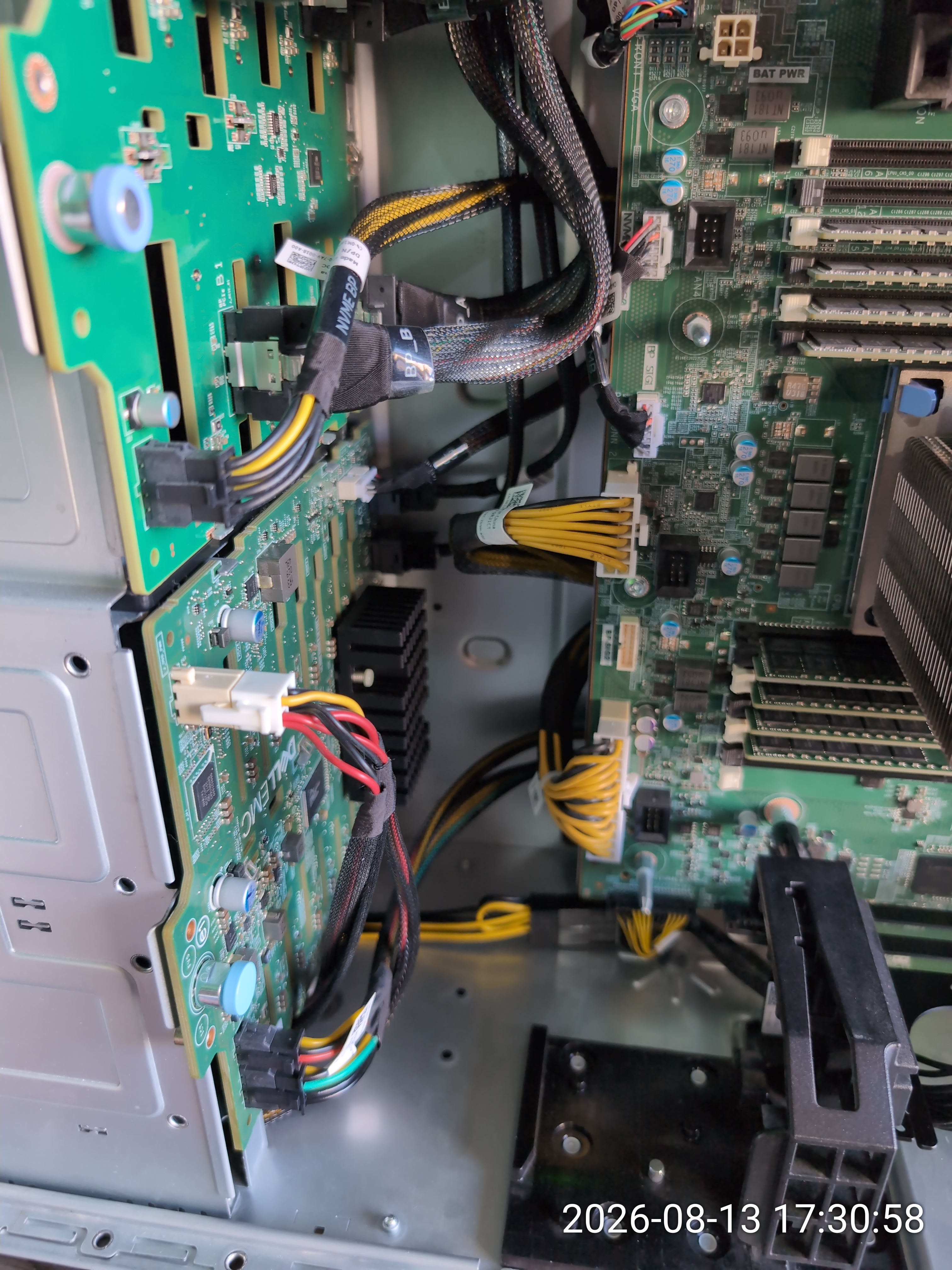
The cable routing inside the T640 is straightforward. The dual-SATA connectors from the SFF backplane feed the StarTech adapter, which connects to the Lenovo 8-pin to 16-pin CEM5 adapter, which plugs into the GPU. The cables route cleanly along the bottom of the chassis:
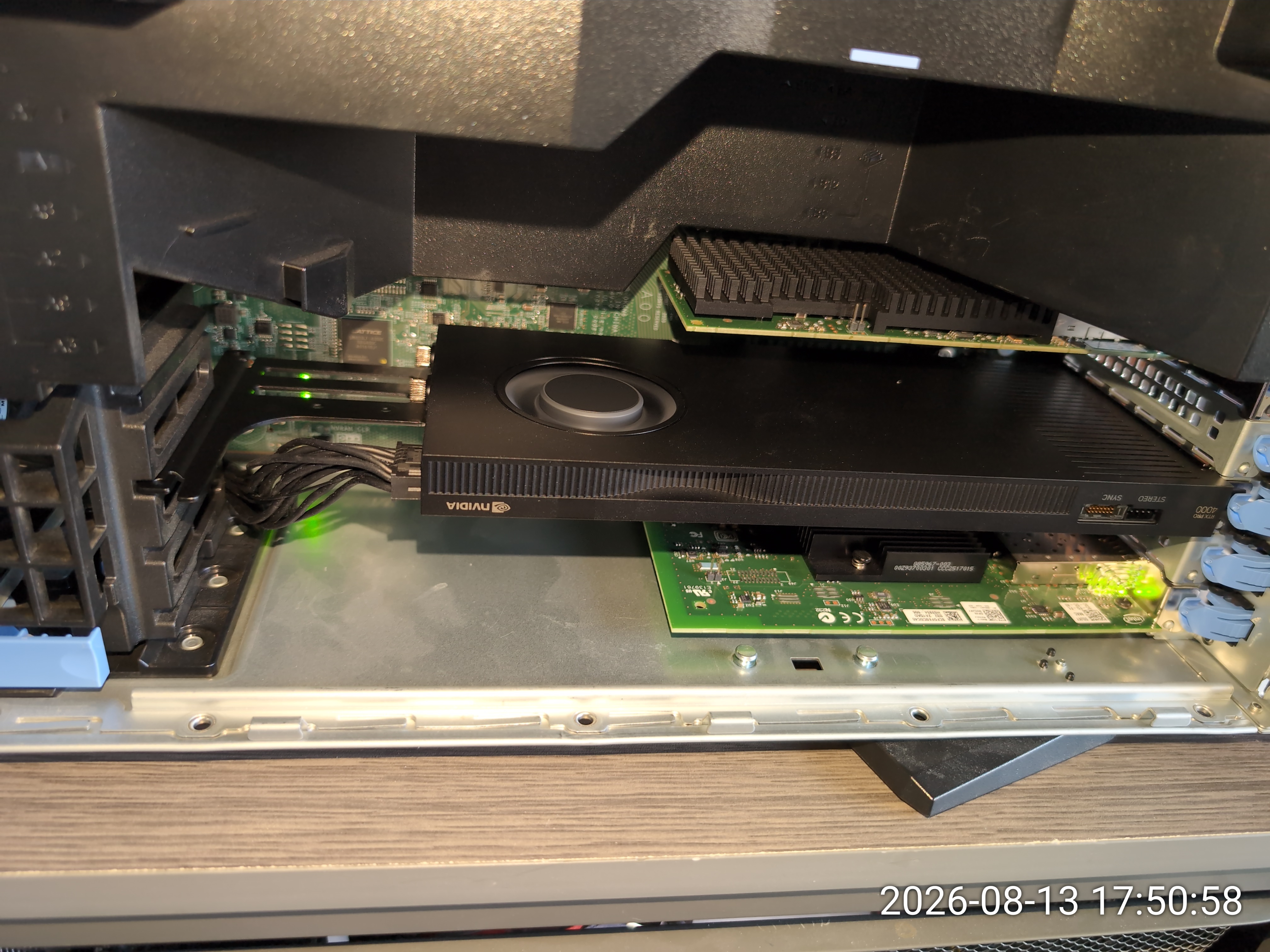
And here is the RTX PRO 4000 Blackwell seated in the T640, powered up and running:
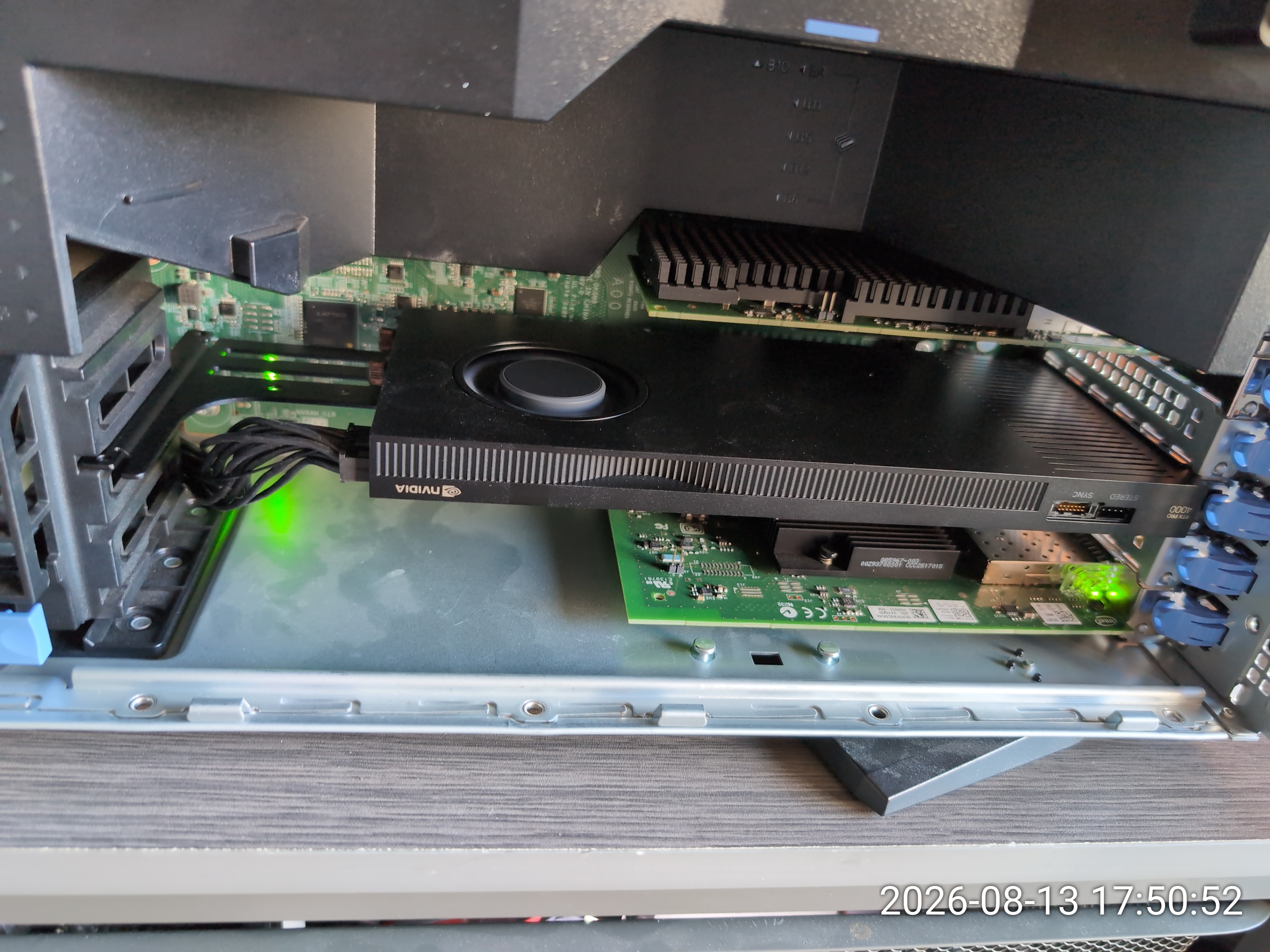
From the back of the server, the card's single-slot profile, blower fan, and I/O ports (DisplayPort and USB-C) are visible:
Verification
After powering up, nvidia-smi confirms the
card is detected and functioning:
$ nvidia-smi
+-----------------------------------------------------------------------------------------+
| NVIDIA-SMI 610.57.04  KMD Version: 610.57.04  CUDA UMD Version: 13.3                   |
+-----------------------------------------+------------------------+----------------------+
| GPU  Name          Persistence-M        | Bus-Id   Disp.A       | Volatile Uncorr. ECC |
| Fan  Temp  Perf    Pwr:Usage/Cap        |          Memory-Usage  | GPU-Util  Compute M. |
|                                         |                        |               MIG M. |
|=========================================+========================+======================|
| 0    NVIDIA RTX PRO 4000 Blac...  Off   | 00000000:D9:00.0   Off|                  Off |
| 30%  40C   P8      4W / 145W           |     2MiB / 24467MiB   |      0%      Default |
|                                         |                        |                  N/A |
+-----------------------------------------+------------------------+----------------------+
24GB of GDDR7, 145W TDP, single-slot form factor, no GPU kit, no noisy external fans. The T640 remains whisper-quiet.
Running local LLMs with Ollama
With 24GB of VRAM, the card comfortably runs quantized models up to ~32B parameters. My current lineup using Ollama and Open WebUI:
- deepseek-r1:32b (19GB) — reasoning and complex analysis
- qwen3.6:27b (17GB) — general-purpose, multilingual
- mistral-small:22b (12GB) — fast coding and chat
- llama3.2:1b (1.3GB) — lightweight testing
Parts list
- GPU: Nvidia RTX PRO 4000 Blackwell (24GB GDDR7, 145W, single-slot, CEM5 16-pin power)
- Adapter 1: StarTech.com dual-SATA to 8-pin PCIe power (SATPCIEX8ADP)
- Adapter 2: Lenovo/Nvidia 8-pin to 16-pin CEM5 adapter (FRU 5C10U58794, included with the GPU)
- Dell backplane cable: Dell DP/N 07FTPK (CN-07FTPK-AP200-97N-004E-A00) — the dual-SATA variant. Not the 0VNV7W (single SATA, marked SLIM ODD).
The T640 continues to be an excellent Frankenstation!
![[Contents]](iconsd/cntsicon.gif)
![[Map]](iconsd/mapicon.gif)
![[Index]](iconsd/indxicon.gif)
![[Comment]](iconsd/cmnticon.gif)
![[Search]](iconsd/srchicon.gif)
![[Home]](iconsd/homeicon.gif)
![[Up]](iconsd/upicon.gif)
![[Previous]](iconsd/previcox.gif)
![[Next]](iconsd/nexticox.gif)