I have a Dell PowerEdge T140 with an 8C Xeon @ 3.4Ghz, 128G of RAM and about 32Tb of 12Gbps SAS Flash.
The default cooling configuration works but it tends to become noisy under load.
Also, the Xeon CPU tends to reach into the 75C/78C, too close to the 80C limit
for my taste.
I like my Home Lab silent and powerful but in the summer, my T140 was often louder than the T640.
So Here is what I did:
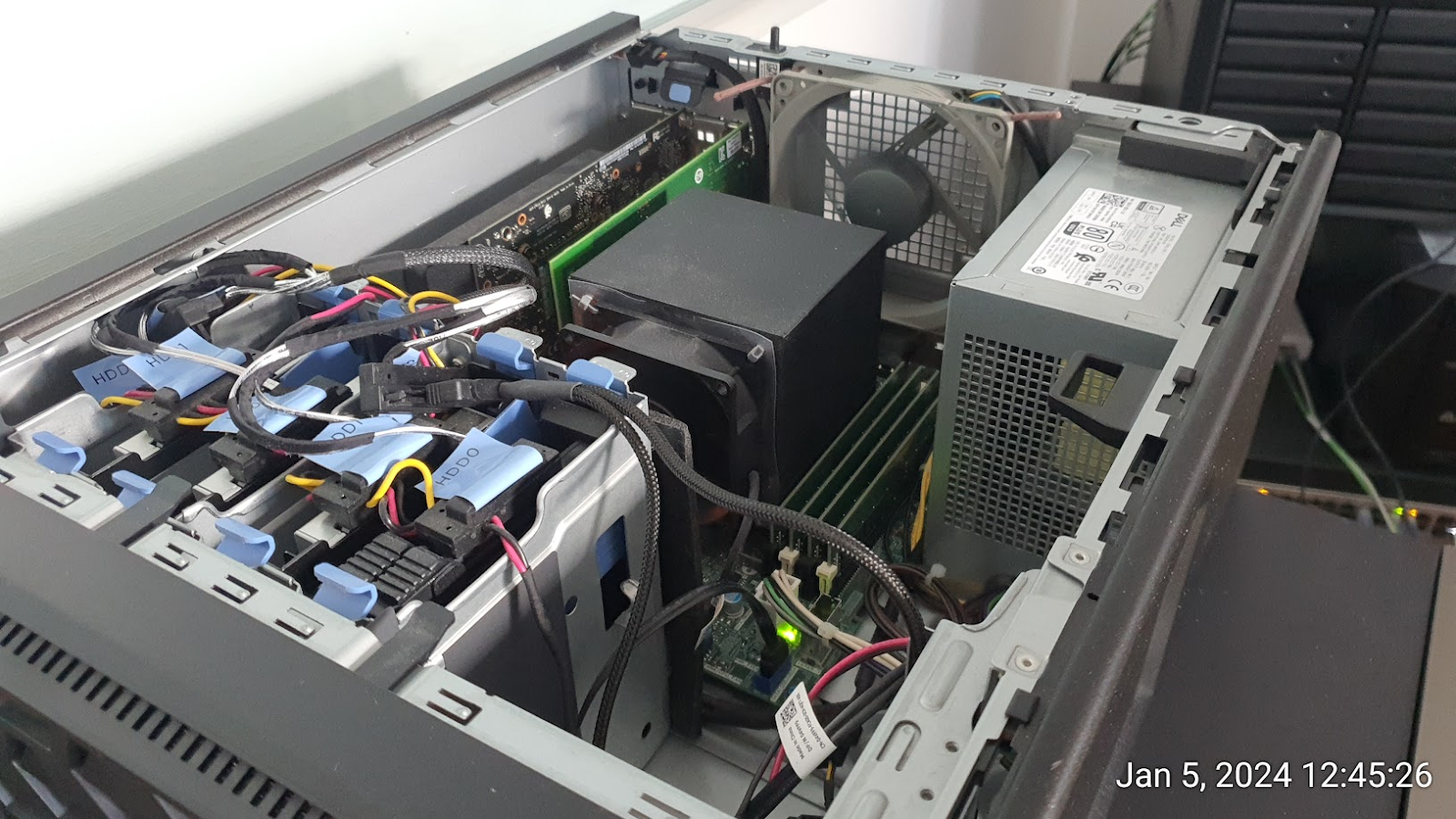
- CPU FAN:
The Default heatsink has to go, there's nothing to salvage here but keep the
fan, we'll need it later.
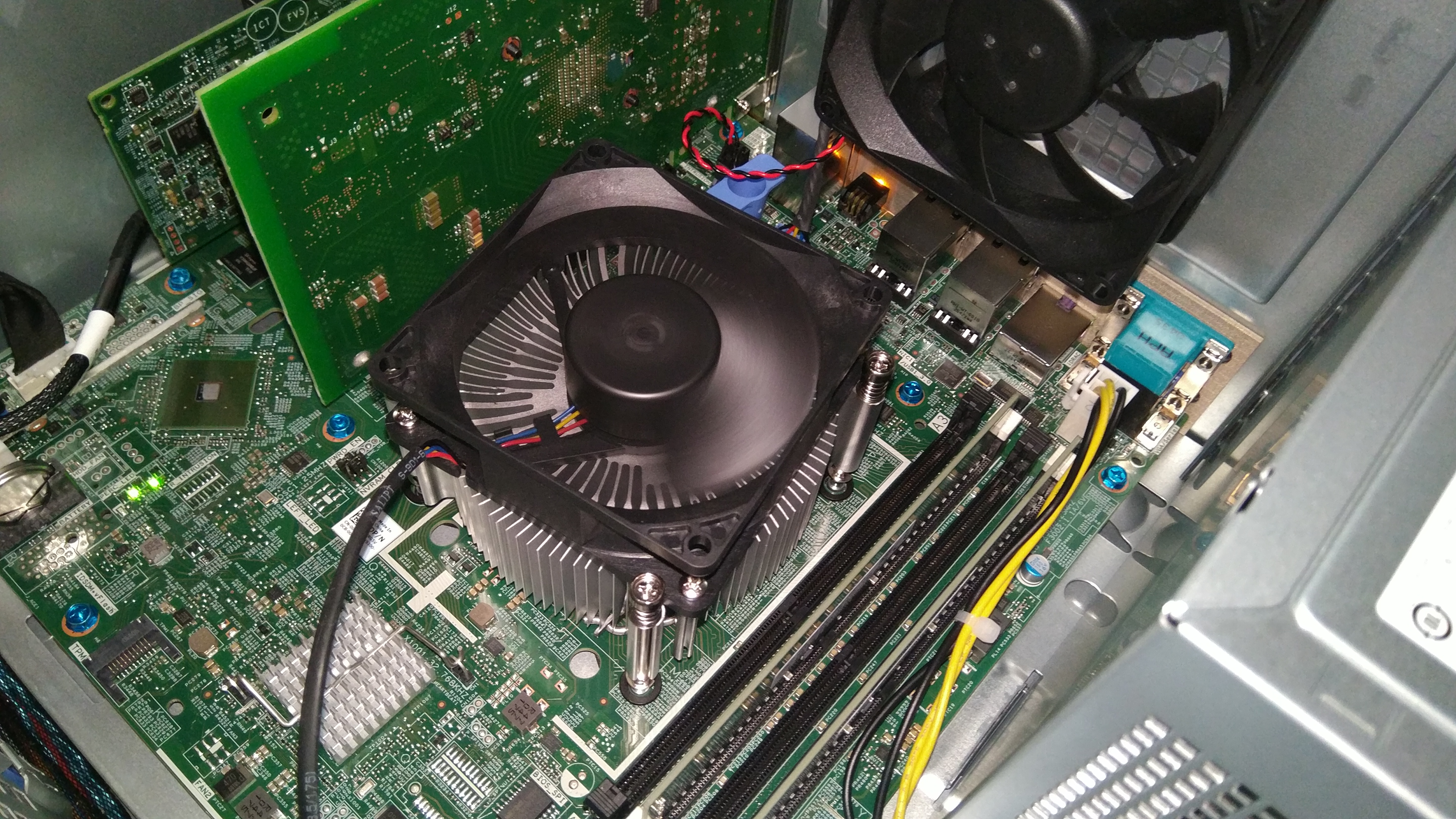
The heatsink itself would probably be better suited for a 35W CPU but it's not
good enough for an 8C/16T Xeon SP Gen2 (E-2278G):
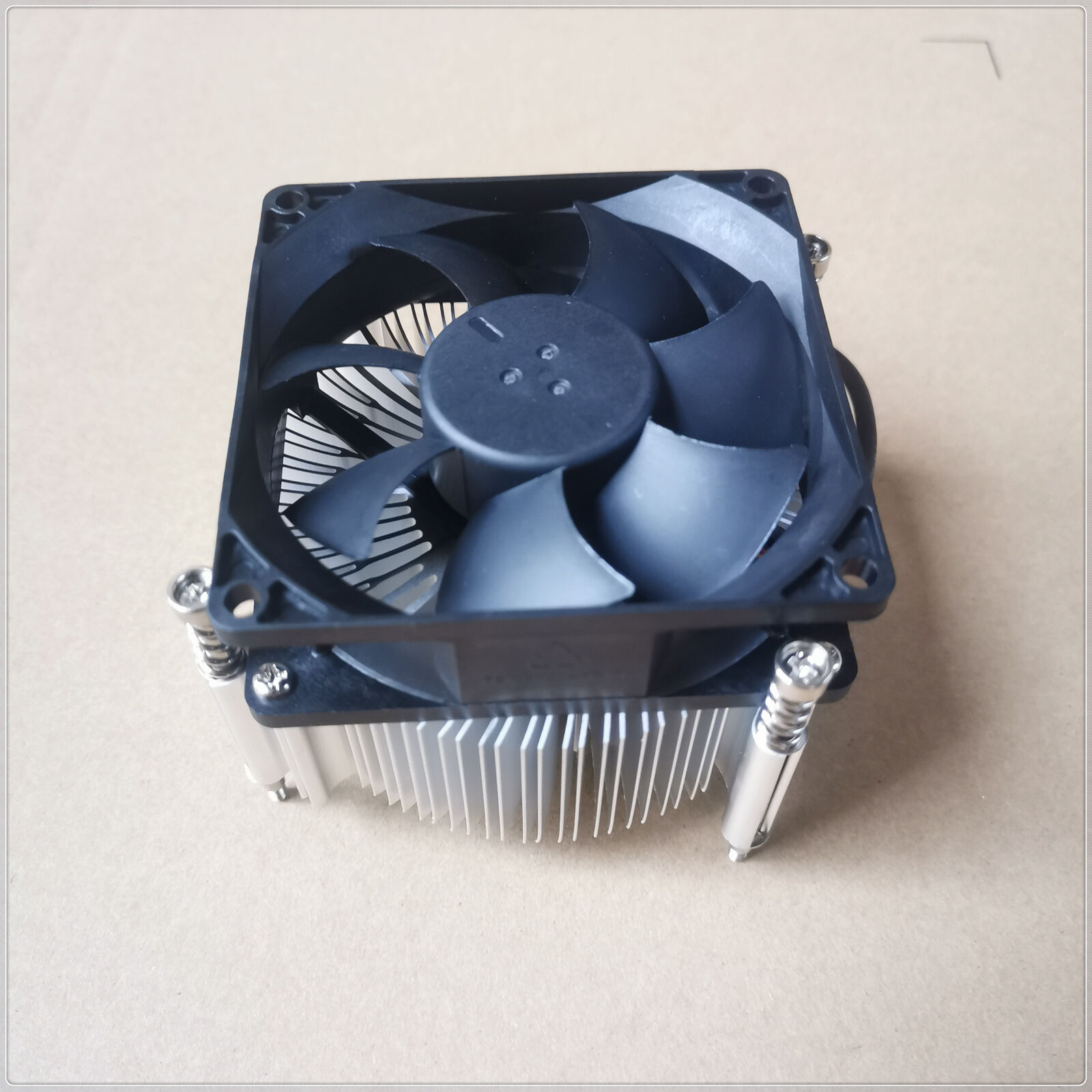
The FAN has a super proprietary connector that I have not yet identified but
we'll keep it for later.
The good news is that -any- Dell PowerEdge T340 heatsink will work in the T140.
These heatsinks have a lot more fins and don't require you to do tricks to fit
the heatsink to the mobo. The T140/T340 mobos are proprietary and it is not
easily possible to retrofit a Noctua heatsink.
I started with the standard (right) 80W T340 heatsink but ended up sourcing the
High-Wattage Dell T340 heatsink (left):
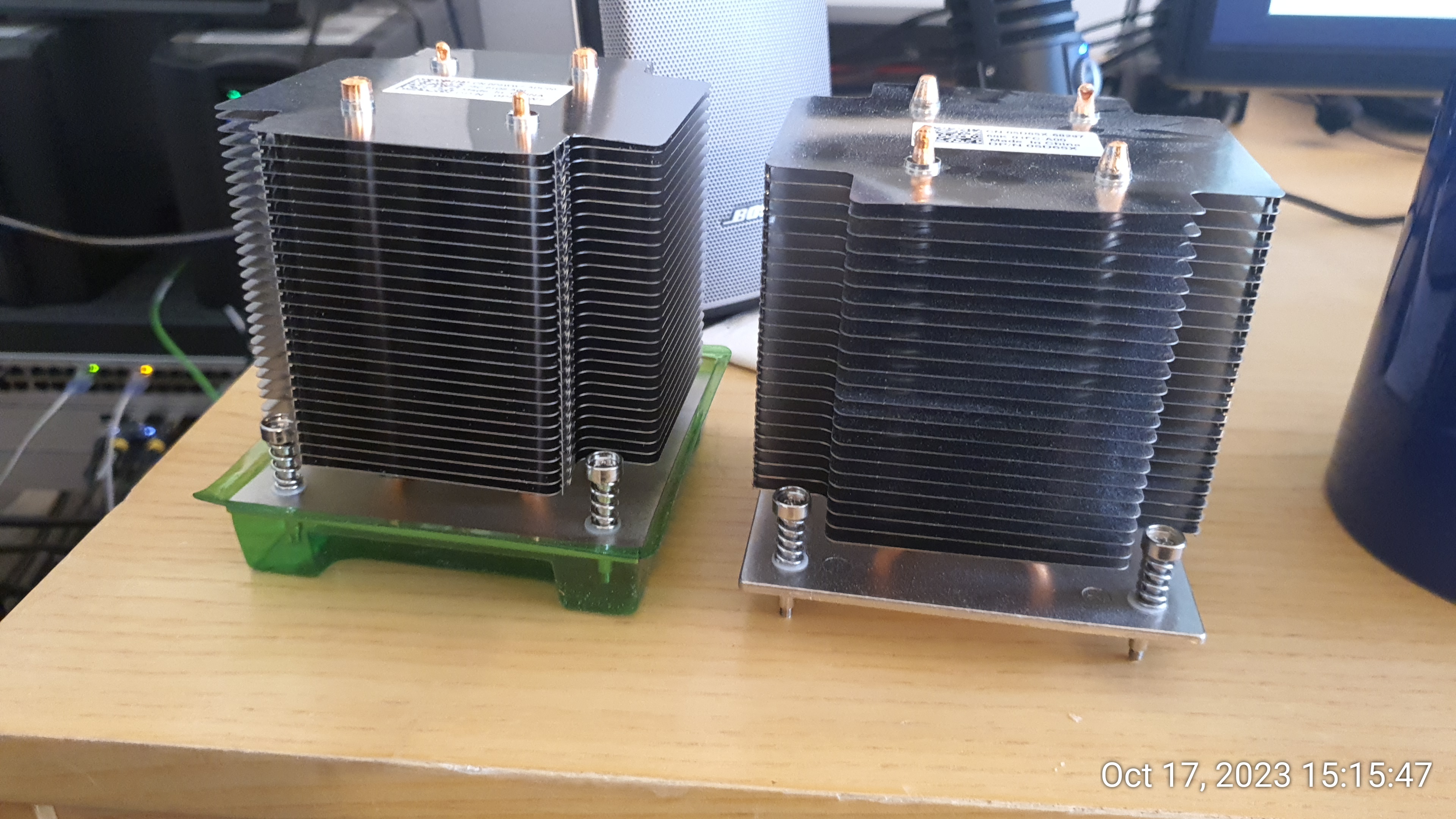
Part Numbers:
- Dell 95W heatsink: FDC1P / JN59V or Dell Part 412-AAQY
- DELL P5WW7 NEW HEATSINK ASSY 95W T340
- T330 or T340 heatsink: K8CP3 | Dell Part# : 412-AAHS
- T340: 05D65X
- DELL 412-AAQV 95w Heatsink Assembly For Poweredge T340
The 95W heatsink is not sold by Dell in North America and I had to source it
through a friend in New Zealand.
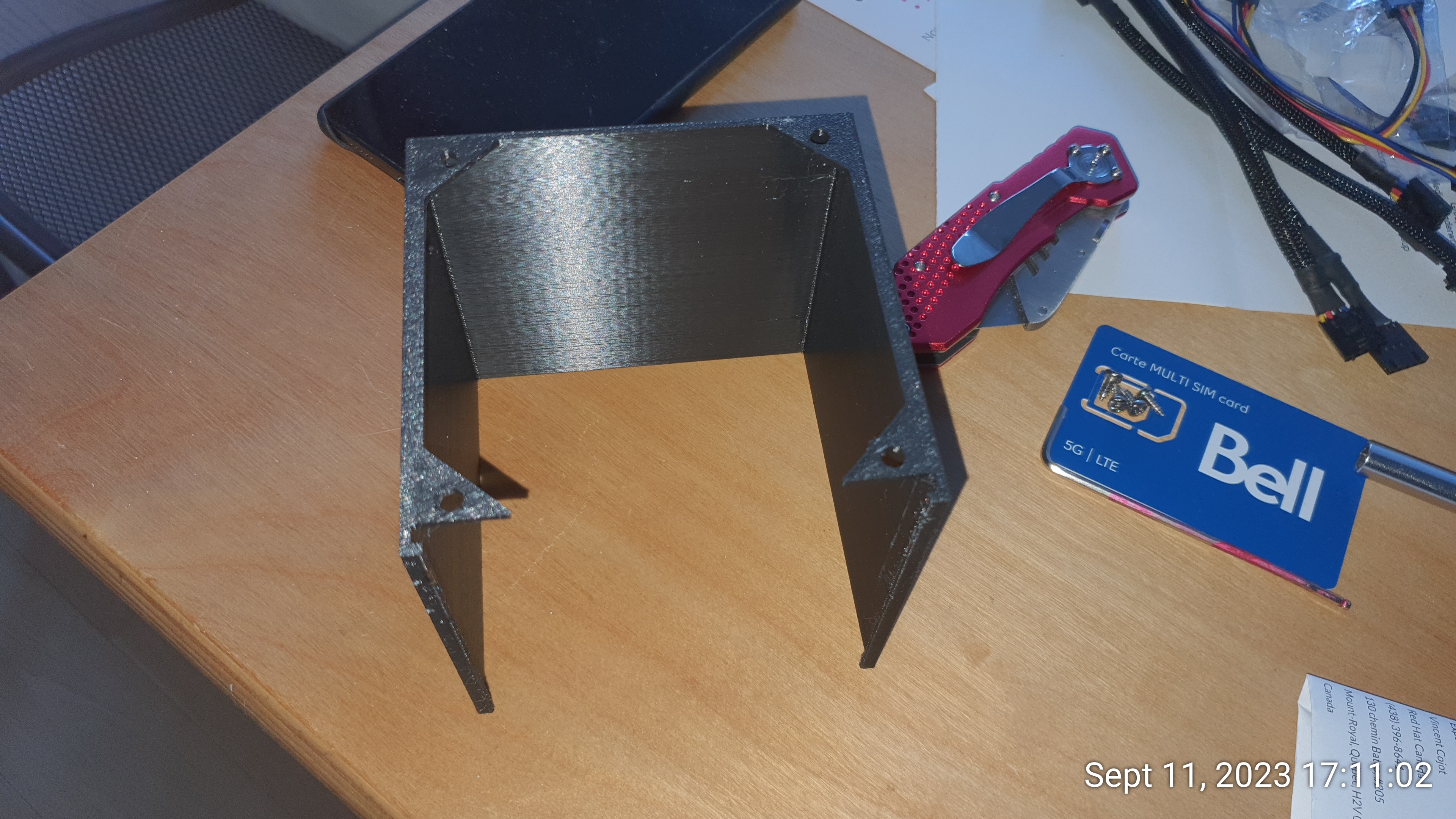
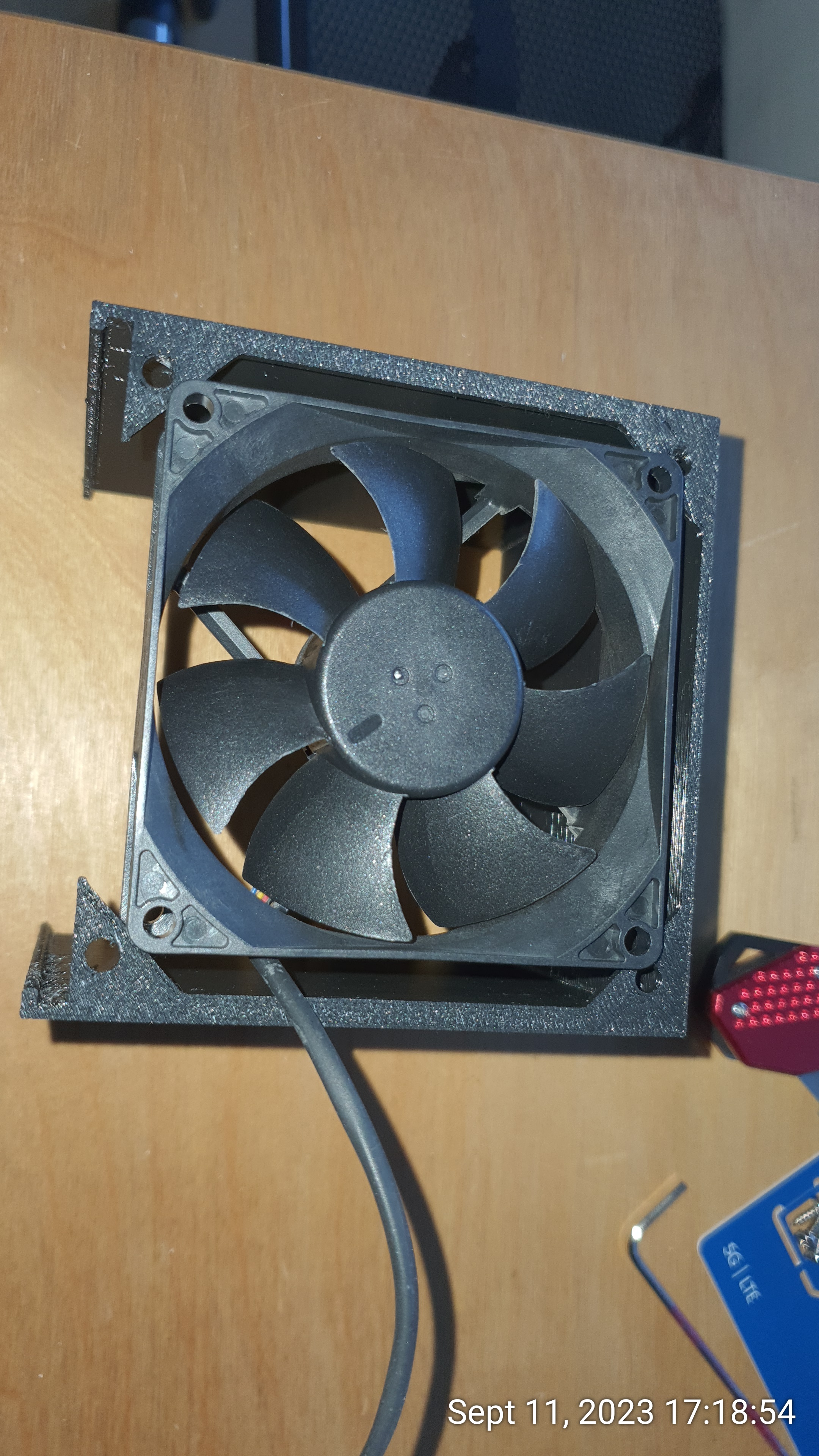
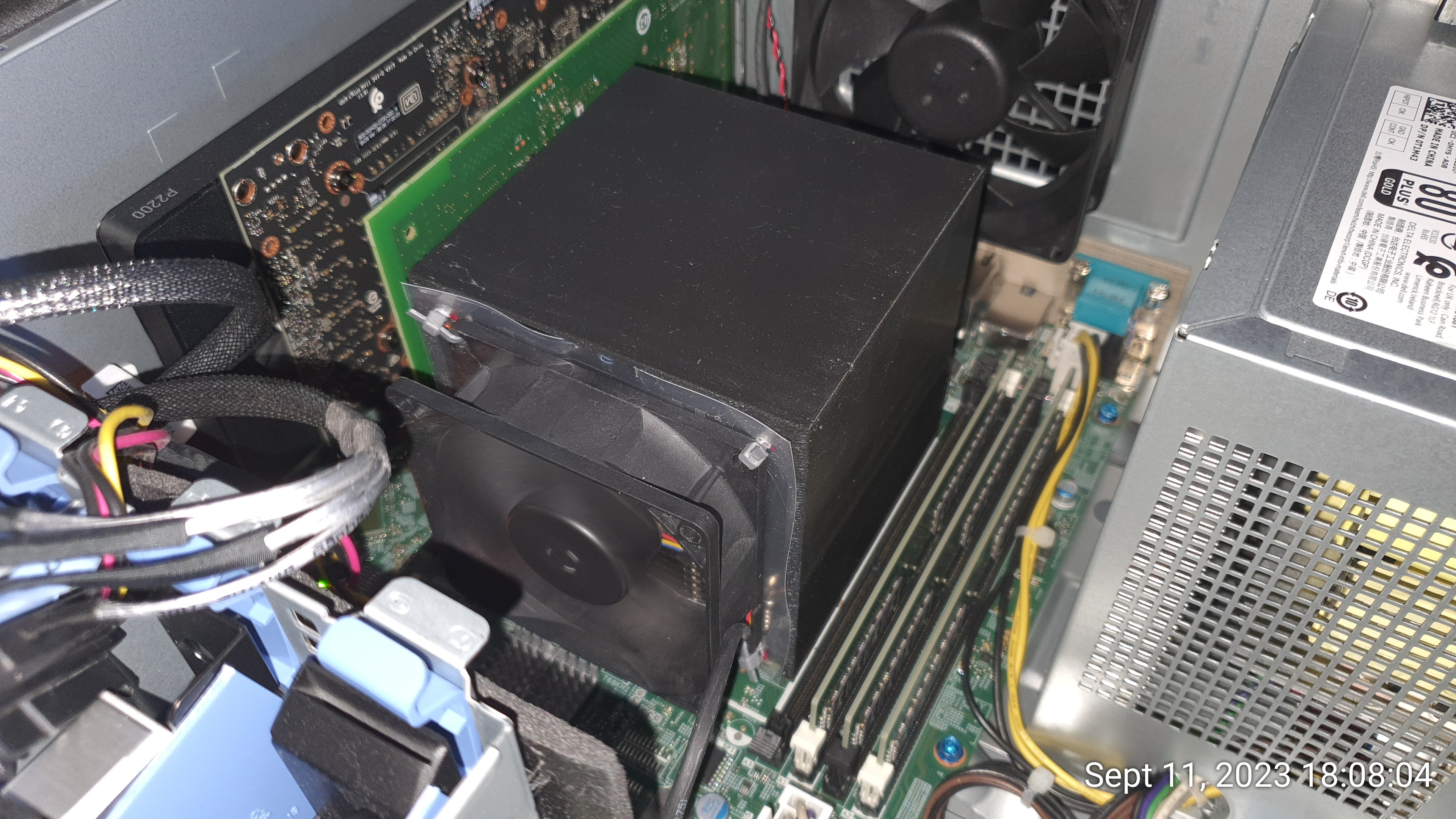
Now that we are in T340 territory, let's add some icing on the cake and 3D print
a shroud for the T340 heatsink so we can mount back the CPU fan to it (Thanks to
ThePickySysadmin):
Link to 3D model here: https://www.pickysysadmin.ca/2021/01/25/silencing-my-dell-t340-part-3/
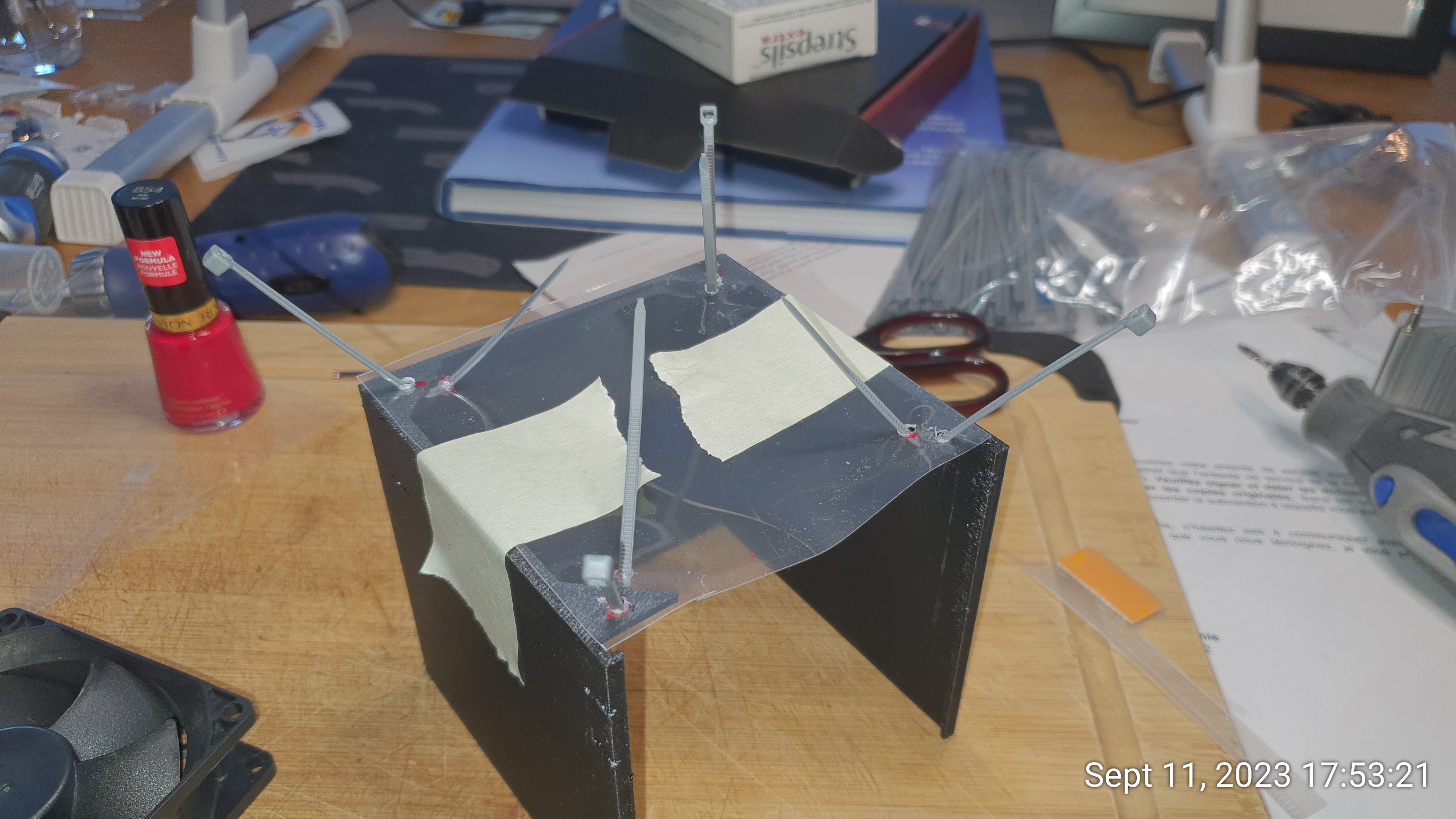
The T340 shroud is a little too big for the T140 CPU fan but that's nothing that
a little plastic sheet can fix:
- Case FAN:
The Default case Fan is a little 90mm bastard that quickly gets noisy under
load:
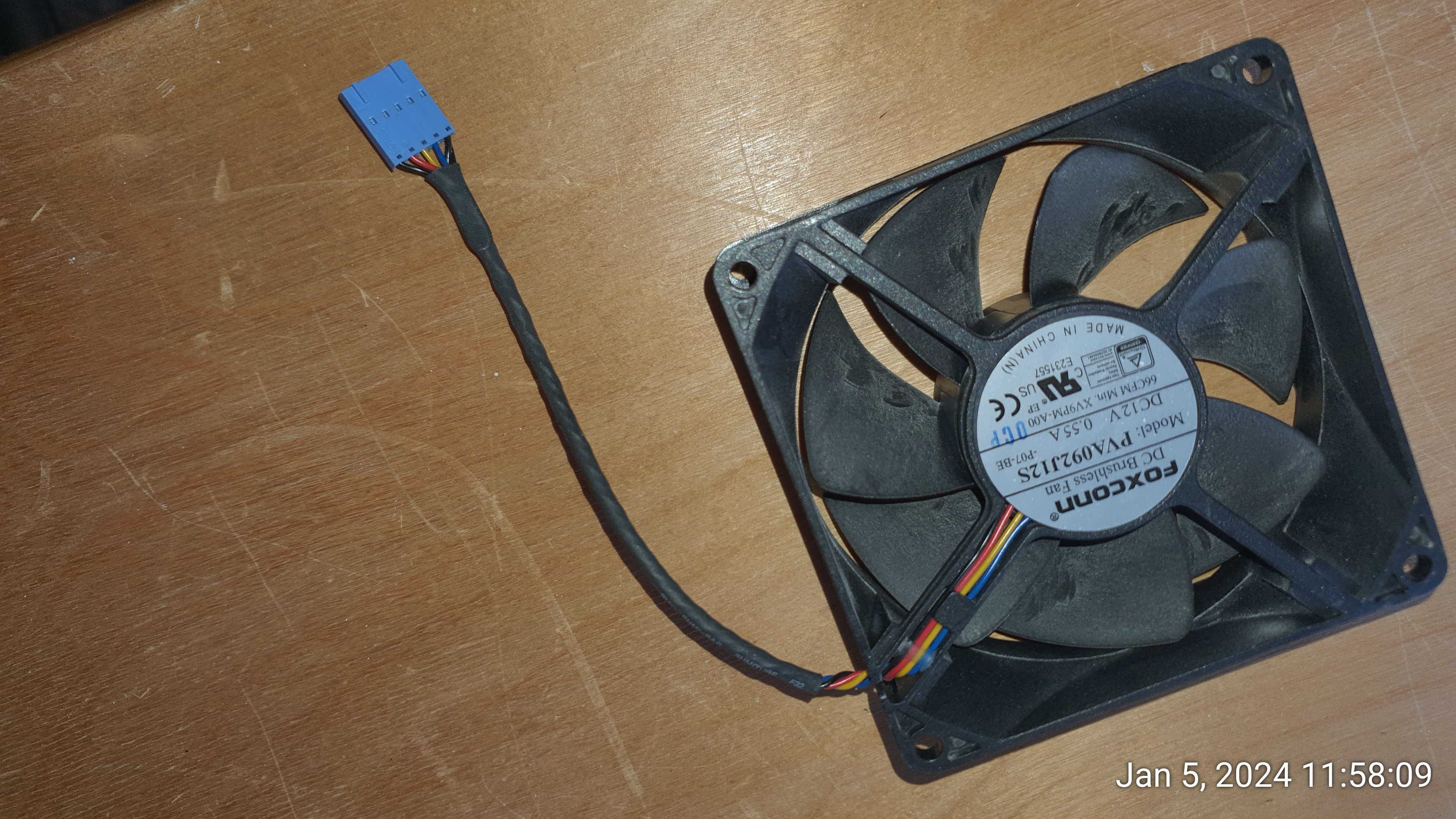
On the flip side, that one has a 'standard' Dell Poweredge fan connector, but
even though it works with an adapter, you probably don't want that (more on this
later).
On the case fan, you can use a 4pin PWM to 5pin Dell adapter, and it works with
Noctua fans without any modification:
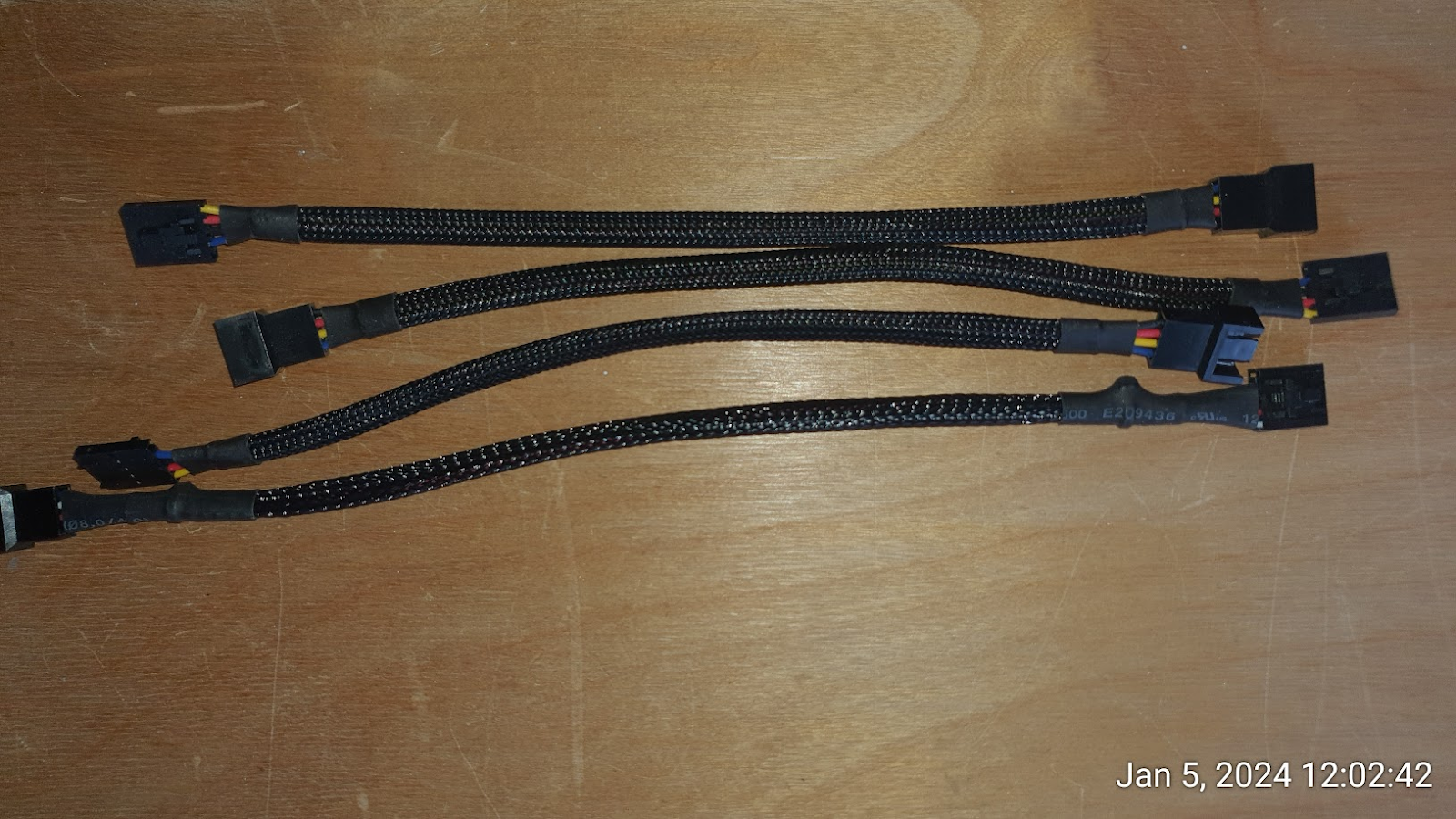
The reason why you don't want to do this simple setup directly is as follows:
Any good Noctua fan will have a default rotation speed that is way too low for
the taste of the iDRAC. (It's a 14th gen, so I believe you cannot adjust the
thresholds)
This will trigger an alarm on the iDRAC, which will put the other (CPU) fan at
100%.
Even if it provides decent cooling, it's quite noisy (I sit next to the T140),
so I went for another design (no soldering required):
- Mobo case fan connector: 4pin to 5pin PWM Adapter + Mining Rig Fan simulator
(reports 2400rpm)
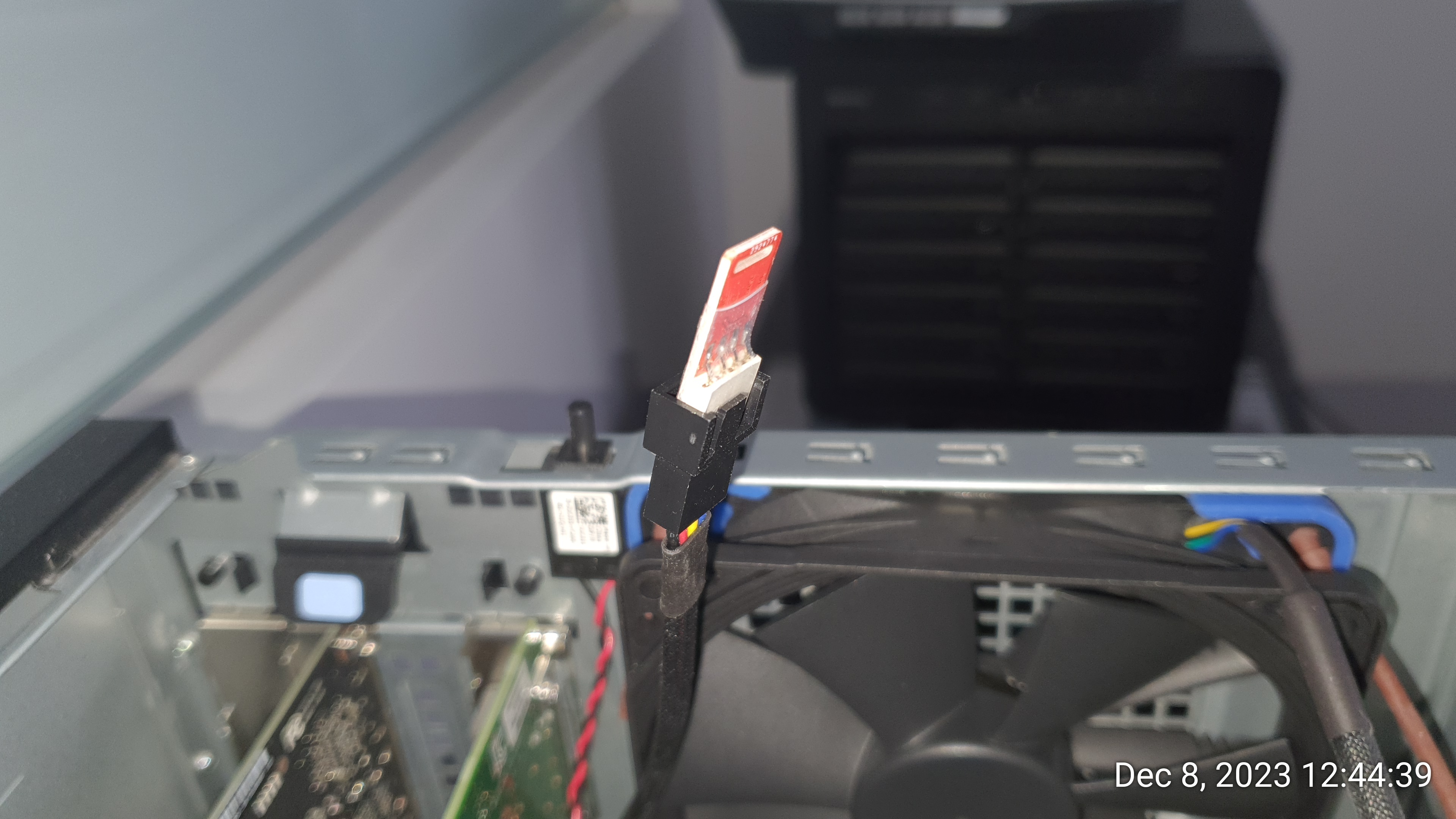
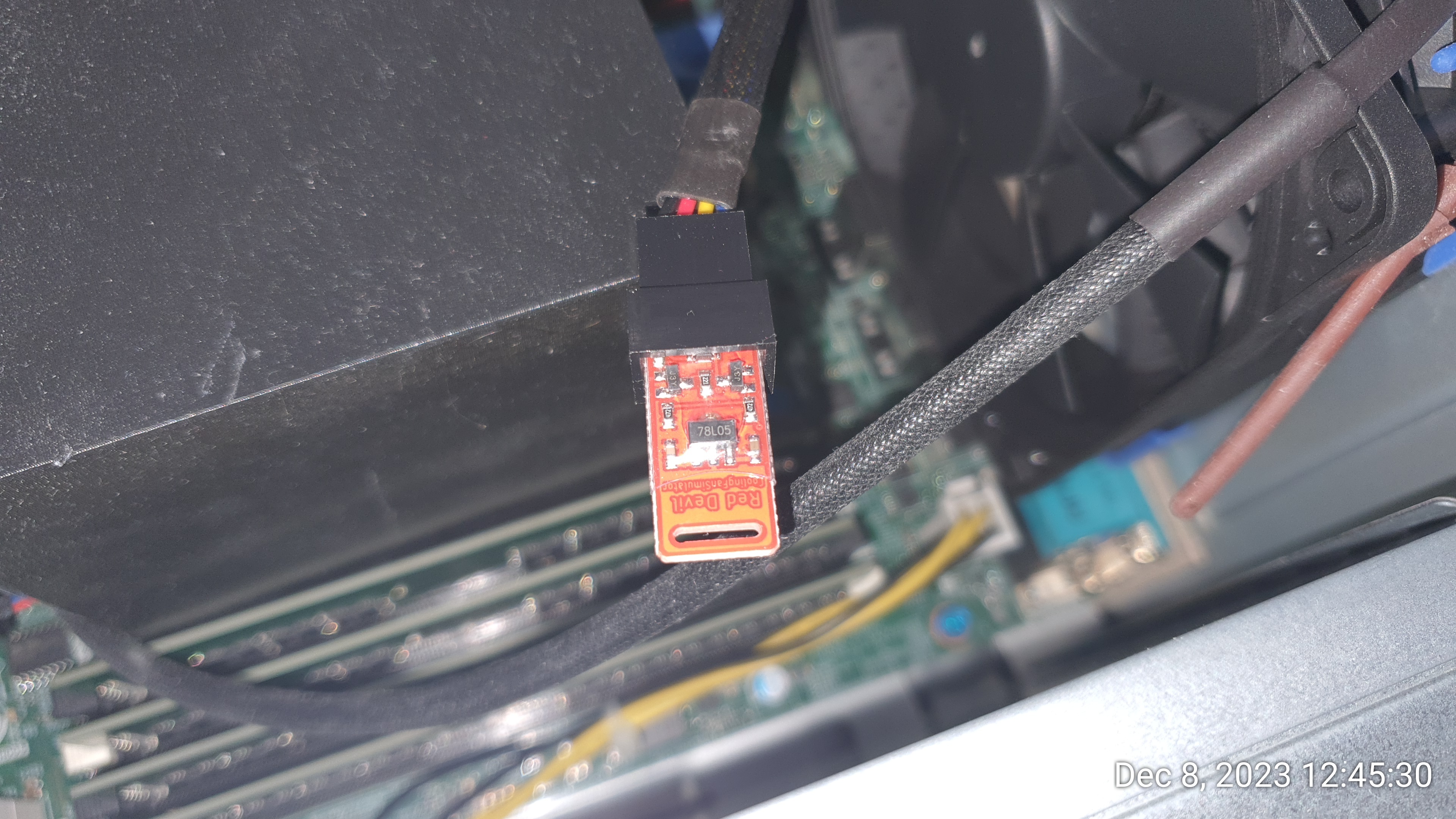
- Noctua 120mm Redux Fan + SATA power feed (I had 3 free SATA connectors from my
previous 4x2 SAS hack) + 4 elastic bands from a previous Noctua Fan (I wish
they'd been black, but this will work until I can do a better job):
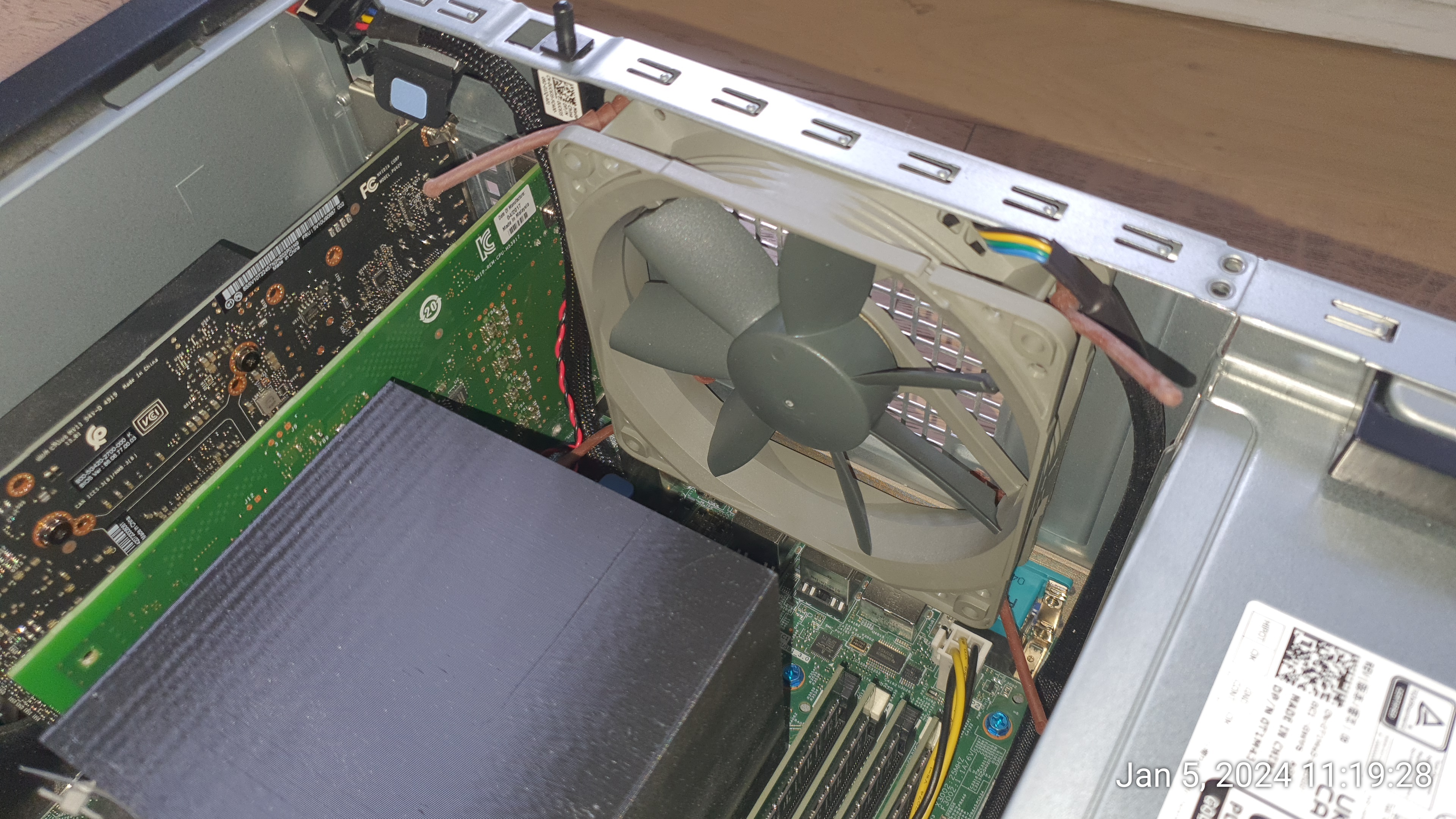
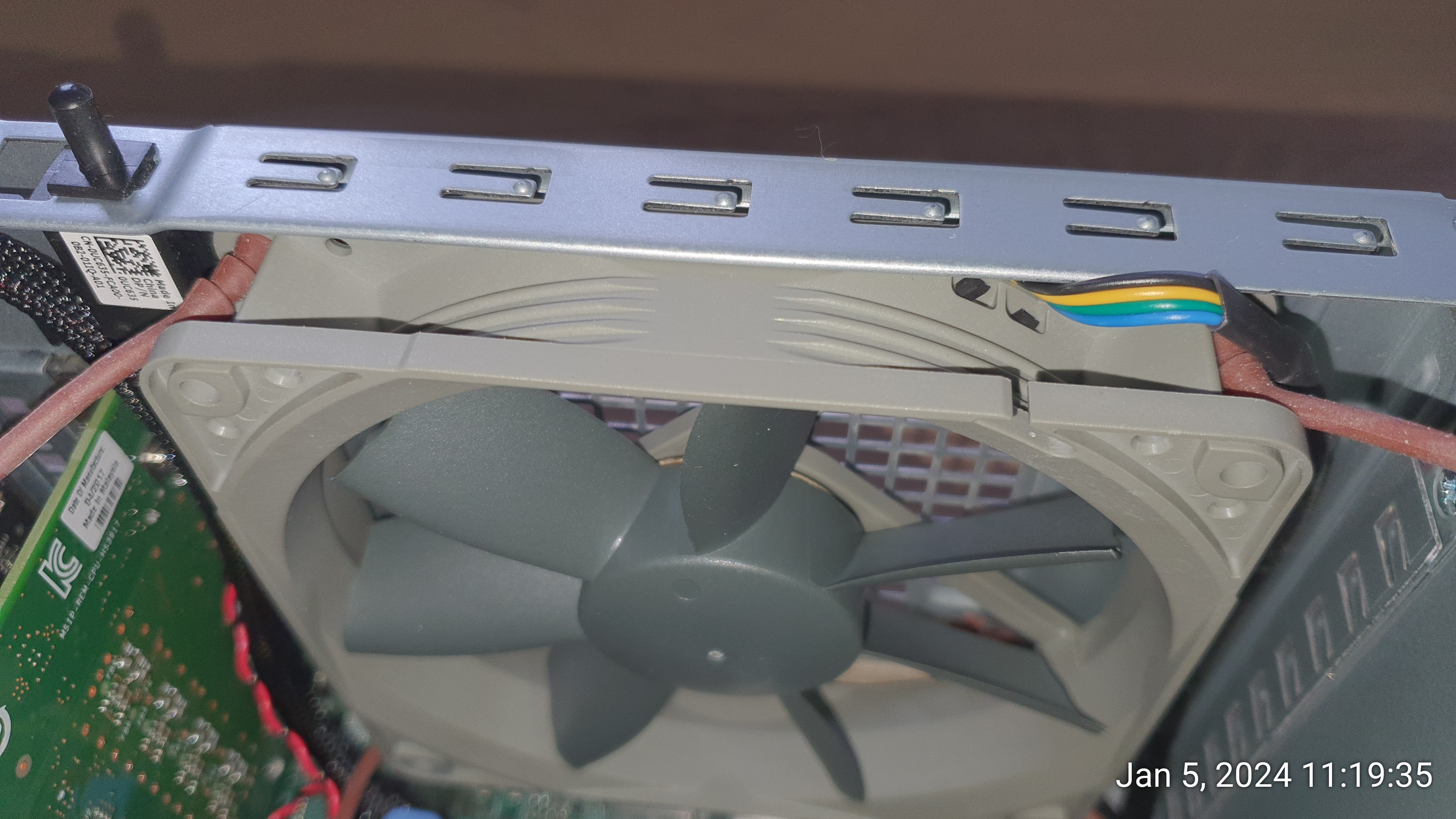
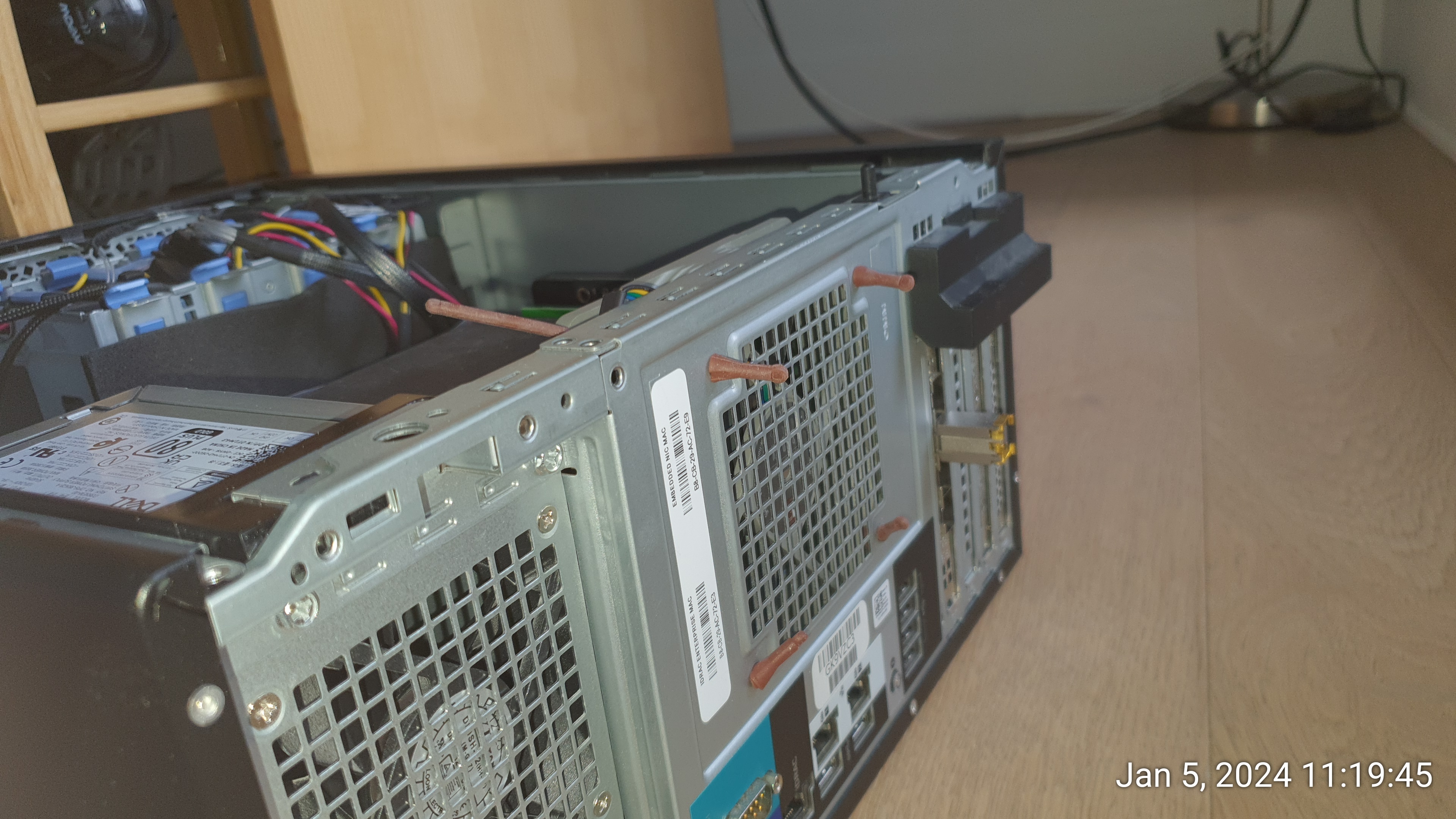
As a result of all those changes, the machine is only slightly more silent on idle but a lot better under load. The CPU temps are lower (they're now mostly in the 40-50C's where they used to be close or above 60C on idle).
# CPU_temp.sh
(II) Ambient Temp: 25.00
(II) Fan:  2400 (+/- 120) RPM  <=========== this the fake RPM reported by the fan simulator
Temp: +51.0 C (high = +80.0 C, crit = +100.0 C), CPU Cores: 4
Temp: +45.0 C (high = +80.0 C, crit = +100.0 C), CPU Cores: 0,3
Temp: +44.0 C (high = +80.0 C, crit = +100.0 C), CPU Cores: 1,6,7
Temp: +43.0 C (high = +80.0 C, crit = +100.0 C), CPU Cores: 2,5
List of Parts used:
- BUYMINERS fan simulator: https://www.amazon.ca/dp/B07KTYT55S
- Noctua NF-S12B Redux-1200 PWM (powered by a SATA splitter)
- Pocaton 4PIN PWM to Dell 5Pin Adapters:
Or sleeved:
https://www.amazon.ca/adaptateur-ventilateur-femelle-broches-cartes/dp/B0871P9X72/ref=sr_1_9
https://www.amazon.ca/adaptateur-ventilateur-femelle-broches-cartes/dp/B0871P9X72/ref=sr_1_9
(I prefer sleeved). Those Links are not sponsored; they're just here so that people can check what the parts look like.
Happy modding!
![[Contents]](iconsd/cntsicon.gif)
![[Map]](iconsd/mapicon.gif)
![[Index]](iconsd/indxicon.gif)
![[Comment]](iconsd/cmnticon.gif)
![[Search]](iconsd/srchicon.gif)
![[Home]](iconsd/homeicon.gif)
![[Up]](iconsd/upicon.gif)
![[Previous]](iconsd/previcox.gif)
![[Next]](iconsd/nexticox.gif)