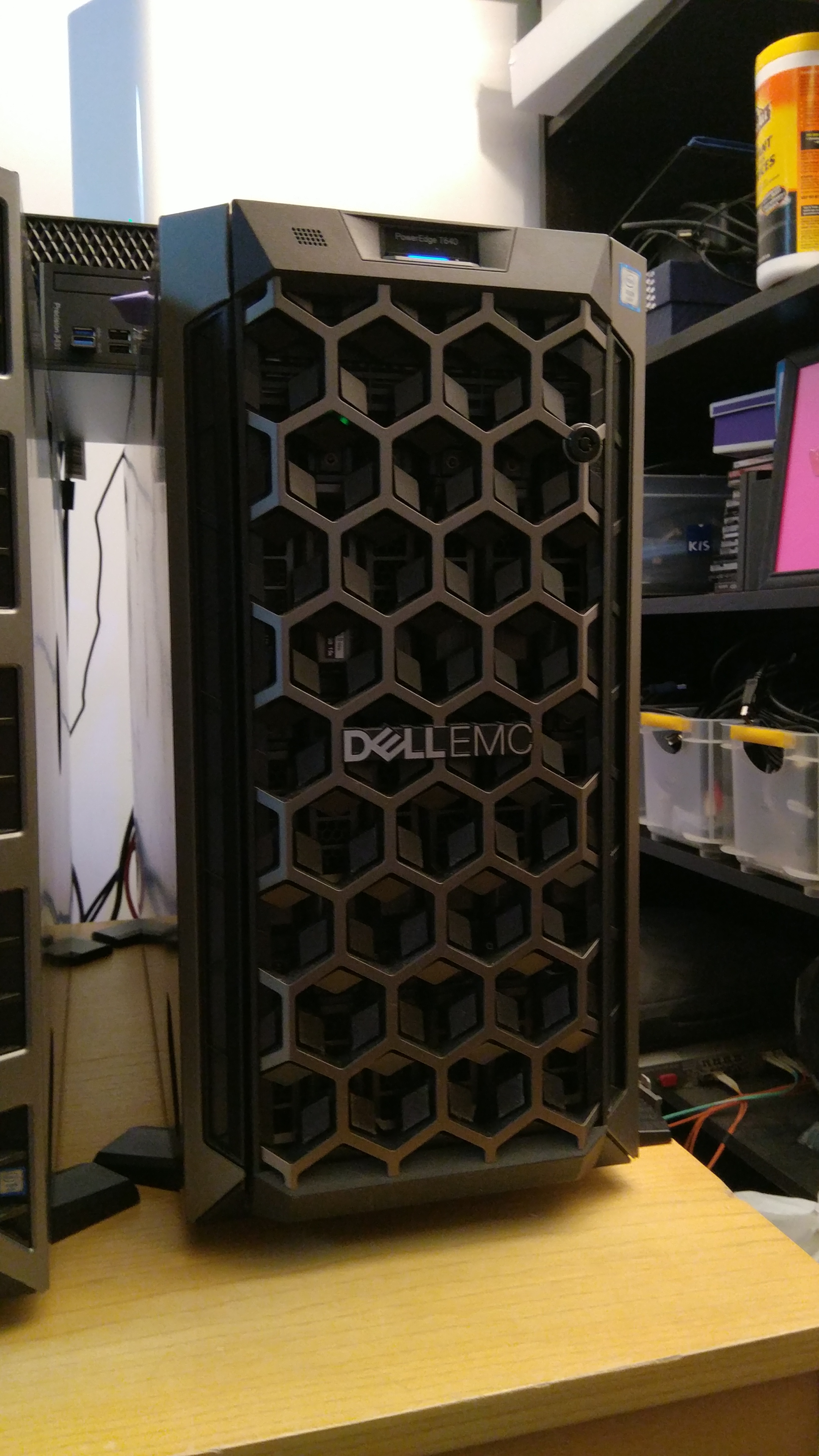
Rationale
As much as I liked my T4X0 machines (T430, T440) with RHEL, I started to feel limited in terms of PCIe slots, HDD bays, DIMM slots and CPUs.
I have slowly started to decommission the T4X0 machines to replace them with T6X0 machines.
The T640 was a little more difficult to make into a silent workstation than the T630's so here are a few notes to help others:
- CPUs
Nothing fancy here. The T640 accepts cpus up to 205W so I went for that.
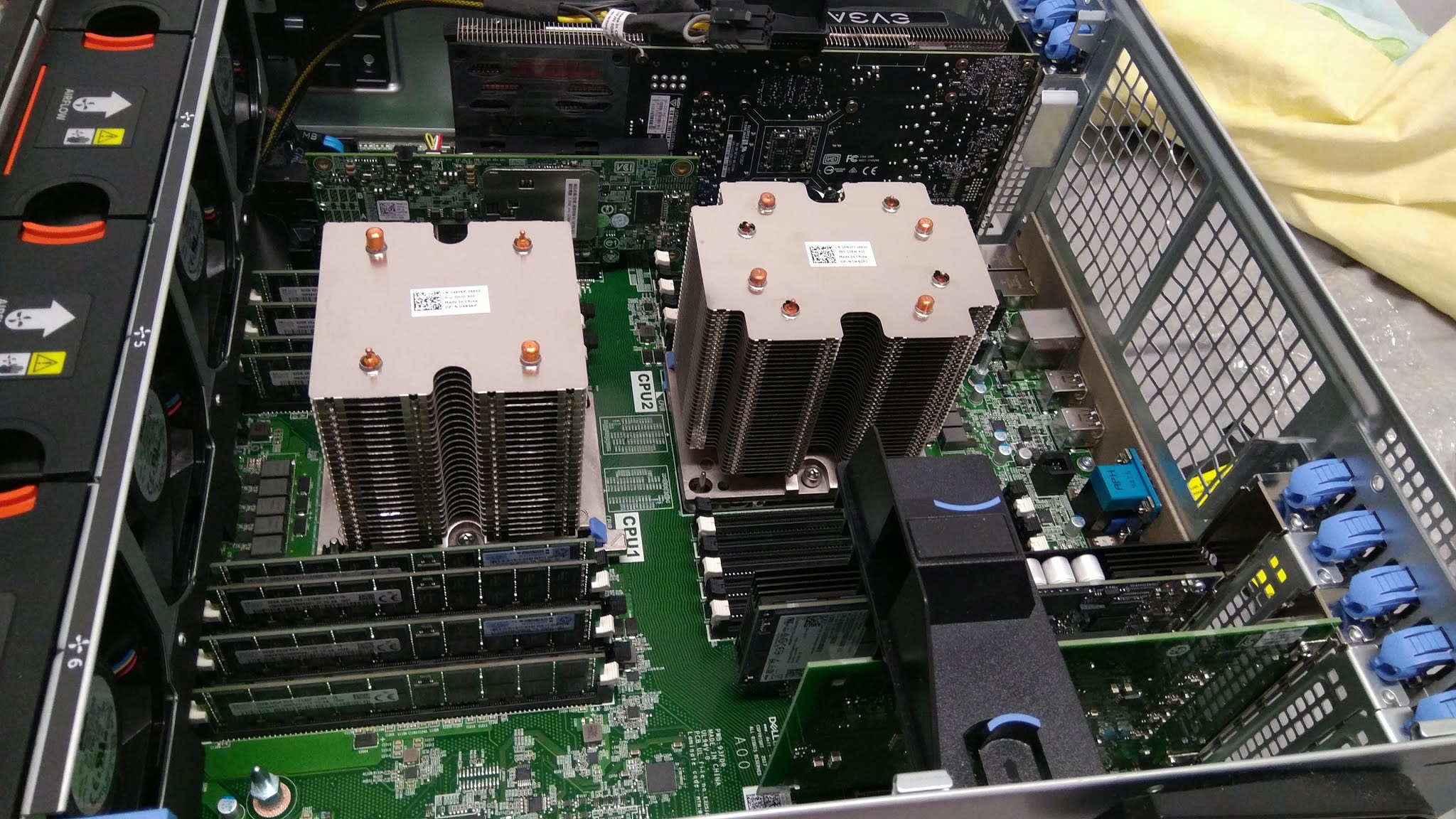
If your CPUs are above 165W each, make sure to get a pair of high wattage heatsinks from Dell ( Dell P/N: 0VX3D )
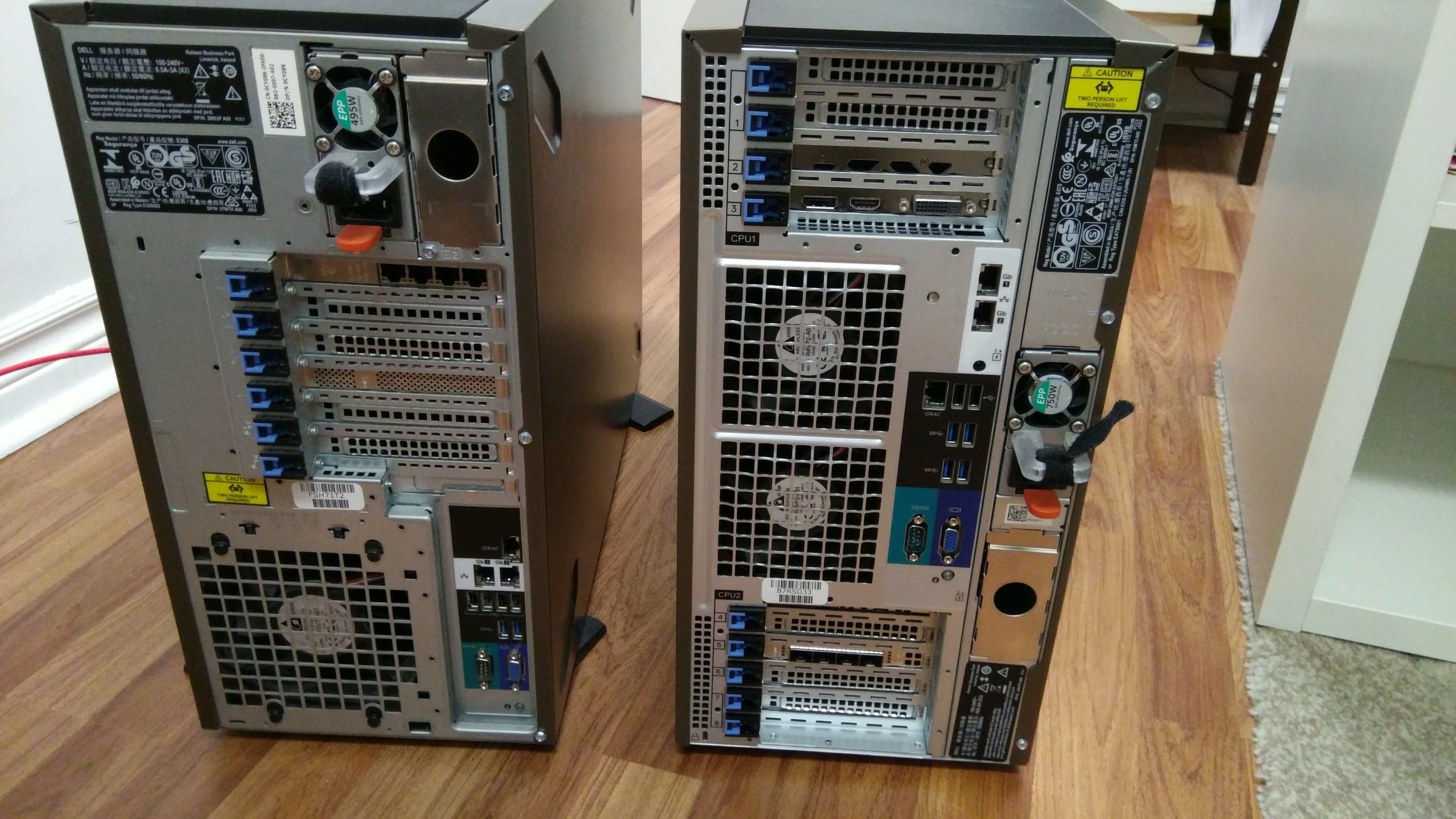
Here's a 0489KP heatsink (stock, left) next to a K2PNJ heatsink (right).
RAM
RAM
Most of the Xeon Scalable 2nd Gen literature mentions DDR4-2633 or above but 2400 and 2133 LRDIMMs do work fine too.
I'm currently using 16 x 32gb 2133MHz LRDIMM with my Xeon Platinum 26C/52T 8269CY CPUs:
# memconf
memconf:  V3.15 16-Jul-2019 http://sourceforge.net/projects/memconf/
Dell Inc. PowerEdge T640 (2 X 26-Core Hyper-Threaded Intel(R) Xeon(R) Platinum 8269CY @ 2.50GHz)
Memory Error Correction: Multi-bit ECC
Maximum Memory: 3145728MB (3TB)
A1: 32 GB 2133 MT/s Synchronous LRDIMM DDR4 DIMM, Hynix Semiconductor (Hyundai Electronics) HMA84GL7MMR4N-TF
A2: 32 GB 2133 MT/s Synchronous LRDIMM DDR4 DIMM, Hynix Semiconductor (Hyundai Electronics) HMA84GL7MMR4N-TF
A3: 32 GB 2133 MT/s Synchronous LRDIMM DDR4 DIMM, Hynix Semiconductor (Hyundai Electronics) HMA84GL7MMR4N-TF
A4: 32 GB 2133 MT/s Synchronous LRDIMM DDR4 DIMM, Hynix Semiconductor (Hyundai Electronics) HMA84GL7MMR4N-TF
A5: 32 GB 2133 MT/s Synchronous LRDIMM DDR4 DIMM, Hynix Semiconductor (Hyundai Electronics) HMA84GL7MMR4N-TF
A6: 32 GB 2133 MT/s Synchronous LRDIMM DDR4 DIMM, Hynix Semiconductor (Hyundai Electronics) HMA84GL7MMR4N-TF
[...]
B6: 32 GB 2133 MT/s Synchronous LRDIMM DDR4 DIMM, Hynix Semiconductor (Hyundai Electronics) HMA84GL7MMR4N-TF
B7: 32 GB 2133 MT/s Synchronous LRDIMM DDR4 DIMM, Hynix Semiconductor (Hyundai Electronics) HMA84GL7MMR4N-TF
B8: 32 GB 2133 MT/s Synchronous LRDIMM DDR4 DIMM, Hynix Semiconductor (Hyundai Electronics) HMA84GL7MMR4N-TF
empty memory sockets: A9 A10 A11 A12 B9 B10 B11 B12
total memory = 524288MB (512GB)
So don't pay a premium for your RAM; instead, target the best deal for your system and your wallet.
- GPUs
Unlike its older cousin the T630, the T640 makes it a little harder for us to use say, a GeForce and remain silent: As soon as the internal GPU Power Distribution Board is installed, the T640 will start requesting an extra fan (that of course didn't come with the machine).
Depending on the PCIe slot in which you got your video card installed, it will be 'Right External Fan' or 'Left External Fan'. (here's a picture of the Right External Fan - the on the left):
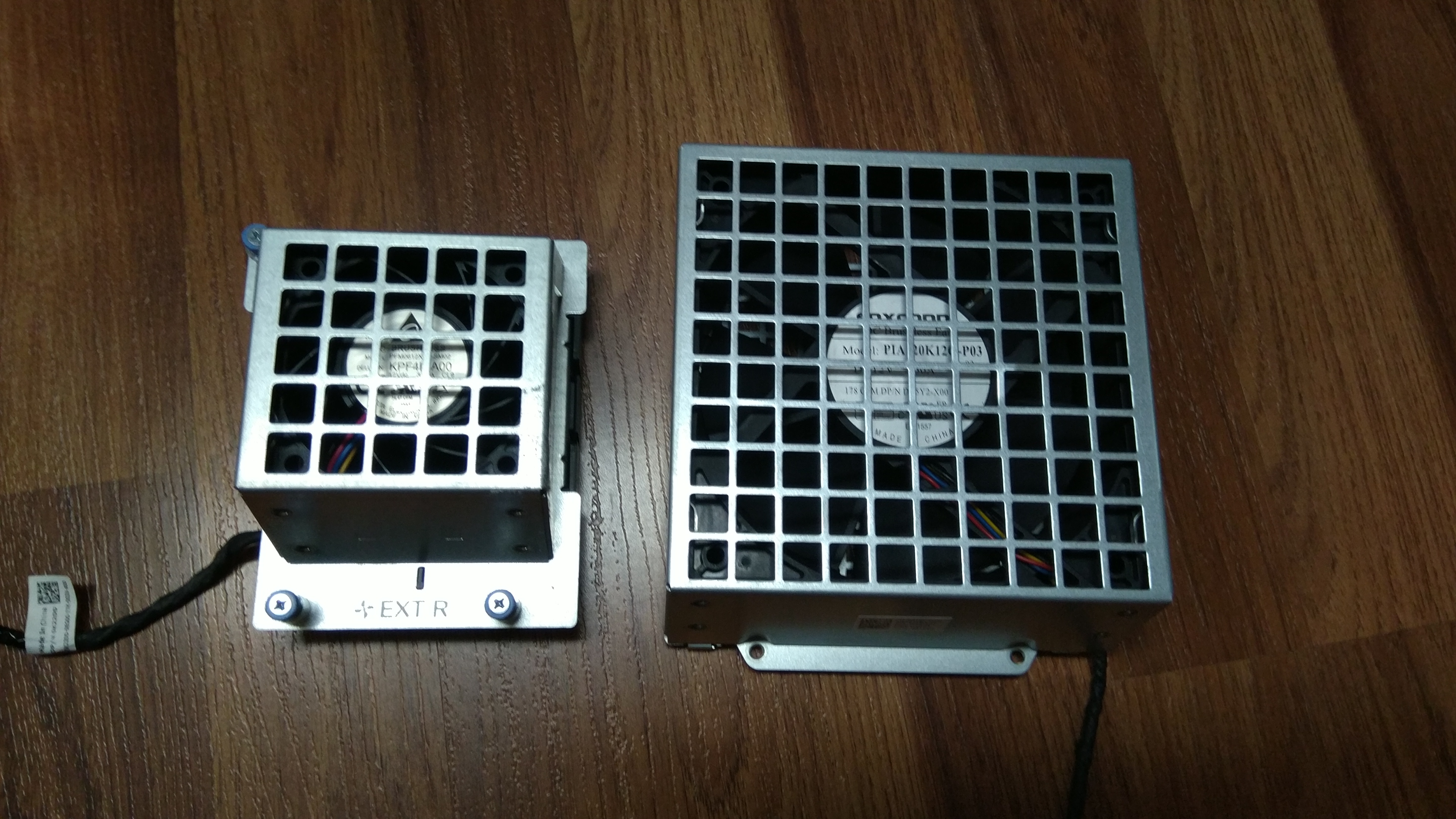
Please don't try to connector a non-Dell Fan to the appropriate fan (L or R) connector on your motherboard, it can easily short and you'd have to have to motherboard replaced.
There's one BIG caveat with those external fans : since they cover the back of the PCIe slots, you CANNOT use external connectors on the back of your PCIe cards. I guess it's probably only good for machine learning and TensorFlow but I like my GPUs connected to a Monitor, Thanks.
Also, if you don't have the external Fan that the system is requesting, the T640 will think cooling configuration is degraded and will put -ALL- of the other fans (Back Fans, Mid-Tray Fans, PSU Fans) at 100% (think of a Boeing 747 at takeoff).
After using (successfully) a Geforce GTX 1660 Ti in my T640 for a few weeks (with the fan hanging on the back of the machine), I dropped the ball and got a Quadro GPU without an external power connector.
This also required that I removed the GPU Power Distribution Board which is placed underneath the motherboard. The T630 - with the same GPU Board - does NOT require any additionnal external fans at all and my GTX 1660Ti GPUs are very fine in my T630's.
- Cooling configuration and Fans
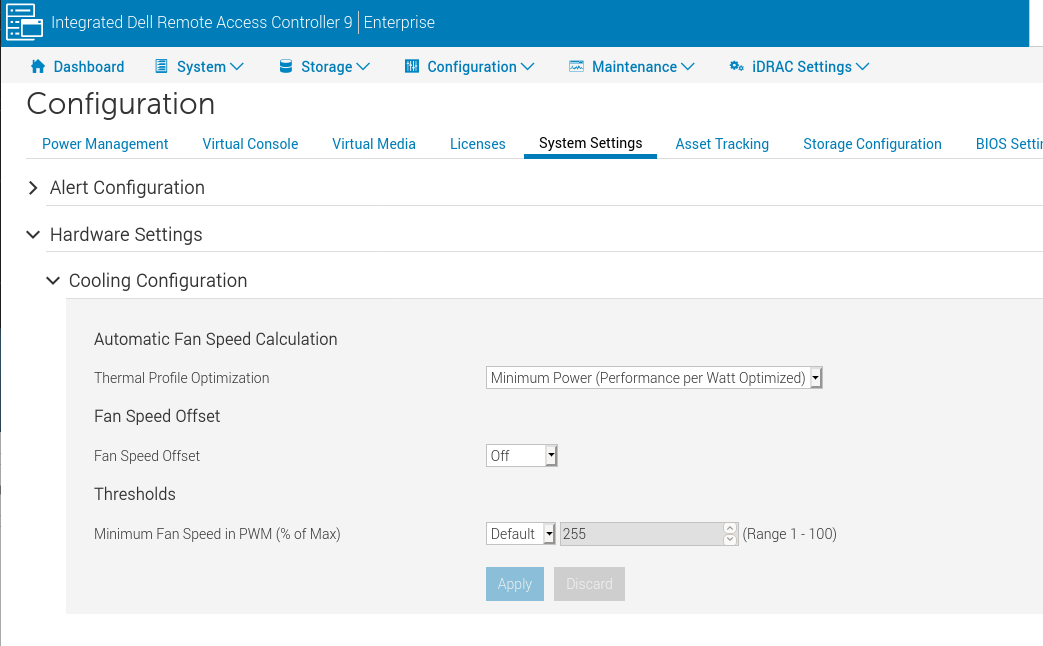
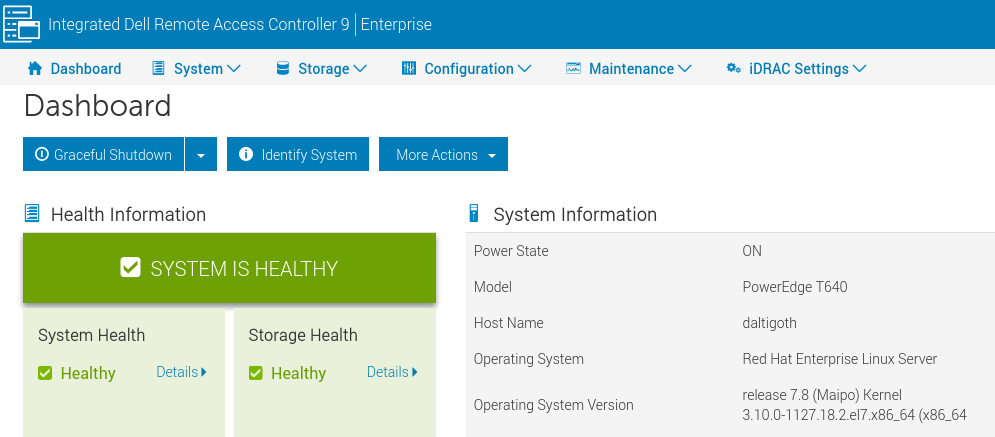
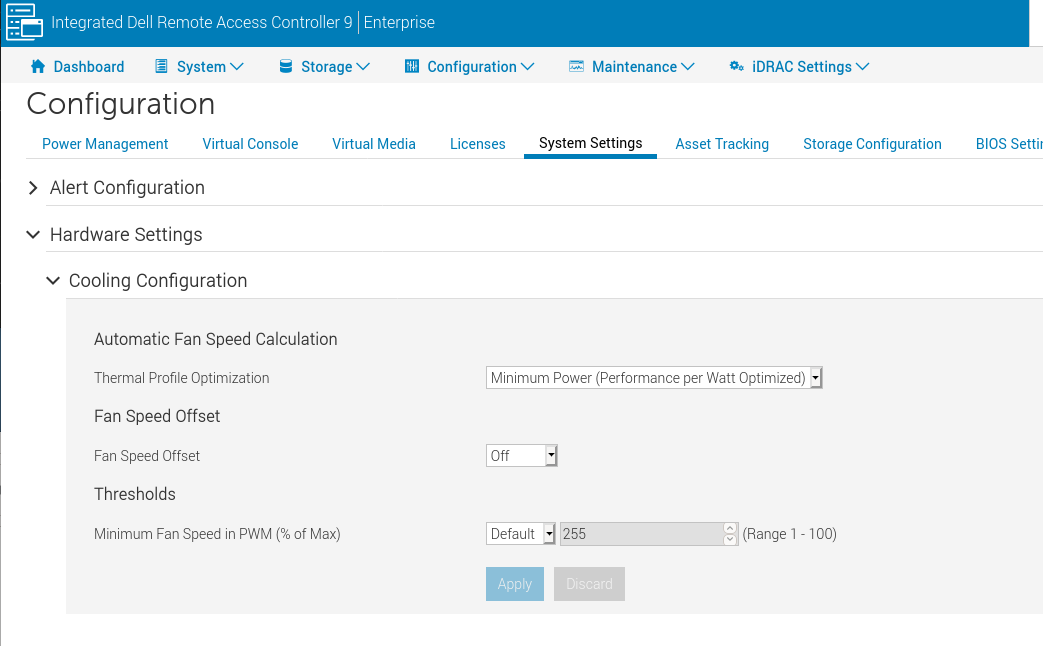
- Set your system to 'Minimum Power' and disable the 'Fan Speed Offset':
Go to 'Configuration', then 'System Settings', then 'Hardware Settings', then 'Cooling Configuration'
- PCIe slots
![[Contents]](iconsd/cntsicon.gif)
![[Map]](iconsd/mapicon.gif)
![[Index]](iconsd/indxicon.gif)
![[Comment]](iconsd/cmnticon.gif)
![[Search]](iconsd/srchicon.gif)
![[Home]](iconsd/homeicon.gif)
![[Up]](iconsd/upicon.gif)
![[Previous]](iconsd/previcox.gif)
![[Next]](iconsd/nexticox.gif)