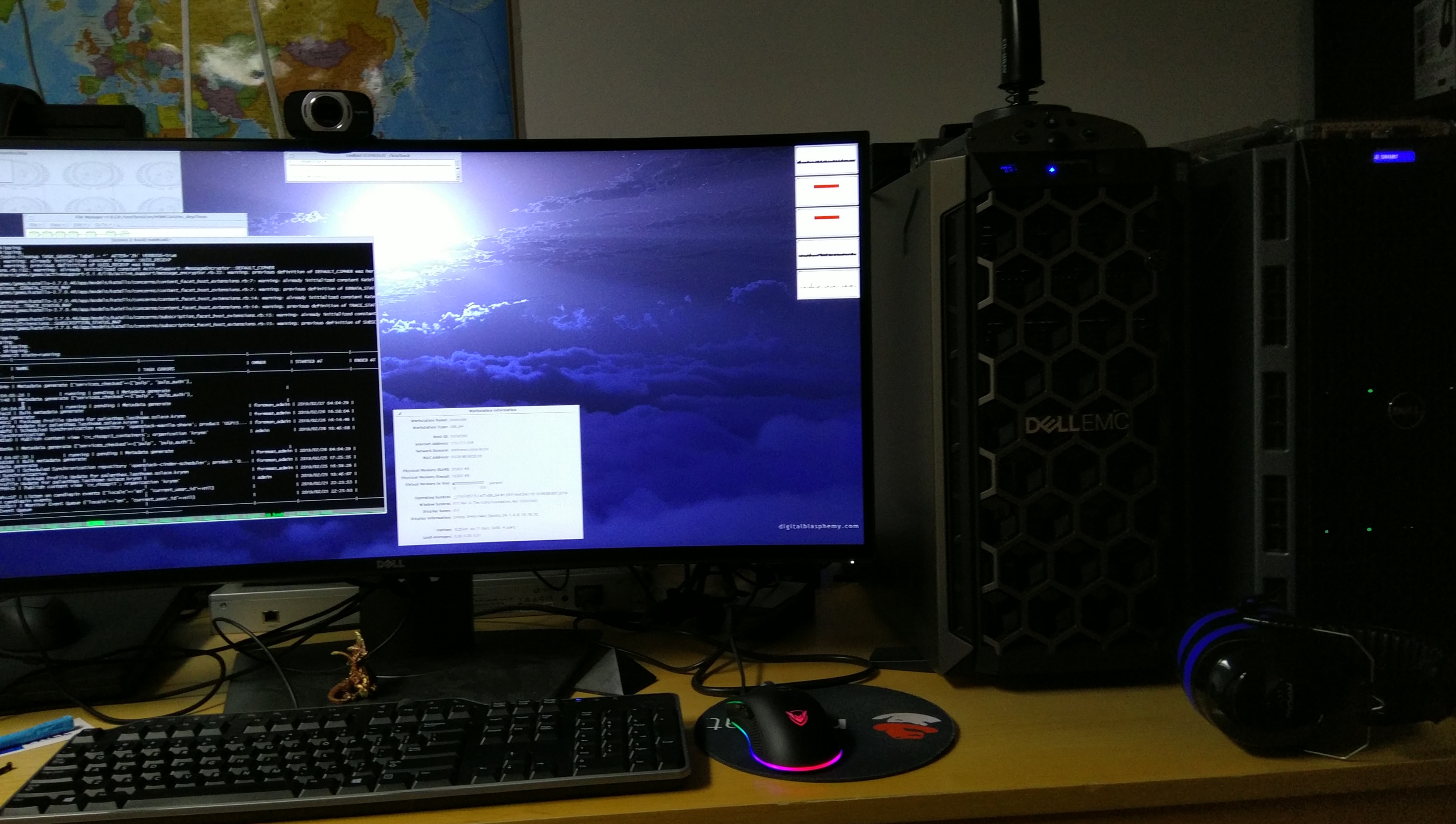
A new computer: Dell PowerEdge T440 server.
As much as I consider it a very fine machine now, that road wasn't easy. Some of the previous 12th Gen and 13th Gen Tips didn't apply and had to be-revisited.Also. because I was unaware of some of the 'quirks' I ran into some issues after purchase and it took me a while to add in the extra hardware to make the T440 experience more enjoyable.
3rd Party PCI Fan response
There is no more a one-size-fits all 3rd party PCI fan response.Instead, this is now done per slot. Look for this in the idrac GUI under
'Hardware Settings':
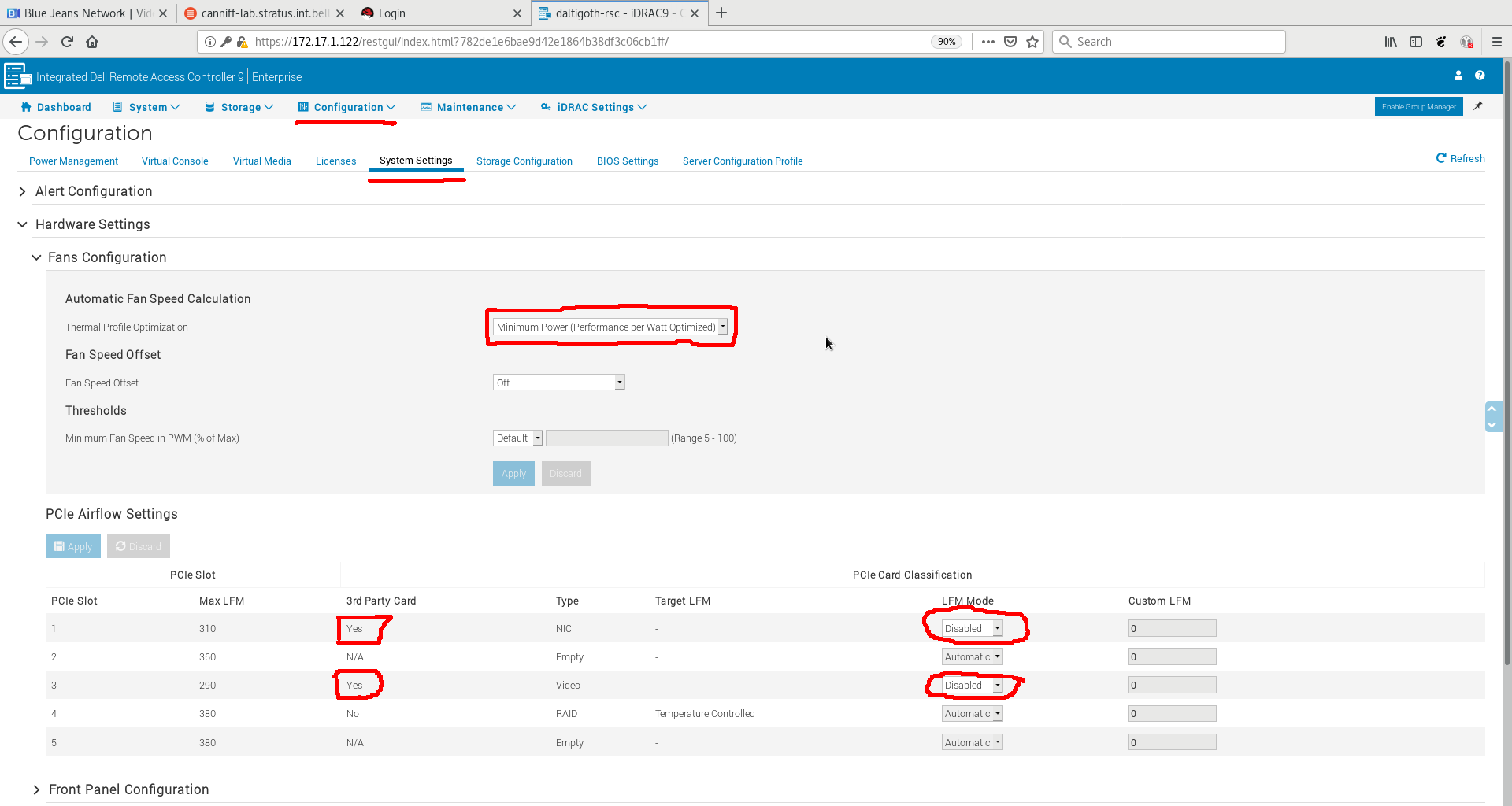
Or, for the CLI-minded:
/admin1-> racadm get System.PCIESlotLFM.1
[Key=System.Embedded.1#PCIeSlotLFM.1]
#3rdPartyCard=Yes
#CardType=NIC
CustomLFM=0
LFMMode=Disabled
#MaxLFM=310
#SlotState=Defined
#TargetLFM=-
/admin1-> racadm set System.PCIESlotLFM.1.LFMMode 2
[Key=System.Embedded.1#PCIeSlotLFM.1]
Object value modified successfully
/admin1-> racadm get System.PCIESlotLFM.1
[Key=System.Embedded.1#PCIeSlotLFM.1]
#3rdPartyCard=Yes
#CardType=NIC
CustomLFM=0
LFMMode=Custom
#MaxLFM=310
#SlotState=Defined
#TargetLFM=-
Fan Speed
The server is -very- picky about components health (there are a lot more sensors). At one point it was pushing 100% fan because of the lack of a temperature sensor on the 850 evo SSD which was behind the H730P. Upgraded to 860 evo's, problem solved. The PowerEdge T130 which had both the H730P and the SSD never had a single issue with that.I decided that I liked it more if the fan stayed around 1080rpm so I added a script to my RHEL7 system:
# gmake install
chkconfig --add dellfanctl
(II) -------
/etc/rc.d/rc1.d/K02dellfanctl
/etc/rc.d/init.d/dellfanctl
/etc/rc.d/rc3.d/S75dellfanctl
/etc/rc.d/rc2.d/S75dellfanctl
/etc/rc.d/rc0.d/K02dellfanctl
/etc/rc.d/rc4.d/S75dellfanctl
/etc/rc.d/rc6.d/K02dellfanctl
/etc/rc.d/rc5.d/S75dellfanctl
(II) -------
You have new mail in /var/spool/mail/root
# systemctl -al|grep dellf
  dellfanctl.service    loaded    active    exited    SYSV: Enables manual IPMI Dell Fan control after boot
# crontab -l|grep dellf
*/35 * * * * /etc/init.d/dellfanctl start > /dev/null 2>&1
# /etc/init.d/dellfanctl status
(II) MAX T: 65C, Current T: 30C, Fan: 1080 (+/- 120) RPM   [  OK  ]
# /etc/init.d/dellfanctl start
(II) Enabled Manual fan Control on host daltigoth          [  OK  ]
This script can be downloaded here (adapt script for your hostnames):
dellfanctl
GPU cards
The single x16 slot for GPU only gets enabled for GPUs when you have two Xeons, not one.If you want a GPU that draws more power than that provided by the PCI slot, please remember to order your server with the GPU kit as it cannot be retrofitted/ordered afterwards. I am planning to research this soon.
I'm currently using an MSI Geforce GTX 1030 single width card in the machine.
Power Draw
With one Xeon Silver 4110, my T440 idled around 66 Watts. With two cpus it idles around
88 Watts. That's quite decent.
![[Contents]](iconsd/cntsicon.gif)
![[Map]](iconsd/mapicon.gif)
![[Index]](iconsd/indxicon.gif)
![[Comment]](iconsd/cmnticon.gif)
![[Search]](iconsd/srchicon.gif)
![[Home]](iconsd/homeicon.gif)
![[Up]](iconsd/upicon.gif)
![[Previous]](iconsd/previcox.gif)
![[Next]](iconsd/nexticox.gif)